10 Tips Steam Deck Penting yang Harus Kamu Tahu

10 Tips Steam Deck Penting yang Harus Diketahui Setiap Pemilik
Ringkasan Cepat
Maksimalkan Steam Deck Anda dengan tips dan trik penting ini.
Steam Deck telah mengubah selamanya apa yang mungkin dalam dunia gaming handheld. Perangkat portabel PC buatan Valve telah menempatkan seluruh perpustakaan gaming di kantong Anda, mampu menjalankan ribuan judul mulai dari blockbuster AAA hingga gem indie yang memukau. Baik Anda adalah pemilik baru atau telah memiliki Deck selama berbulan-bulan, selalu ada lebih banyak yang dapat dipelajari tentang cara memaksimalkan pengalaman gaming Anda.
Panduan ini mencakup 10 tips Steam Deck penting yang akan mengubah cara Anda bermain. Dari optimasi baterai hingga penyetelan performa, dari manajemen penyimpanan hingga alat komunitas, strategi-strategi ini akan membantu Anda membuka potensi penuh dari perangkat Anda. Mari kita mulai.
Tim Digidang sering dapat pertanyaan seputar "10 tips steam deck penting yang harus diketahui setiap pemilik" dari komunitas gamer Indonesia. Sebagian besar pertanyaan berakar dari pengalaman pertama kali transaksi atau saat mencoba produk gaming baru. Bagian ini kami rangkum berdasarkan kasus nyata yang sering kami tangani di Digidang sejak 2020, jadi kamu bisa langsung apply tips di sini tanpa trial-and-error.
1. Kuasai Performance Profiles untuk Daya Tahan Baterai Lebih Lama
Salah satu fitur paling powerful dari Steam Deck adalah kemampuan untuk mengkustomisasi performa berdasarkan per-game. Banyak pemilik tidak menyadari bahwa mereka dapat secara dramatis memperpanjang daya tahan baterai tanpa mengorbankan gameplay dengan menyesuaikan frame rate dan pengaturan TDP (thermal design power).
Akses menu Quick Access dengan menekan tombol tiga titik pada Steam Deck Anda saat bermain. Dari sana, Anda dapat mengatur batas frame rate, mengaktifkan FSR (FidelityFX Super Resolution), menyesuaikan batas TDP, dan toggle GPU scaling. Keajaiban terjadi ketika Anda menyadari bahwa tidak setiap game perlu berjalan pada 60fps.
Sebagai contoh, game indie, strategi, dan RPG berbasis giliran sering terasa mulus sempurna pada 40fps atau bahkan 30fps. Mengatur batas frame 40Hz pada game-game ini dapat menghemat 30-40% daya tahan baterai Anda. Judul-judul AAA yang lebih menuntut mendapat manfaat dari batas 50Hz, yang masih terasa responsif sambil memperpanjang sesi bermain secara signifikan. Kuncinya adalah menguji pengaturan yang berbeda untuk menemukan sweet spot antara kualitas visual, performa, dan longevitas baterai.
Anda juga dapat menurunkan TDP untuk mengurangi konsumsi daya pada game yang kurang menuntut. Game seperti Hades mungkin berjalan indah pada 15W bukannya default 25W, tanpa ada penurunan performa yang terlihat. Eksperimen adalah teman terbaik Anda di sini.
2. Kelola Penyimpanan Dengan Bijak menggunakan MicroSD Card
Steam Deck dilengkapi dengan penyimpanan internal 64GB, 256GB, atau 512GB tergantung model yang Anda beli. Namun, tidak peduli kapasitas mana yang Anda pilih, Anda akan dengan cepat membutuhkan lebih banyak ruang karena game modern memiliki ukuran file yang sangat besar.
Untungnya, Steam Deck mendukung kartu microSD, dan ini adalah upgrade yang paling bermanfaat yang dapat Anda lakukan. Pilih kartu dengan kecepatan minimal UHS-II atau lebih baik (A2 rating sangat direkomendasikan) untuk performa optimal. Kartu 1TB sekarang terjangkau dan memberikan Anda penyimpanan yang hampir tak terbatas untuk game favorit Anda.
Tips manajemen penyimpanan penting: instal game yang sering Anda mainkan di drive internal karena load time akan lebih cepat. Gunakan microSD untuk game yang lebih casual atau yang jarang dimainkan. Jangan lupa untuk secara rutin menghapus game yang tidak lagi Anda mainkan untuk membebaskan ruang. Steam Deck memudahkan untuk menghapus dan menginstal ulang game nanti kapan saja.
Tim Digidang sering dapat pertanyaan seputar "2. kelola penyimpanan dengan bijak menggunakan microsd card" dari komunitas gamer Indonesia. Sebagian besar pertanyaan berakar dari pengalaman pertama kali transaksi atau saat mencoba produk gaming baru. Bagian ini kami rangkum berdasarkan kasus nyata yang sering kami tangani di Digidang sejak 2020, jadi kamu bisa langsung apply tips di sini tanpa trial-and-error.
3. Gunakan Cloud Saves untuk Sinkronisasi Seamless
Salah satu fitur terbaik dari Steam adalah integrasi cloud save yang otomatis. Steam Deck Anda akan secara otomatis upload save file Anda ke server Steam, memungkinkan Anda untuk melanjutkan game di komputer desktop atau laptop Anda tanpa kehilangan progres.
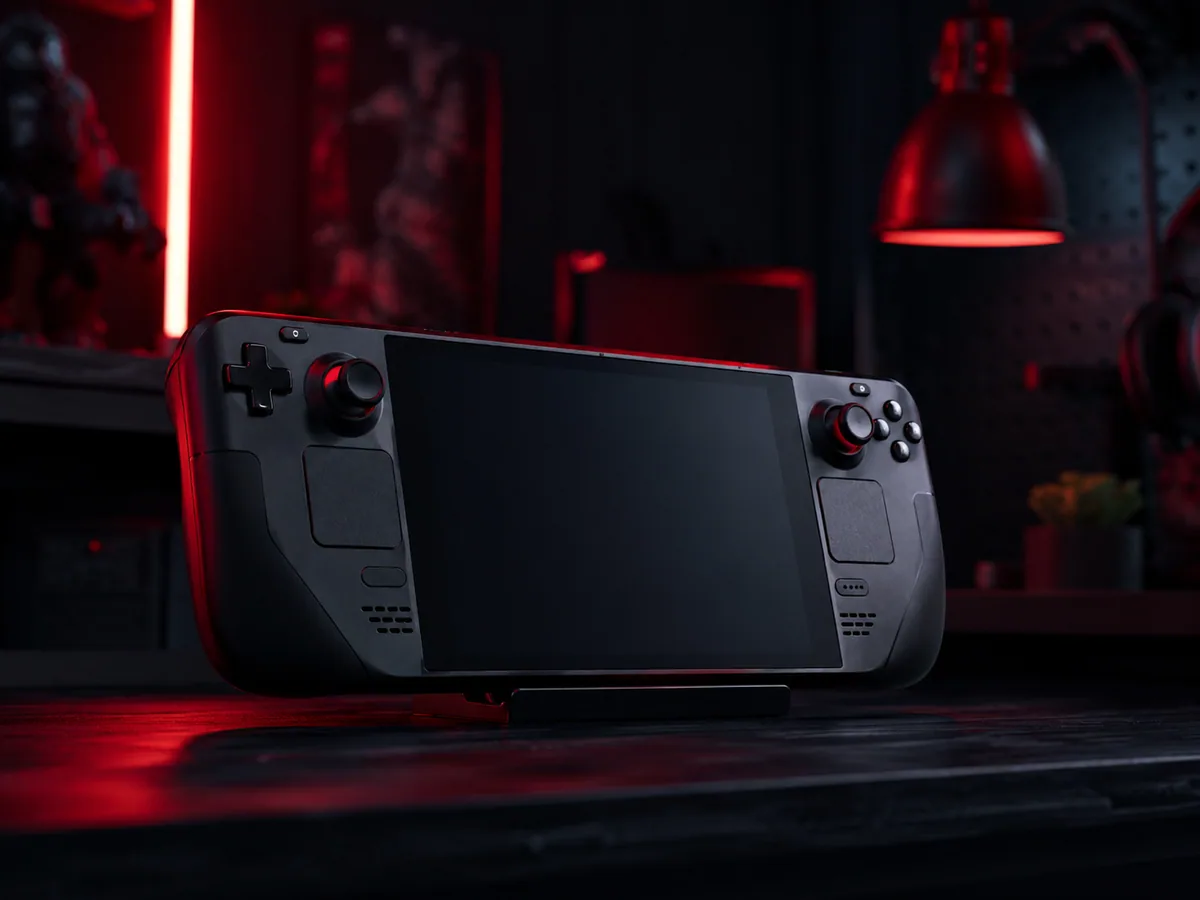
Untuk memastikan cloud saves diaktifkan, buka Settings di Steam Deck Anda, navigasi ke Cloud, dan pastikan "Steam Cloud" diaktifkan. Fitur ini memastikan bahwa puluhan jam gameplay Anda tidak akan pernah hilang, bahkan jika terjadi sesuatu pada perangkat Anda. Ini juga sempurna jika Anda bermain di multiple devices dan ingin menjaga progres tetap sinkron.
Perhatikan bahwa tidak semua game mendukung cloud saves - terutama yang menggunakan save system proprietary. Namun, mayoritas game di Steam akan mendukung fitur ini, jadi ini adalah praktik baik untuk selalu mengaktifkannya.
Tim Digidang sering dapat pertanyaan seputar "3. gunakan cloud saves untuk sinkronisasi seamless" dari komunitas gamer Indonesia. Sebagian besar pertanyaan berakar dari pengalaman pertama kali transaksi atau saat mencoba produk gaming baru. Bagian ini kami rangkum berdasarkan kasus nyata yang sering kami tangani di Digidang sejak 2020, jadi kamu bisa langsung apply tips di sini tanpa trial-and-error.
4. Optimalkan Performa dengan ProtonDB dan Komunitas
Tidak semua game dirancang untuk Linux, dan Steam Deck menjalankan SteamOS yang berbasis Linux. Ini adalah di mana Proton masuk - compatibility layer yang memungkinkan game Windows berjalan di Linux. Steam secara otomatis menggunakan Proton untuk game yang tidak memiliki native Linux build.
ProtonDB adalah situs komunitas yang menampilkan laporan dari pemain lain tentang bagaimana game tertentu berjalan di Steam Deck. Sebelum membeli atau menginstal game baru, kunjungi ProtonDB.com dan cari game tersebut. Anda akan melihat rating seperti "Borked", "Unsupported", "Bronze", "Silver", "Gold", atau "Platinum" - yang menunjukkan tingkat kompatibilitas.
Jika sebuah game tidak berjalan dengan sempurna, komunitas sering berbagi tweaks dan settings yang dapat membuat game tersebut playable. Forum Steam Deck dan subreddit Steam Deck adalah tempat yang bagus untuk menemukan solusi dari sesama gamer Indonesia dan global yang menghadapi masalah yang sama.
Tim Digidang sering dapat pertanyaan seputar "4. optimalkan performa dengan protondb dan komunitas" dari komunitas gamer Indonesia. Sebagian besar pertanyaan berakar dari pengalaman pertama kali transaksi atau saat mencoba produk gaming baru. Bagian ini kami rangkum berdasarkan kasus nyata yang sering kami tangani di Digidang sejak 2020, jadi kamu bisa langsung apply tips di sini tanpa trial-and-error.
5. Update SteamOS Secara Teratur untuk Stabilitas dan Keamanan
Valve secara teratur merilis update SteamOS yang meningkatkan performa, kompatibilitas, dan keamanan. Steam Deck akan memberi tahu Anda ketika update tersedia, dan sangat penting untuk menginstalnya segera.
Update ini tidak hanya memperbaiki bug tetapi juga dapat meningkatkan kompatibilitas Proton dengan game-game tertentu. Untuk memeriksa update secara manual, buka Settings, pilih System, dan cari "Software Update". Biarkan update selesai dengan baik - jangan matikan perangkat selama proses ini berlangsung.
Sebagai praktik terbaik, update SteamOS ketika Anda memiliki waktu untuk menunggu karena Anda tidak akan dapat menggunakan Steam Deck selama update berlangsung. Lakukan ini di malam hari atau ketika Anda tahu Anda tidak akan bermain untuk beberapa jam.
Tim Digidang sering dapat pertanyaan seputar "5. update steamos secara teratur untuk stabilitas dan keamanan" dari komunitas gamer Indonesia. Sebagian besar pertanyaan berakar dari pengalaman pertama kali transaksi atau saat mencoba produk gaming baru. Bagian ini kami rangkum berdasarkan kasus nyata yang sering kami tangani di Digidang sejak 2020, jadi kamu bisa langsung apply tips di sini tanpa trial-and-error.
6. Customisasi Layout Kontrol untuk Setiap Game
Salah satu kekuatan terbesar Steam Deck adalah sistem customization kontrol yang fleksibel. Tidak semua game dirancang dengan gamepad portabel dalam pikiran, tetapi Steam Deck memungkinkan Anda untuk mengatur ulang tombol, stick, dan bahkan haptic feedback untuk hampir semua game.
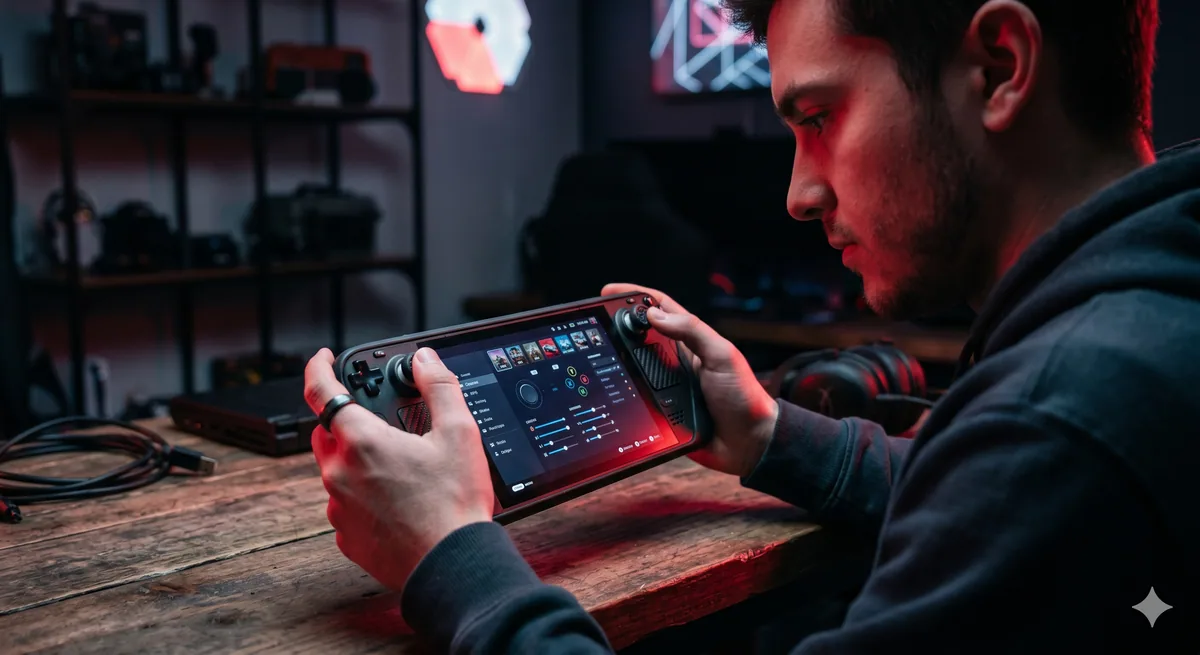
Untuk mengakses pengaturan kontrol, buka Quick Access menu saat bermain dan pilih "Controller Settings". Di sini Anda dapat membuat profile khusus untuk setiap game dengan remapping tombol, mengatur sensitivitas stick, dan mengoptimalkan haptic feedback. Banyak game akan memiliki community layouts yang telah dibuat oleh pemain lain - Anda dapat memilih yang paling populer sebagai titik awal Anda.
Fitur ini sangat berguna untuk game yang secara tradisional dimainkan dengan keyboard dan mouse, seperti strategy games atau RTS. Dengan layout yang tepat, game-game ini menjadi sangat playable di Steam Deck.
Tim Digidang sering dapat pertanyaan seputar "6. customisasi layout kontrol untuk setiap game" dari komunitas gamer Indonesia. Sebagian besar pertanyaan berakar dari pengalaman pertama kali transaksi atau saat mencoba produk gaming baru. Bagian ini kami rangkum berdasarkan kasus nyata yang sering kami tangani di Digidang sejak 2020, jadi kamu bisa langsung apply tips di sini tanpa trial-and-error.
7. Aktifkan Refresh Rate Variabel (VRR) untuk Gameplay Lebih Mulus
Variable Refresh Rate (VRR) adalah teknologi yang memungkinkan layar Steam Deck untuk menyinkronkan refresh rate-nya dengan frame rate game. Ini menghilangkan screen tearing dan memberikan gameplay yang terasa lebih mulus, terutama ketika frame rate berfluktuasi.
Untuk mengaktifkan VRR, buka Settings, navigasi ke Display, dan toggle "Variable Refresh Rate". Fitur ini akan secara signifikan meningkatkan pengalaman visual Anda, terutama pada game dengan frame rate yang tidak stabil atau ketika Anda bermain pada pengaturan frame rate yang lebih rendah untuk menghemat baterai.
VRR tidak akan menambah beban pada baterai Anda dan kompatibel dengan mayoritas game, jadi ini adalah fitur yang harus selalu aktif kecuali Anda menemukan game tertentu yang berperilaku aneh dengannya.
Tim Digidang sering dapat pertanyaan seputar "7. aktifkan refresh rate variabel (vrr) untuk gameplay lebih mulus" dari komunitas gamer Indonesia. Sebagian besar pertanyaan berakar dari pengalaman pertama kali transaksi atau saat mencoba produk gaming baru. Bagian ini kami rangkum berdasarkan kasus nyata yang sering kami tangani di Digidang sejak 2020, jadi kamu bisa langsung apply tips di sini tanpa trial-and-error.
8. Gunakan Desktop Mode untuk Instalasi dan Manajemen Game
Steam Deck dapat boot ke Desktop Mode, memberikan Anda akses ke Linux desktop environment yang penuh. Mode ini sempurna untuk tugas-tugas seperti menginstal driver, mengelola file, atau bahkan bermain game non-Steam melalui aplikasi pihak ketiga seperti Lutris.
Untuk masuk ke Desktop Mode, tekan tombol Power, pilih "Switch to Desktop", lalu tekan tombol Power lagi untuk login. Dari sini, Anda memiliki kontrol penuh atas sistem operasi. Anda dapat menghubungkan mouse dan keyboard atau menggunakan on-screen keyboard untuk navigasi.
Desktop Mode sangat berguna jika Anda ingin memainkan game dari platform lain seperti GOG, Epic Games Store, atau bahkan emulator retro. Namun, untuk sebagian besar gamer casual, Gaming Mode akan mengatasinya sepenuhnya dan jauh lebih user-friendly.
Tim Digidang sering dapat pertanyaan seputar "8. gunakan desktop mode untuk instalasi dan manajemen game" dari komunitas gamer Indonesia. Sebagian besar pertanyaan berakar dari pengalaman pertama kali transaksi atau saat mencoba produk gaming baru. Bagian ini kami rangkum berdasarkan kasus nyata yang sering kami tangani di Digidang sejak 2020, jadi kamu bisa langsung apply tips di sini tanpa trial-and-error.
9. Manajemen Termal untuk Performa Konsisten
Steam Deck akan menjadi hangat selama bermain game yang demanding, tetapi ini adalah hal yang normal. Namun, Anda dapat mengambil langkah-langkah untuk memastikan perangkat Anda tetap pada suhu operasional yang optimal.
Pertama, pastikan Anda bermain di area yang well-ventilated dan hindari menutup
Tim Digidang sering dapat pertanyaan seputar "9. manajemen termal untuk performa konsisten" dari komunitas gamer Indonesia. Sebagian besar pertanyaan berakar dari pengalaman pertama kali transaksi atau saat mencoba produk gaming baru. Bagian ini kami rangkum berdasarkan kasus nyata yang sering kami tangani di Digidang sejak 2020, jadi kamu bisa langsung apply tips di sini tanpa trial-and-error.
Tips Pro dari Tim Digidang
Berdasarkan pengalaman tim Digidang melayani ribuan transaksi gaming setiap bulan sejak 2020, berikut tips yang sering kami berikan ke pelanggan setia kami.
- Verify info dari multiple source: Berita gaming sering dipublikasi cepat tanpa verifikasi. Cek minimal 2-3 sumber kredibel sebelum percaya rumor.
- Subscribe official channel: Untuk update launch atau event resmi, ikuti Twitter resmi publisher dan Discord komunitas Indonesia, bukan dari Twitter leaker.
- Tunggu post-launch review: Banyak game dapat 8/10 di review pre-launch tapi 6/10 setelah 1 minggu. Cek review komunitas 7-14 hari pasca rilis sebelum beli.
- Backup akun dengan 2FA: Sebelum kerjain transaksi besar atau ganti device, pastikan 2FA aktif di semua akun gaming kamu. Steam Guard, Riot Authenticator, dsb.
- Pantau performance harga: Gunakan price tracker seperti IsThereAnyDeal untuk lihat history harga game. Hindari beli saat harga sedang naik (pre-event).
Mengapa Beli Produk Gaming di Digidang
Sebagai marketplace gaming digital yang sudah beroperasi sejak 2020, Digidang dibangun oleh dan untuk gamer Indonesia. Berikut alasan mengapa ribuan gamer mempercayakan kebutuhan top-up dan gift card mereka ke Digidang:
- Harga kompetitif: Kami terus pantau harga marketplace lain dan adjust agar kamu selalu dapat harga terbaik tanpa drama hidden cost.
- Proses instan otomatis: Kode digital terkirim ke email kamu dalam hitungan menit, bukan jam atau hari. Kami tahu gamer mau langsung main.
- Customer service 24/7: Tim support Digidang siap respons via WhatsApp dan email kapan saja. Bukan robot chat, kamu chat dengan manusia yang paham gaming.
- Aman dan terpercaya: Pembayaran via payment gateway resmi (Midtrans, Xendit), bukan transfer pribadi. Data kamu dilindungi enkripsi SSL 256-bit.
- Variasi produk lengkap: Dari top-up Mobile Legends, PUBG, Genshin Impact, sampai gift card Steam, Roblox, PlayStation - semua tersedia dalam satu platform.
- Komunitas aktif: Digidang punya komunitas Discord dan Instagram yang aktif sharing tips, build, dan diskusi seputar gaming Indonesia.
Cek katalog Digidang untuk melihat semua produk gaming yang tersedia, atau kunjungi halaman tentang kami untuk tahu lebih banyak tentang misi Digidang membangun ekosistem gaming Indonesia yang sehat.
Kesimpulan & Poin Penting
10 Tips Steam Deck Penting yang Harus Diketahui Setiap Pemilik bukan sekadar topik gaming biasa - ini adalah area yang berkembang cepat dan terus berubah seiring rilis game baru, update publisher, dan trend di komunitas gaming Indonesia. Tim Digidang akan terus memperbarui artikel ini agar tetap relevan dengan kondisi terbaru.
Beberapa poin penting yang perlu kamu ingat dari panduan ini:
- Selalu prioritaskan keamanan akun: Aktifkan 2FA, jangan share password, dan hindari beli dari seller tidak terpercaya.
- Bandingkan harga dari beberapa sumber: Walau Digidang menawarkan harga kompetitif, kebiasaan membandingkan sebelum beli adalah behavior yang sehat.
- Manfaatkan event dan promo: Banyak penghematan signifikan datang dari kombinasi diskon Digidang dengan event in-game publisher.
- Verifikasi setiap detail transaksi: User ID, region, dan denominasi - kesalahan kecil bisa berakibat ke kerugian yang tidak bisa di-refund.
- Manfaatkan support Digidang: Customer service kami aktif 24/7 via WhatsApp dan email. Jangan ragu hubungi kalau ada pertanyaan.
Punya pertanyaan lebih lanjut? Cek section FAQ di bawah, atau langsung kontak tim Digidang via WhatsApp untuk konsultasi gratis seputar produk gaming yang kamu butuhkan.
Pertanyaan Umum (FAQ)
Apa itu 10 Tips Steam Deck Penting yang Harus Diketahui Setiap Pemilik?
10 Tips Steam Deck Penting yang Harus Diketahui Setiap Pemilik adalah topik gaming yang dibahas lengkap di Digidang. Artikel ini memberikan panduan praktis berdasarkan pengalaman tim Digidang yang sudah melayani ribuan gamer Indonesia sejak 2020.
Apakah informasi di artikel ini terpercaya?
Ya. Semua informasi di Digidang ditulis oleh tim editorial yang aktif bermain dan mengikuti perkembangan industri gaming. Setiap rekomendasi sudah melalui proses verifikasi internal sebelum dipublikasikan.
Bagaimana cara membeli produk gaming di Digidang?
Pilih produk yang kamu mau di halaman shop Digidang, tambahkan ke keranjang, dan checkout. Pembayaran tersedia via transfer bank, e-wallet (OVO, GoPay, Dana, ShopeePay), dan QRIS. Kode akan dikirim instan ke email setelah pembayaran terkonfirmasi.
Berapa lama proses pengiriman kode digital?
Kode digital dikirim otomatis ke email kamu maksimal 5 menit setelah pembayaran berhasil. Jika lebih dari 30 menit belum diterima, cek folder spam atau hubungi tim support Digidang via WhatsApp.
Apakah Digidang menyediakan garansi jika kode bermasalah?
Setiap kode dari Digidang dijamin valid. Jika ada masalah saat redeem, customer service kami siap membantu 24/7 melalui WhatsApp atau email support. Kami akan mengganti kode atau refund jika terbukti bermasalah dari sisi kami.
Apakah aman beli produk gaming digital di Digidang?
Sangat aman. Digidang sudah beroperasi sejak 2020 dan memiliki ribuan transaksi sukses. Semua transaksi diproses melalui payment gateway resmi (Midtrans, Xendit) dengan enkripsi SSL 256-bit. Data pribadi kamu tidak akan disebarkan ke pihak ketiga.
Mengapa harus pilih Digidang dibanding marketplace lain?
Digidang spesialis produk gaming digital dengan harga kompetitif, proses instan, dan customer service responsif. Tim kami paham kebutuhan gamer karena memang dijalankan oleh komunitas gamer Indonesia.
Marcus Chen
Penggemar gaming dan pakar marketplace yang berbagi tips, panduan, dan penawaran gaming terbaik.