Panduan Pemula: Beli dan Aktifkan Kunci Game Digital
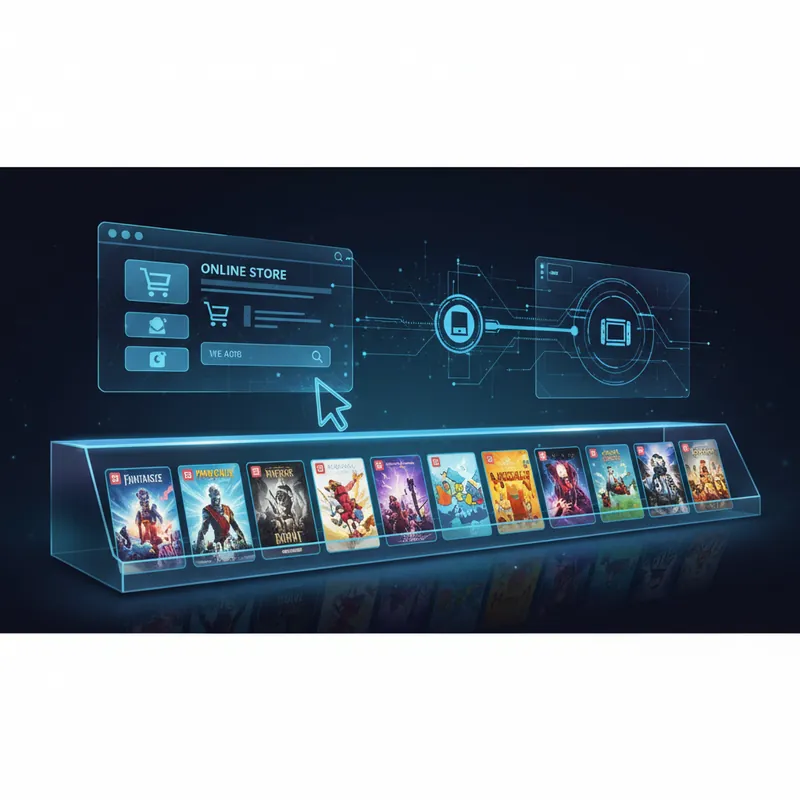
Jawaban langsung
Game key digital adalah kode aktivasi untuk platform, edisi, dan terkadang region tertentu. Sebelum membayar, periksa ketiganya; lalu redeem hanya di klien resmi Steam, Xbox, PlayStation, Nintendo, atau publisher. Steam menyatakan pembatasan CD key berbeda menurut publisher dan tidak dapat dihapus oleh Steam Support. Sumber: Steam Support.
Setelah memeriksa platform dan region, baca penjelasan cara kerja game key digital dan gunakan checklist keaslian kode sebelum redeem. lanjutkan ke checklist anggaran pembelian, panduan redeem kode konsol, dan panduan refund pembelian digital. Untuk pilihan langganan, baca perbandingan layanan berlangganan, lihat katalog kode aktivasi dan pilihan voucher digital, baca tentang proses verifikasi listing, lalu ikuti tips menyiapkan perangkat setelah aktivasi.
Panduan Pemula: Cara Membeli dan Mengaktifkan Kunci Game Digital
Ringkasan Cepat
Baru mengenal kunci game digital? Panduan ini mencakup semuanya dari pembelian hingga aktivasi.
Dunia gaming telah mengalami transformasi luar biasa dalam dekade terakhir. Sudah tidak ada lagi zaman ketika Anda harus mengunjungi toko fisik, antri panjang, dan pulang dengan kotak game di tangan. Saat ini, kunci game digital telah menjadi standar cara gamer membeli dan memainkan game favorit mereka - dan ada alasan yang sangat bagus untuk ini. Kunci game digital lebih cepat, lebih murah, dan jauh lebih nyaman dibandingkan metode tradisional.
Namun, jika Anda baru mengenal dunia kunci game digital, pasti Anda memiliki banyak pertanyaan. Bagaimana cara kerjanya? Di mana Anda bisa membelinya? Bagaimana cara mengaktifkannya? Apakah aman? Panduan lengkap untuk pemula ini akan membimbing Anda melalui semua hal yang perlu Anda ketahui tentang pembelian dan aktivasi kunci game digital, sehingga Anda dapat membangun perpustakaan game Anda dengan percaya diri.
Tim Digidang sering dapat pertanyaan seputar "panduan pemula: cara membeli dan mengaktifkan kunci game digital" dari komunitas gamer Indonesia. Sebagian besar pertanyaan berakar dari pengalaman pertama kali transaksi atau saat mencoba produk gaming baru. Bagian ini kami rangkum berdasarkan kasus nyata yang sering kami tangani di Digidang sejak 2020, jadi kamu bisa langsung apply tips di sini tanpa trial-and-error.
Memahami Kunci Game Digital: Dasar-Dasarnya
Apa Itu Kunci Game Digital Sebenarnya?
Kunci game digital adalah kode alfanumerik unik - biasanya terdiri dari 15 hingga 25 karakter - yang berfungsi sebagai bukti pembelian dan metode aktivasi untuk game tertentu. Pikirkan hal ini seperti kombinasi antara kwitansi digital dan kunci lisensi. Ketika Anda membeli game melalui pengecer digital seperti Digidang, Anda menerima kode ini melalui email, yang kemudian Anda masukkan ke platform gaming pilihan Anda untuk membuka dan mengunduh game lengkap.
Keindahan dari kunci game digital adalah kesederhanaan dan universalitasnya. Tidak seperti salinan fisik, tidak ada manufaktur, pengiriman, atau penanganan yang diperlukan. Setelah Anda menyelesaikan pembelian dan menerima kunci Anda, Anda dapat langsung memulai proses aktivasi. Game akan selamanya terhubung dengan akun Anda dan dapat diunduh serta dimainkan di perangkat apa pun tempat Anda login.
Apa Perbedaan Kunci Game Digital dengan Metode Pembelian Lainnya?
Ada beberapa cara untuk membeli game digital saat ini, dan penting untuk memahami perbedaannya:
- Pembelian Langsung dari Platform: Ketika Anda membeli game langsung dari Steam, PlayStation Store, layanan langganan Xbox, atau Epic Games Store, uang Anda masuk langsung ke platform tersebut. Anda mendapatkan akses instan, tetapi harganya sering kali lebih mahal karena platform ini tidak memberikan diskon besar.
- Kunci Game Digital dari Reseller: Ketika Anda membeli kunci dari Digidang atau reseller terpercaya lainnya, Anda membeli kode yang sama persis, tetapi dengan harga yang lebih murah karena reseller mendapatkan keuntungan dari volume penjualan dan berbagai strategi bisnis lainnya. Kunci ini sepenuhnya sah dan aman digunakan.
- Langganan Layanan Game: layanan berlangganan, PlayStation Plus, dan Nintendo Switch Online menawarkan akses ke ribuan game dengan biaya berlangganan bulanan. Ini bagus jika Anda ingin menjelajahi berbagai game, tetapi tidak ideal jika Anda hanya ingin memiliki beberapa game favorit secara permanen.
- Salinan Fisik: Masih ada yang menjual game dalam kotak fisik, tetapi metode ini semakin ketinggalan zaman. Harganya lebih mahal, pengiriman memakan waktu, dan Anda membutuhkan ruang penyimpanan.

Mengapa Memilih Kunci Game Digital?
Keuntungan Utama Kunci Game Digital
Harga yang Lebih Terjangkau: Ini adalah alasan utama mengapa banyak gamer Indonesia memilih kunci game digital. Reseller seperti Digidang dapat menawarkan harga 30-50% lebih murah dibandingkan platform resmi. Dengan budget gaming yang terbatas, Anda bisa membeli lebih banyak game atau menghemat uang untuk upgrade perangkat keras.
Kecepatan dan Kemudahan: Tidak ada waktu tunggu untuk pengiriman. Setelah pembayaran dikonfirmasi, kunci langsung dikirim ke email Anda. Anda dapat mengaktifkan dan mulai bermain dalam hitungan menit, bukan hari.
Tidak Ada Batasan Geografis (Sebagian Besar): Kunci game digital dapat digunakan dari mana saja di dunia, meskipun beberapa game mungkin memiliki pembatasan regional tertentu. Ini sempurna untuk gamer Indonesia yang ingin akses ke game internasional.
Ramah Lingkungan: Tidak ada kemasan plastik, tidak ada pengiriman, tidak ada limbah. Kunci digital adalah pilihan yang lebih berkelanjutan.
Hemat Ruang: Anda tidak memerlukan rak untuk menyimpan kotak game. Seluruh perpustakaan game Anda ada di cloud, dapat diakses kapan saja dari perangkat apa pun.
Aman dan Terjamin: Ketika membeli dari reseller terpercaya, kunci Anda dilindungi oleh jaminan uang kembali. Jika ada masalah dengan aktivasi, Anda akan mendapatkan penggantian atau pengembalian dana.
Panduan Langkah demi Langkah: Membeli Kunci Game Digital
Langkah 1: Pilih Platform Gaming Anda
Sebelum membeli, Anda perlu tahu game mana yang Anda inginkan dan di platform mana. Kunci game digital tersedia untuk berbagai platform:
- PC: Steam adalah yang paling populer, tetapi ada juga Epic Games Store, GOG, Origin, Ubisoft+, dan lainnya.
- PlayStation: PlayStation 4 dan PlayStation 5 memiliki toko digital sendiri.
- Xbox: Xbox One, Xbox Series X/S, dan layanan langganan Xbox.
- Nintendo Switch: Nintendo eShop.
- Mobile: Google Play dan App Store (meskipun kunci untuk game mobile kurang umum).
Pastikan Anda sudah memiliki akun di platform pilihan Anda sebelum membeli kunci. Ini akan mempermudah proses aktivasi nanti.
Langkah 2: Cari Game yang Ingin Anda Beli
Kunjungi Digidang atau reseller game digital terpercaya lainnya. Gunakan fitur pencarian untuk menemukan game yang Anda inginkan. Pastikan Anda memilih versi yang tepat - misalnya, apakah Anda ingin versi PC Steam atau versi konsol PlayStation.
Langkah 3: Periksa Kompatibilitas dan Detail Game
Sebelum membeli, pastikan untuk memeriksa:
- Platform apa yang didukung oleh kunci ini (PC, PS4, Xbox, dll)
- Apakah ada batasan regional (beberapa kunci hanya berfungsi di wilayah tertentu)
- Persyaratan sistem minimum (untuk game PC, pastikan komputer Anda memenuhi spesifikasi)
- Apakah ada konten bonus atau DLC yang disertakan
Langkah 4: Tambahkan ke Keranjang dan Checkout
Tambahkan game ke keranjang belanja Anda. Digidang dan reseller lainnya menerima berbagai metode pembayaran yang populer di Indonesia, termasuk transfer bank, e-wallet, dan kartu kredit. Pilih metode pembayaran yang paling nyaman untuk Anda.
Langkah 5: Lakukan Pembayaran
Lengkapi transaksi pembayaran Anda. Sebagian besar reseller memproses pembayaran dengan cepat, dan Anda akan menerima konfirmasi pesanan di email Anda dalam beberapa menit.
Langkah 6: Terima Kunci Game Anda
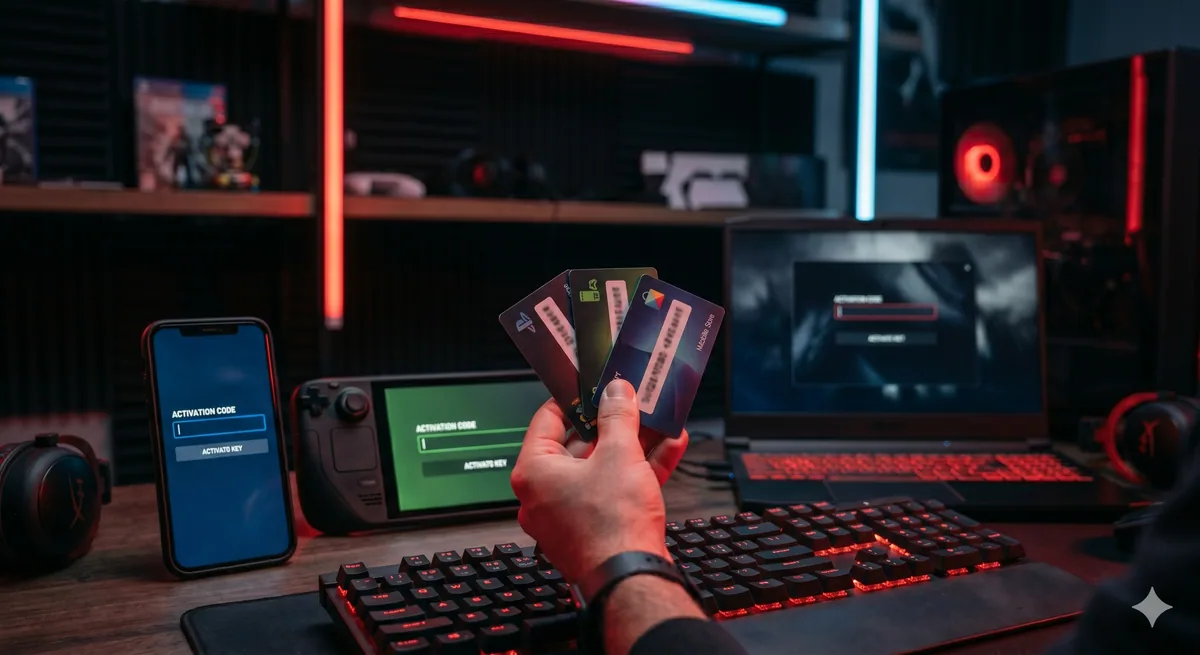
Setelah pembayaran diverifikasi, Anda akan menerima email berisi kunci game digital Anda. Email ini biasanya juga berisi instruksi aktivasi. Simpan email ini dengan aman - ini adalah bukti pembelian Anda.
Panduan Langkah demi Langkah: Mengaktifkan Kunci Game Digital
Aktivasi di Steam (PC)
Steam adalah platform PC gaming paling populer di dunia, dan mengaktifkan kunci game di sana sangat mudah:
- Buka aplikasi Steam atau kunjungi steam.com di browser Anda
- Login dengan akun Steam Anda
- Klik tombol "ADD A GAME" di sudut kiri bawah jendela (atau "Games" → "Activate a Product on Steam" jika menggunakan web)
- Klik "Next" dan setujui Perjanjian Langganan Layanan Steam
- Pilih negara Anda dan klik "Next"
- Masukkan kunci game digital Anda dalam kotak yang disediakan
- Klik "Next" lalu "Finish"
- Game akan ditambahkan ke perpustakaan Anda dan siap untuk diunduh
Aktivasi di PlayStation Store
Untuk PlayStation 4 atau PlayStation 5:
- Masuk ke akun PSN Anda di konsol atau di website PlayStation Store
- Navigasi ke "Redeem Codes"
- Masukkan kode yang Anda terima
- Konfirmasi bahwa Anda ingin menebus kode tersebut
- Tim Digidang sering dapat pertanyaan seputar "panduan langkah demi langkah: mengaktifkan kunci game digital" dari komunitas gamer Indonesia. Sebagian besar pertanyaan berakar dari pengalaman pertama kali transaksi atau saat mencoba produk gaming baru. Bagian ini kami rangkum berdasarkan kasus nyata yang sering kami tangani di Digidang sejak 2020, jadi kamu bisa langsung apply tips di sini tanpa trial-and-error.
Tips Pro dari Tim Digidang
Berdasarkan pengalaman tim Digidang melayani ribuan transaksi gaming setiap bulan sejak 2020, berikut tips yang sering kami berikan ke pelanggan setia kami.
- Baca semua langkah dulu sebelum mulai: Banyak tutorial gagal karena user lompat ke step 5 tanpa baca step 1-4. Pelajari overview-nya dulu, baru eksekusi.
- Screenshot setiap step penting: Untuk proses yang punya banyak menu (account setting, redeem code), screenshot tiap step memudahkan troubleshooting kalau ada error.
- Test di akun sekunder dulu: Kalau ragu, coba dulu di akun cadangan sebelum apply ke akun utama. Khususnya untuk modifikasi setting akun, link akun baru, atau redeem code besar.
- Catat tanggal eksekusi: Tracker simpel di Notion atau Excel berguna untuk recall kapan kamu redeem kode atau ganti email. Memudahkan kalau perlu support dispute.
- Update browser/app dulu: Banyak masalah redeem atau login terjadi karena versi app/browser outdated. Update ke versi terbaru sebelum coba ulang.
Mengapa Beli Produk Gaming di Digidang
Sebagai marketplace gaming digital yang sudah beroperasi sejak 2020, Digidang dibangun oleh dan untuk gamer Indonesia. Berikut alasan mengapa ribuan gamer mempercayakan kebutuhan top-up dan gift card mereka ke Digidang:
- Harga kompetitif: Kami terus pantau harga marketplace lain dan adjust agar kamu selalu dapat harga terbaik tanpa drama hidden cost.
- Proses instan otomatis: Kode digital terkirim ke email kamu dalam hitungan menit, bukan jam atau hari. Kami tahu gamer mau langsung main.
- Customer service 24/7: Tim support Digidang siap respons via WhatsApp dan email kapan saja. Bukan robot chat, kamu chat dengan manusia yang paham gaming.
- Aman dan terpercaya: Pembayaran via payment gateway resmi (Midtrans, Xendit), bukan transfer pribadi. Data kamu dilindungi enkripsi SSL 256-bit.
- Variasi produk lengkap: Dari top-up Mobile Legends, PUBG, Genshin Impact, sampai gift card Steam, Roblox, PlayStation - semua tersedia dalam satu platform.
- Komunitas aktif: Digidang punya komunitas Discord dan Instagram yang aktif sharing tips, build, dan diskusi seputar gaming Indonesia.
Mengapa Memilih Kunci Game Digital? Cek katalog Digidang untuk melihat semua produk gaming yang tersedia, atau kunjungi halaman tentang kami untuk tahu lebih banyak tentang misi Digidang membangun ekosistem gaming Indonesia yang sehat.
Kesimpulan & Poin Penting
Panduan Pemula: Cara Membeli dan Mengaktifkan Kunci Game Digital bukan sekadar topik gaming biasa - ini adalah area yang berkembang cepat dan terus berubah seiring rilis game baru, update publisher, dan trend di komunitas gaming Indonesia. Tim Digidang akan terus memperbarui artikel ini agar tetap relevan dengan kondisi terbaru.
Beberapa poin penting yang perlu kamu ingat dari panduan ini:
- Selalu prioritaskan keamanan akun: Aktifkan 2FA, jangan share password, dan hindari beli dari seller tidak terpercaya.
- Bandingkan harga dari beberapa sumber: Walau Digidang menawarkan harga kompetitif, kebiasaan membandingkan sebelum beli adalah behavior yang sehat.
- Manfaatkan event dan promo: Banyak penghematan signifikan datang dari kombinasi diskon Digidang dengan event in-game publisher.
- Verifikasi setiap detail transaksi: User ID, region, dan denominasi - kesalahan kecil bisa berakibat ke kerugian yang tidak bisa di-refund.
- Manfaatkan support Digidang: Customer service kami aktif 24/7 via WhatsApp dan email. Jangan ragu hubungi kalau ada pertanyaan.
Punya pertanyaan lebih lanjut? Cek section FAQ di bawah, atau langsung kontak tim Digidang via WhatsApp untuk konsultasi gratis seputar produk gaming yang kamu butuhkan.
Pertanyaan Umum (FAQ)
Apakah tutorial ini work di semua device?
Sebagian besar langkah berlaku universal (PC, Mac, mobile). Untuk perbedaan platform spesifik, kami menjelaskan di section masing-masing. Kalau ada pertanyaan, hubungi support Digidang.
Apakah informasi di artikel ini terpercaya?
Ya. Semua informasi di Digidang ditulis oleh tim editorial yang aktif bermain dan mengikuti perkembangan industri gaming. Setiap rekomendasi sudah melalui proses verifikasi internal sebelum dipublikasikan.
Bagaimana cara membeli produk gaming di Digidang?
Pilih produk yang kamu mau di halaman shop Digidang, tambahkan ke keranjang, dan checkout. Pembayaran tersedia via transfer bank, e-wallet (OVO, GoPay, Dana, ShopeePay), dan QRIS. Kode akan dikirim instan ke email setelah pembayaran terkonfirmasi.
Berapa lama proses pengiriman kode digital?
Kode digital dikirim otomatis ke email kamu maksimal 5 menit setelah pembayaran berhasil. Jika lebih dari 30 menit belum diterima, cek folder spam atau hubungi tim support Digidang via WhatsApp.
Apakah Digidang menyediakan garansi jika kode bermasalah?
Setiap kode dari Digidang dijamin valid. Jika ada masalah saat redeem, customer service kami siap membantu 24/7 melalui WhatsApp atau email support. Kami akan mengganti kode atau refund jika terbukti bermasalah dari sisi kami.
Apakah aman beli produk gaming digital di Digidang?
Sangat aman. Digidang sudah beroperasi sejak 2020 dan memiliki ribuan transaksi sukses. Semua transaksi diproses melalui payment gateway resmi (Midtrans, Xendit) dengan enkripsi SSL 256-bit. Data pribadi kamu tidak akan disebarkan ke pihak ketiga.
Mengapa harus pilih Digidang dibanding marketplace lain?
Digidang spesialis produk gaming digital dengan harga kompetitif, proses instan, dan customer service responsif. Tim kami paham kebutuhan gamer karena memang dijalankan oleh komunitas gamer Indonesia.
Emily Torres
Penggemar gaming dan pakar marketplace yang berbagi tips, panduan, dan penawaran gaming terbaik.