Steam Download: Everything You Need to Know in 2026
Steam Download: Everything You Need to Know in 2026
Quick Answer
Download Steam from Valve's official Steam page, run the installer, sign in, then choose a game in Library and select Install. Avoid third-party installers. A purchased Steam key is activated from Games > Activate a Product on Steam before its game can be downloaded.
Use the Digidang Steam hub and original regional price research to understand Steam Wallet, global versus regional keys, and activation. Compare current catalog entries such as Steam Wallet $10, Steam Wallet $25, Elden Ring, Palworld, and Baldur's Gate 3. Always confirm account region and product region before checkout.
What Is Steam Download?
Steam download refers to the process of acquiring and installing games through Valve's Steam platform, the world's largest digital distribution service for PC gaming. With over 130 million monthly active users, Steam has revolutionized how gamers purchase, download, and manage their digital game libraries.
Steam download is more than just transferring files to your computer. It's a complete ecosystem that includes cloud saves, automatic updates, community features, achievements, trading cards, and seamless integration across multiple devices. When you initiate a Steam download, you're tapping into one of the most sophisticated digital distribution networks ever built.
The appeal is simple: accessible gameplay, engaging mechanics, and the kind of experience that works whether you have five minutes or five hours to spare. In 2026, Steam download remains the industry standard for PC gaming distribution, with an ever-expanding catalog of indie gems, AAA blockbusters, and everything in between.
The Digidang team often receives questions about "what is steam download?" from the Indonesian gaming community. Most questions come from first-time transactions or trying out new gaming products. This section is based on real cases we've handled at Digidang since 2020, so you can apply these tips directly without trial and error.
Why Steam Download Is So Popular in 2026
The gaming landscape has never been more diverse, yet Steam download continues to dominate the PC gaming space. Understanding why helps explain Steam's unparalleled market position and why gamers keep coming back.
Massive Game Library and Variety
Steam's catalog contains over 70,000 games across every conceivable genre. Whether you're interested in AAA blockbusters, indie darlings, retro classics, or experimental projects, Steam download gives you access to virtually every game type. This variety ensures that every gamer - regardless of preference - can find something worth downloading.
Competitive Pricing and Regular Sales
Steam's seasonal sales events have become legendary among gamers. With games regularly discounted 50-90% off, Steam download offers unbeatable value. Daily deals, flash sales, and personalized recommendations help you find incredible bargains on quality titles throughout the year.
Cloud Saves and Cross-Device Synchronization
One of Steam download's killer features is cloud save synchronization. Start a game on your desktop, continue on your laptop, and pick up where you left off on your Steam Deck - all automatically. This seamless experience eliminates the friction of traditional game downloads and installations.

Community Features and Social Integration
Steam download isn't just about acquiring games; it's about connecting with millions of players worldwide. Community hubs, friend lists, trading, gifting, and integrated voice communication make Steam download a social experience. You can share achievements, join groups focused on specific games, and even participate in community events.
Regular Updates and Continuous Improvement
When you download a game through Steam, you benefit from automatic updates. Developers can push patches, balance changes, and new content directly to your library without requiring any additional action. This keeps your games current and secure without manual intervention.
How to Get Started with Steam Download
Getting into Steam download is straightforward, but understanding the process and following best practices ensures you get the best experience from day one.
Step 1: Create Your Steam Account
Visit steampowered.com and create a free account. Choose a username, set a strong password, and enable Steam Guard for security. Your Steam account is your gateway to the entire ecosystem, so take time to set it up properly. Add your email address and verify it to unlock full functionality.
Step 2: Install the Steam Client
Download the Steam client from the official website. The application is lightweight - typically under 20MB - and installation takes just a few minutes. The Steam client is the software that manages your Steam download queue, library, and overall gaming experience on your PC.
Step 3: Choose Your Download Location
Before initiating your first Steam download, configure where games will install on your computer. Go to Settings > Downloads > Steam Library Folders. You can create multiple library folders across different drives, allowing you to distribute your game collection and manage storage efficiently. This is especially important if you plan to download large AAA titles that consume 100GB or more.
Step 4: Browse and Purchase Games
Use Steam's store interface to browse games, read reviews, check system requirements, and watch trailers. Add games to your wishlist to track prices. When you're ready to download, click "Install" and the game will appear in your download queue. You can adjust download priority, pause downloads, and monitor progress from the Downloads section.
Step 5: Start Your First Download
Once you've purchased or claimed a free-to-play title, the Steam download process begins automatically. You'll see a progress bar indicating download speed and estimated time remaining. Most modern internet connections can handle Steam downloads without issues, but you may want to close bandwidth-heavy applications during downloads.
Optimizing Your Steam Download Experience
Several factors affect Steam download speeds and efficiency. Implementing these optimization strategies will improve your experience significantly.
Internet Connection and Bandwidth
Steam download speed depends heavily on your internet connection. Wired Ethernet connections are superior to WiFi for large downloads - typically offering 10-50% faster speeds. If you must use WiFi, position your router close to your gaming device and minimize interference from other devices.
Download Server Selection
Steam automatically selects download servers based on your geographic location. If you experience slow speeds, try changing your download region in Settings > Downloads > Download Restrictions. Sometimes selecting a nearby region can improve performance, though this varies by location and time of day.
Scheduling Downloads During Off-Peak Hours
Internet congestion peaks during evening hours (6 PM-11 PM). If possible, schedule large Steam downloads during off-peak periods like early morning or mid-afternoon. This simple strategy can sometimes double your download speeds without any hardware investment.
Managing Storage Efficiently
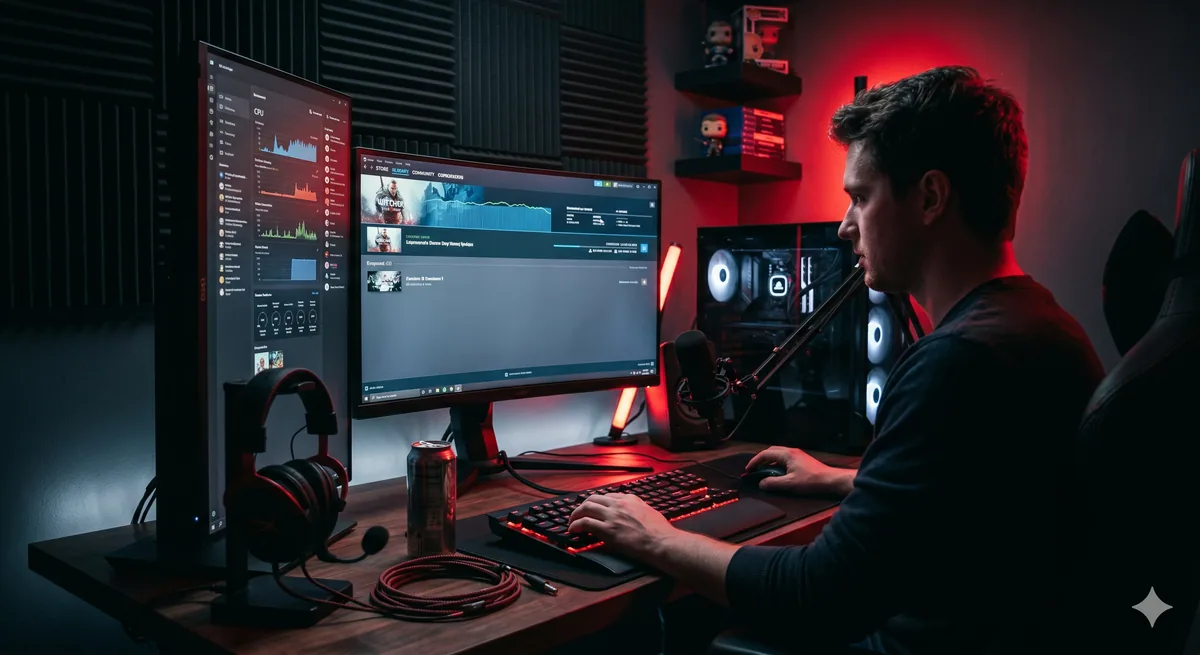
A typical modern game requires 50-150GB of storage space. Before initiating a Steam download, ensure you have sufficient free space. A good rule of thumb is maintaining at least 20% free space on your gaming drive to prevent slowdowns. Consider upgrading to an SSD if you're still using mechanical drives - solid-state drives dramatically reduce installation times and improve game loading speeds.
Monitoring and Limiting Background Processes
Close bandwidth-consuming applications during Steam downloads. Video streaming, cloud backups, and torrenting can severely impact download speeds. Check your Task Manager (Windows) or Activity Monitor (Mac) to identify resource-heavy processes and close them temporarily while downloading.
Steam Download Platform Comparison
While PC remains Steam's primary platform, understanding how Steam download performs across different systems helps you choose the right setup.
| Factor | PC (Windows/Linux) | Steam Deck | Mac |
|---|---|---|---|
| Game Compatibility | Largest selection (99%+) | Growing library (7,000+ verified) | Limited (smaller selection) |
| Performance | Highest graphics/framerates | Handheld-optimized | Moderate, limited GPU options |
| Download Speeds | Fastest (optimal hardware) | Good (WiFi dependent) | Good (varies by specs) |
| Storage Options | Unlimited (external drives) | Limited (256GB-512GB base) | Varies (SSD upgrades) |
| Portability | Desktop/Laptop only | Fully portable | Laptop only |
PC remains the optimal platform for Steam downloads due to superior hardware flexibility, larger game selection, and better performance. However, Steam Deck has emerged as a legitimate portable gaming option in 2026, allowing you to download and play verified games anywhere with a WiFi connection.
The Digidang team often receives questions about "steam download platform comparison" from the Indonesian gaming community. Most questions come from first-time transactions or trying out new gaming products. This section is based on real cases we've handled at Digidang since 2020, so you can apply these tips directly without trial and error.
Best Practices for Managing Your Steam Library
Effective Steam library management ensures you get maximum value from your downloads and maintain a healthy gaming setup.
Organize with Categories and Favorites
Create custom categories in your Steam library to organize games by genre, playstyle, or status. Mark frequently played titles as favorites for quick access. This organizational system becomes essential once your library grows beyond 50 games.
Leverage Wishlists and Price Tracking
Add games to your wishlist before purchasing. Steam notifies you when wishlisted games go on sale, helping you maximize discounts. This strategy is crucial for building your library cost-effectively while waiting for optimal pricing.
Manage Updates Intelligently
Configure automatic updates in your Steam settings. You can choose to update games only when your computer is idle or on a schedule that suits your internet usage patterns. This prevents updates from interfering with your gaming or work time.
Monitor Storage and Remove Unused Games
Regularly review your library and uninstall games you no longer play. Since they're stored in the cloud, you can always reinstall later. This keeps your system lean and ensures fast loading times for active games.
Frequently Asked Questions
How long does a typical Steam download take?
Download duration depends on three factors: game size, your internet connection speed, and server load. A 50GB game on a 100 Mbps connection typically takes 60-90 minutes. Smaller indie games (1-5GB) download in 5-15 minutes on the same connection. During peak hours or regional server congestion, speeds may be 20-50% slower.
Can I download games while playing other games?

Yes, Steam downloads run in the background while you play. However, simultaneous downloads and gaming may cause minor performance impacts and network contention. For optimal gaming performance during online multiplayer sessions, consider pausing downloads until you finish playing.
What happens if my internet disconnects during a Steam download?
Steam automatically resumes downloads where they left off when your connection returns. Your progress is saved, and you won't need to restart the entire download. This resilience is built into Steam's infrastructure, making it reliable even with unstable connections.
Can I share downloaded games with other users on my computer?
Yes, multiple Steam accounts can access the same downloaded games on one computer through Steam's Family Library feature. However, only one user can play at a time per game. This feature is designed for household sharing, not for circumventing licensing restrictions.
How do I increase Steam download speed?
Use wired Ethernet instead of WiFi, close bandwidth-heavy applications, select a different download region in settings, download during off-peak hours, and ensure your router is functioning properly. These optimizations can sometimes improve speeds by 20-50% without requiring hardware upgrades.
Conclusion: Start Your Steam Download Journey Today
Steam download remains the gold standard for PC gaming in 2026, offering unmatched convenience, variety, and community integration. From casual indie experiences to demanding AAA blockbusters, Steam's ecosystem delivers something for every gamer.
Whether you're optim
Pro Tips from the Digidang Team
Based on the Digidang team's experience handling thousands of gaming transactions every month since 2020, here are the tips we share most often with our loyal customers.
- Verify info across multiple sources: Gaming news is often published fast with little verification. Check 2-3 credible sources before trusting a rumor.
- Subscribe to official channels: For official launches and events, follow publisher Twitter accounts and community Discords directly rather than leakers.
- Wait for post-launch reviews: Many games get 8/10 in pre-launch reviews and drop to 6/10 a week later. Check community feedback 7-14 days post-launch before buying.
- Back accounts with 2FA: Before any big transaction or device change, make sure 2FA is active on all your gaming accounts (Steam Guard, Riot Authenticator, etc.).
- Track price history: Use a price tracker like IsThereAnyDeal to see historical prices. Avoid buying when prices are spiking before an event.
Why Buy Gaming Products at Digidang
As a digital gaming marketplace operating since 2020, Digidang is built by and for Indonesian gamers. Here's why thousands of gamers trust Digidang for their top-up and gift card needs:
- Competitive pricing: We continuously monitor other marketplace prices and adjust so you always get the best deal without hidden cost drama.
- Instant automated process: Digital codes arrive in your inbox in minutes, not hours or days. We know gamers want to play right away.
- 24/7 customer service: Our support team is ready to respond via WhatsApp and email anytime. Not a bot - you chat with humans who understand gaming.
- Safe and trustworthy: Payments are processed via official payment gateways (Midtrans, Xendit), not personal transfers. Your data is protected with 256-bit SSL encryption.
- Complete product variety: From Mobile Legends, PUBG, Genshin Impact top-ups, to Steam, Roblox, PlayStation gift cards - all available on one platform.
- Active community: Digidang has an active Discord and Instagram community sharing tips, builds, and discussions about Indonesian gaming.
Check the Digidang catalog to see all available gaming products, or visit our about page to learn more about Digidang's mission to build a healthy Indonesian gaming ecosystem.
Emily Torres
Gaming enthusiast and marketplace expert sharing tips, guides, and the best gaming deals.