How to Top Up Fortnite V-Bucks Safely
V-Bucks are the in-game currency of Fortnite, used for skins, emotes, the Battle Pass, and other cosmetics in the Item Shop. This guide explains how to top up Fortnite V-Bucks safely through official Epic Games channels, how to redeem a V-Bucks card, the shared wallet rules across platforms, region locks, refund rules, and the checks that keep your purchase safe.
Every rule in this article comes from Epic Games' own help center: the page on V-Bucks sharing across platforms, the page on V-Bucks card region locks, and the Epic Games Store Refund Policy. Pack prices are deliberately left out because Epic can change them at any time and they differ by region.
The basic pattern is the same as any other game top up we have covered in our guide to topping up games safely: understand the publisher's rules first, then pick a seller. For Fortnite the publisher is Epic Games, and the rules that trip players up most often are about platforms and regions.
What Are V-Bucks and What Are They For?
V-Bucks are Fortnite's virtual currency and only work inside the Epic Games ecosystem. You spend them on skins, pickaxes, gliders, emotes, bundles, and the Battle Pass in the Item Shop, and they cannot be turned back into cash. Your balance can come from real-money purchases or from in-game rewards such as the Battle Pass and Quest Packs.
Where the balance comes from matters. According to Epic's help page, the platform restrictions apply only to purchased V-Bucks, including those bought on the Epic Games Store or the Fortnite Web Shop. V-Bucks earned through Fortnite Passes, Quest Packs, or Save the World are shared across all platforms, and anything you buy with V-Bucks is available everywhere you play Fortnite.
Official Ways to Buy V-Bucks
Epic does not limit you to a single storefront. You can buy V-Bucks inside the game, from the Epic Games Store or the Web Shop in a browser, from platform stores such as the PlayStation Store or the Microsoft Store, or by redeeming a V-Bucks card sold by retailers. The difference is not only convenience but also the wallet rules that follow each purchase.
| Channel | How it works | What to watch |
|---|---|---|
| In-game Item Shop | Buy directly with the payment method of the platform you play on | The balance follows that platform's shared wallet rules |
| Epic Games Store and Fortnite Web Shop | Buy through your Epic account in a browser or the PC launcher | Counts as purchased V-Bucks, so platform rules apply |
| V-Bucks card from a retailer | A physical card or digital code redeemed on Epic's official page | Region locked; Xbox and PlayStation need an extra code |
| Platform stores (PlayStation Store, Microsoft Store, Nintendo eShop, Google Play) | Buy with the platform's wallet or payment method | A Nintendo Switch balance is not shared with other platforms |
If you buy a V-Bucks code from a marketplace such as Digidang, what you receive is essentially a digital V-Bucks card: a code you redeem yourself on Epic's official page. That is why every rule about regions and platforms below applies exactly the same way. How we vet suppliers is explained on our how we verify products page, and other packs are listed in the game top up and in-game items category.
How to Redeem a V-Bucks Card Step by Step
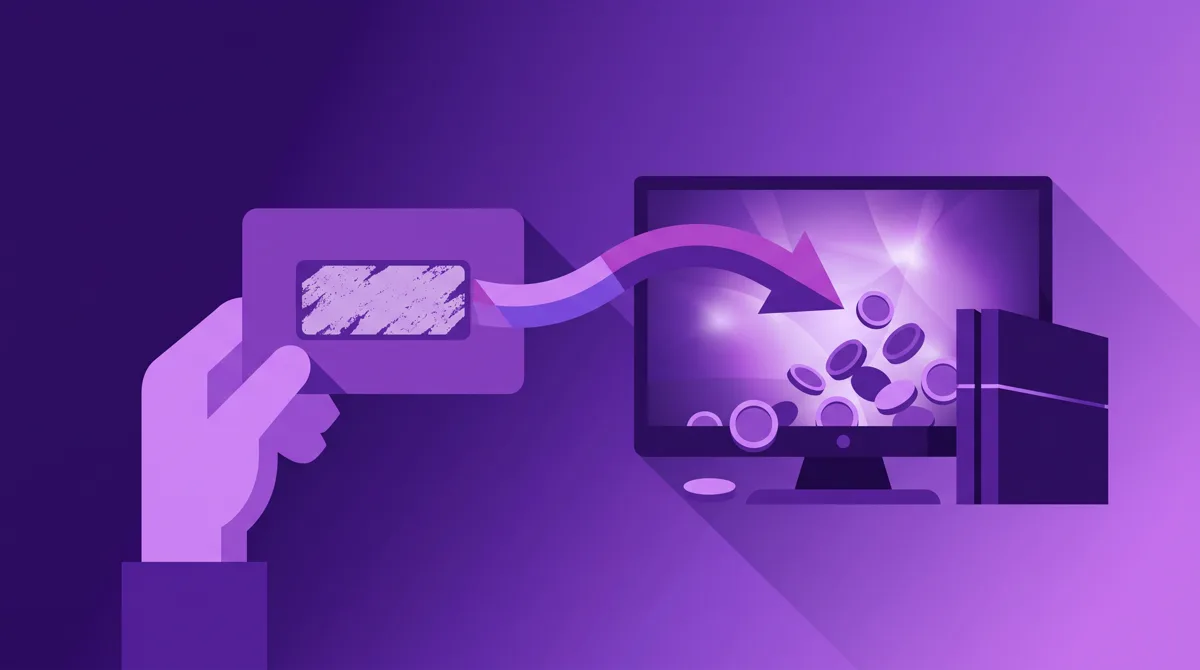
The steps below summarize Epic's official guide to redeeming a V-Bucks card. The process runs on the Fortnite website, not inside the game, and you must be logged in to the correct Epic account before you start.
- Log in to your Epic account, hover over your display name, and select V-Bucks Card, or open the V-Bucks card redemption page on the Fortnite site directly.
- Select Get Started to begin the redemption process.
- Carefully scratch off the back of the card so the code is not damaged, then enter the PIN with no dashes. For a digital code, copy and paste it.
- Select the platform you want the V-Bucks to land on, then select Next. If the platform you want is missing, double-check which Epic account is logged in.
- Review the summary: the Epic account, the device, and the new balance must all be correct. Only then select Confirm.
If you redeem to PC, Switch, or a mobile device, the V-Bucks are ready as soon as you launch Fortnite. If the destination is Xbox or PlayStation, Epic generates an additional code that must be entered into your Microsoft or Sony account to complete the redemption. Many reports of missing V-Bucks turn out to have stopped at this step.
Shared Wallet: Which Platforms Share a Balance?
This is the part that causes the most confusion. Some V-Bucks are shared across platforms while others are locked to the platform where they were purchased, so the balance you see can look different depending on where you play. Epic calls the mechanism the Fortnite Shared Wallet, and it is explained on the page Why don't all of my V-Bucks transfer across platforms.
| Purchase platform | Part of the Shared Wallet? | Notes |
|---|---|---|
| PC (Epic Games Launcher, Epic Games Store, Web Shop) | Yes | Exception: for players in Korea, V-Bucks purchased on PC are not shared |
| PlayStation | Yes | The balance also shows on Xbox, PC, and Android |
| Xbox | Yes | The balance also shows on PlayStation, PC, and Android |
| Android | Yes | The balance also shows on consoles and PC |
| Nintendo Switch | No | Not shared with other platforms and cannot be used in the Fortnite Web Shop |
Epic's own examples: if you buy 1,000 V-Bucks on PC, that balance appears on Xbox, PlayStation, PC, and Android, but Nintendo Switch shows 0. The other way around, 1,000 V-Bucks bought on Switch are visible only on Switch. Meanwhile, 500 V-Bucks earned from the Battle Pass follow you to every platform, including Switch. The full examples are on Epic's help page.
The practical conclusion: before buying, decide which platform you play on most. Switch players should buy through the Nintendo eShop or redeem a card to Switch rather than to PC so the balance is actually usable. Buying eShop balance is covered in our Nintendo eShop gift card guide.
Region Locks on V-Bucks Cards
V-Bucks cards are locked to specific regions. According to Epic's help page, if the region or country on your Epic account does not match the region of the card, you will not be able to redeem the code, and Epic recommends contacting the retailer you bought it from to get a card that matches your account's region.
There is no shortcut through changing your account country either. Epic states on another help page that the country on your account affects various features and services and must match where you currently live, so updating it to use a V-Bucks card from a different region is not possible.
In practice, when buying a code from any marketplace, look for the region in the product name. If it is not there, ask the seller first rather than guessing. The general concept of regions on digital products is covered in our guide to digital gift card regions, and the kinds of codes in circulation are explained in our digital game voucher article.
Epic's Refund Rules to Understand Before You Pay
Under the Epic Games Store Refund Policy, virtual currency, in-game items, consumable digital items, and subscriptions are usually non-refundable unless required by applicable law. Gift purchases are non-refundable as well. In other words, V-Bucks that have landed on your account should be treated as final.
For cosmetics bought with V-Bucks, Epic has a separate in-game return mechanism with its own conditions and limits. That is different from turning V-Bucks back into money. Before relying on it, read the latest terms in Epic's help center, because the conditions can change.
If the seller is a marketplace, the return rules that apply are the marketplace's own, and they usually cover only codes that prove to be invalid. Digidang's policy is on our refund policy page; understand it before checkout, not after. How we protect payments on our side is explained on the payment security page.
Child Accounts and Cabined Accounts
If the player is under thirteen or under their country's age of digital consent, their account automatically becomes a Cabined Account. According to Epic's official Cabined Accounts page, this type of account cannot make real-money purchases until a parent or guardian provides consent and completes the account setup.
Interestingly, a Cabined Account can still add a Fortnite gift card to its Epic account balance, and that balance can only be used for Epic's games such as Fortnite, excluding Fortnite Crew subscriptions. So for parents who want to control a child's spending, a fixed-value V-Bucks card is actually the most sensible route. If the child wants a monthly subscription, that is Fortnite Crew territory, which needs parental consent first.
Scams That Commonly Target Fortnite Players
- Free V-Bucks generators. No website can add V-Bucks without a transaction through Epic. These sites exist to harvest your account credentials.
- Sellers asking for your Epic login. You always redeem the code yourself. There is no legitimate reason for a seller to hold your email and password.
- Used codes or wrong-region codes. A code someone else has already redeemed will be rejected, and so will a code whose region does not match your account.
- Prices far below the market. Codes bought with stolen cards can be revoked later, and the balance disappears from your account with them.
- Account trading. Second-hand Fortnite accounts are prone to being reclaimed by the original owner. We cover the risks in our article on buying Fortnite accounts.
The most basic defense is locking your Epic account with two-factor authentication. We explain how in our guide to securing game accounts with 2FA, and the general principles are in our safe digital shopping tips. If you are unsure where to buy, use the criteria in our guide to choosing a game top up platform.
Budget and Checklist Before You Pay
V-Bucks are sold in tiered packs, and larger packs often give better value per V-Buck, but check the per-pack prices in your platform's official store yourself. Because the balance cannot be refunded, a big pack only makes sense if you buy items regularly. Compare the final price after tax rather than the number on the pack list; we cover this in our article on VAT for digital products.
- The Epic account that is logged in is the right one, not a friend's or a sibling's.
- The destination platform is settled, especially if you play on Nintendo Switch.
- The code's region matches the country on your Epic account.
- The payment method is chosen; a comparison of e-wallets, bank transfers, and phone credit is in our e-wallets for game top up article.
- Proof of purchase and the order number are kept until the balance actually shows in the game.
When the V-Bucks Do Not Arrive
Check in this order: make sure the redemption reached the Confirm step, check whether there is an additional code that has not yet been entered into your Microsoft or Sony account, open Fortnite on the platform you selected during redemption (not another one), then close and reopen the game so the balance refreshes. If Fortnite is having an outage, the balance can show up late; you can check server status through our article on Fortnite servers being down.
If everything is correct and the balance still does not appear, contact the seller with the order number and a screenshot of the error, or contact Epic Player Support if the code came from a retail card. Do not buy again until the status of the first order is clear. The general troubleshooting pattern is in our guide to failed game top ups, and the same pattern applies to other games as in our Free Fire top up guide or our Valorant Points top up guide.
Frequently Asked Questions
Can V-Bucks bought on PlayStation be used on PC?
Yes. PlayStation, Xbox, PC, and Android are all platforms that support the Fortnite Shared Wallet, so V-Bucks bought on one of them show up on the others as long as you use the same Epic account. The exceptions are Nintendo Switch and PC purchases made by players in Korea.
Why is my V-Bucks balance on Nintendo Switch different from PC?
Because V-Bucks bought on Switch are not shared with other platforms, and V-Bucks bought on other platforms do not show on Switch. Only V-Bucks earned from the Battle Pass, Quest Packs, or Save the World are shared across every platform.
Can I redeem a V-Bucks card from another region?
No. Cards are region locked and must match the country on your Epic account. Changing your account country to redeem a card from another region is not possible either, so ask the seller for a matching card before you pay.
Can V-Bucks be refunded?
Generally not. The Epic Games Store refund policy states that virtual currency and consumable digital items are non-refundable unless required by applicable law. Treat every V-Bucks purchase as final.
Are items bought with V-Bucks also locked to a platform?
No. The restriction applies only to purchased V-Bucks balance. Skins, emotes, or other items you have already bought are available on every platform where you play Fortnite with the same Epic account.
Why have my V-Bucks not arrived after redeeming a card to Xbox or PlayStation?
For those two platforms, Epic generates an additional code after you press Confirm. That code must be entered into your Microsoft or Sony account. Until that step is done, the balance will not appear in the game.
What is a Cabined Account, and can my child buy V-Bucks?
A Cabined Account is an Epic account for players under the age of digital consent. It cannot make real-money purchases until a parent gives consent, but it can still add a Fortnite gift card to the account balance for use in Epic games such as Fortnite, excluding the Fortnite Crew subscription.
What if I pick the wrong platform while redeeming a code?
Epic asks you to review the account, device, and new balance before you press Confirm, so read that screen carefully. Once confirmed, the balance follows the rules of the platform you picked; if you chose Switch while you actually play on PC, the balance will not show on PC.
Is a V-Bucks code from Digidang different from a physical card?
Functionally they are the same: both are codes you redeem yourself on Epic's official page. The only difference is delivery, since a digital code is sent to your account without waiting for a physical card. The region and platform rules apply exactly the same way.
Digidang Team
Gaming enthusiast and marketplace expert sharing tips, guides, and the best gaming deals.