PC vs Console for Gaming: A Complete and Neutral Comparison
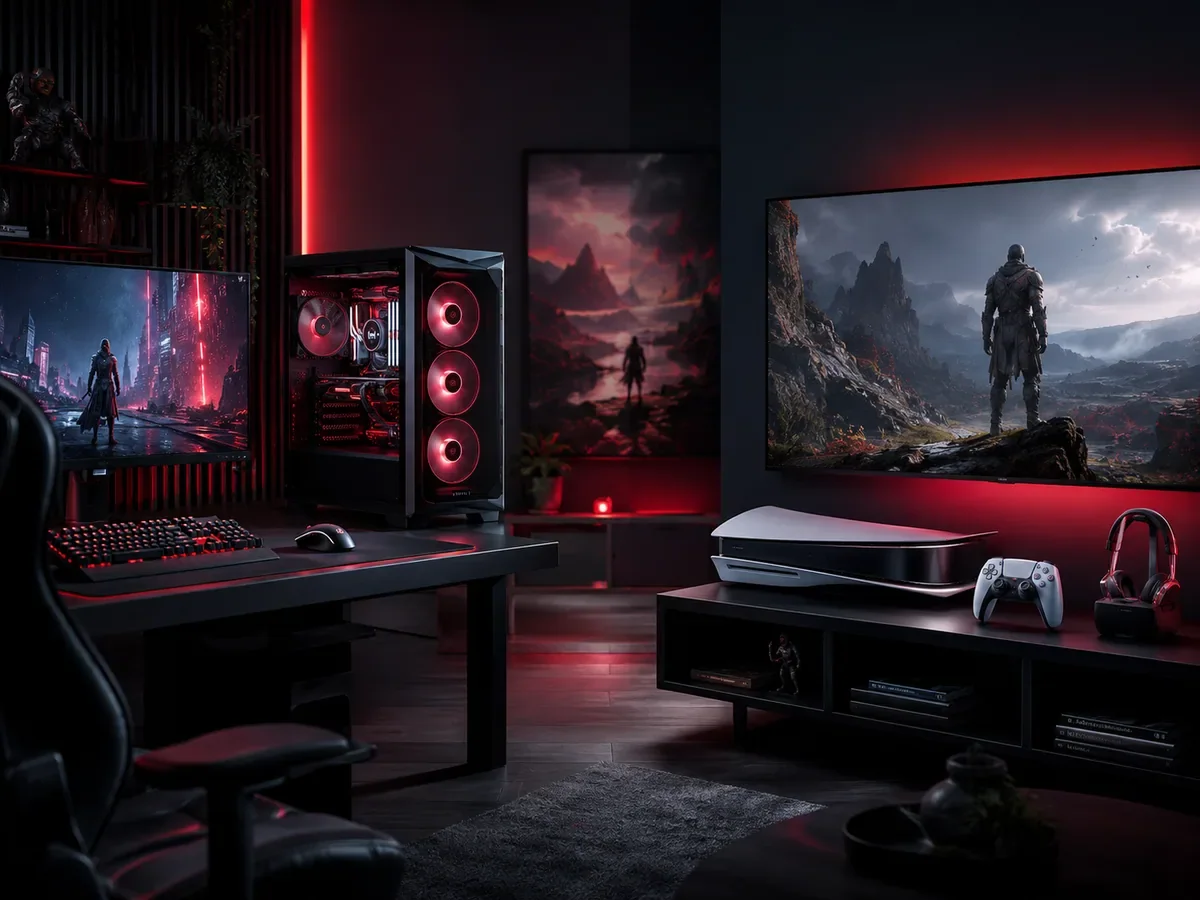
PC versus console for gaming is a choice between configurable hardware and a more standardized system. PC offers broader upgrade and settings options; consoles offer a simpler hardware decision. Neither platform is universally cheaper or better. Compare your favorite games, total costs, controls, and maintenance preferences before choosing.
How do PC and console gaming costs compare?
PC and console gaming costs depend on the complete setup, not just the hardware price. Include a screen, controllers, storage, games, and any subscriptions you need. A console can simplify the initial purchase, while an existing capable PC may reduce your starting expense. Compare local prices rather than assuming either platform always saves money.
Over the long term the picture can shift. PC games tend to go on deep discounts more often and across more storefronts, so a heavy buyer can recover some of that higher entry cost through cheaper games over the years. A PC can also serve as a work and study device, spreading its value across more than just play. Console costs still depend on subscriptions, accessories, game purchases, and the services you use.
How does gaming performance differ between PC and console?
Gaming performance on PC depends on the selected processor, graphics hardware, cooling, and settings. Console performance depends on the model and the game’s available modes. A powerful PC may offer greater flexibility, but neither platform guarantees smooth play in every title. Judge the specific game, resolution, and performance target you actually want.
Consoles are optimized as a single target, so developers tune their games tightly to one set of hardware. A fixed hardware target can reduce configuration choices, although individual releases may still have bugs or uneven performance. You will not match the very top of PC performance, but you also avoid the tinkering, and the gap matters less for players who simply want to relax and play.
Can you upgrade a PC or console for future games?
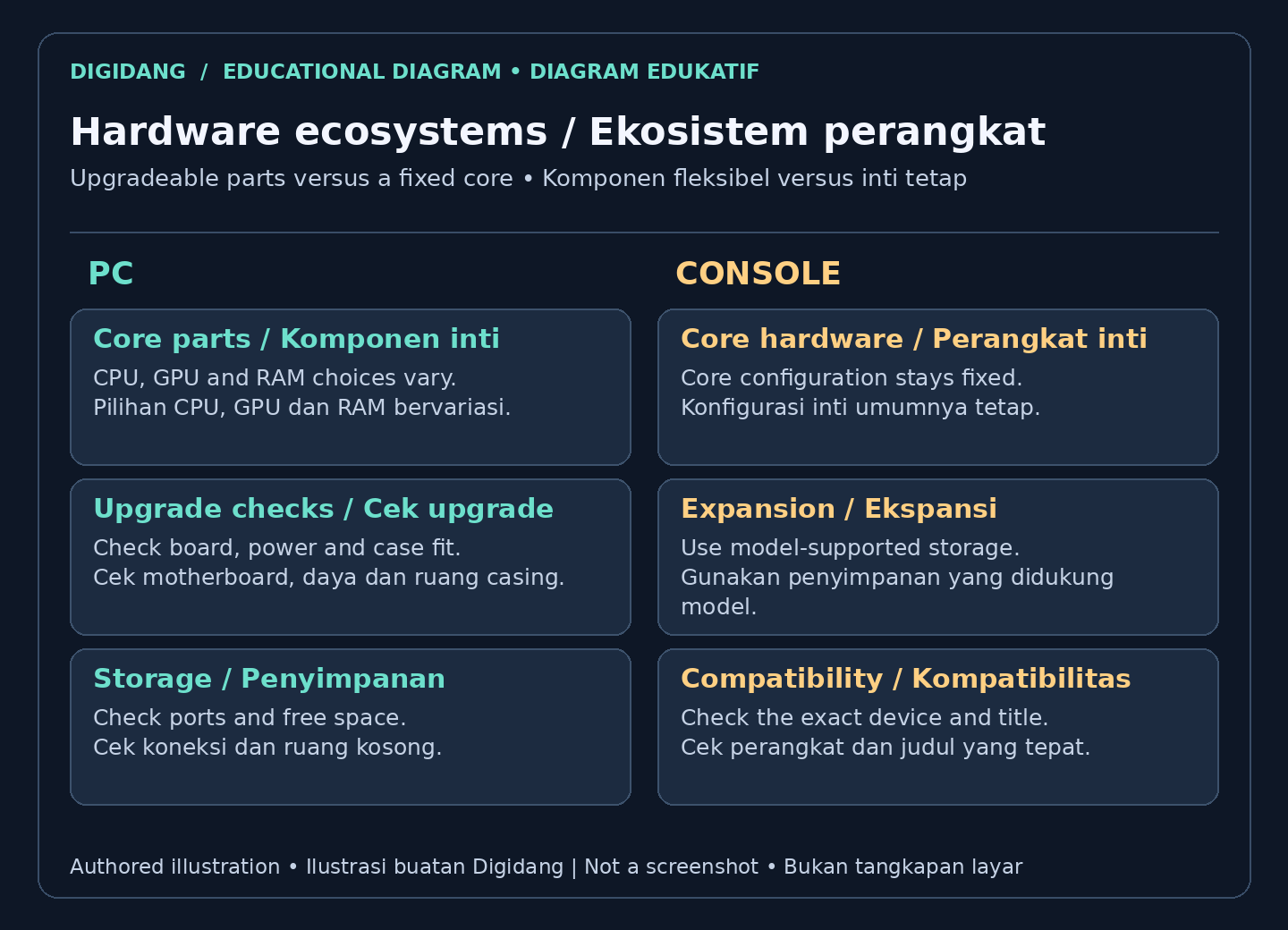
PC upgrades can extend a system’s usefulness when compatible parts are available, but not every computer supports easy changes. Check the motherboard, power supply, case, and laptop limitations first. Consoles generally retain their core hardware configuration, although storage expansion may be supported. Neither approach guarantees compatibility with every future game.
A console is a sealed, fixed design for its whole generation. You cannot meaningfully upgrade its core power, so you wait for the next hardware generation to take a real leap forward. For some players that is a benefit, because there are no decisions to make and every owner shares the same baseline. For others, the lack of upgrades feels limiting compared to a PC that evolves over time.
How should exclusive games influence your platform choice?
Exclusive games should influence your platform choice only after you confirm where the exact title is currently available. Some releases remain tied to a platform; others arrive elsewhere later. Do not assume a future port is promised. Choose a device that already supports the games you want and the multiplayer features your friends use.
PC has its own strengths here too, with a massive open library, many independent gems, and a growing number of former console exclusives that arrive on PC later. Storefront variety also means more sales, more bundles, and more ways to find what you want. Neither side wins outright, so the right choice depends on which specific games matter most to you.
Which platform is easier to set up and maintain?
Console setup usually involves fewer hardware choices, while PC setup offers more control over drivers, settings, and components. Both platforms still need updates, storage management, and occasional troubleshooting. Choose console if you prefer a standardized interface; choose PC if its flexibility matters enough to justify learning the maintenance tasks your particular machine needs.
A PC asks a little more from you. You may need to install drivers, adjust settings, and occasionally troubleshoot, especially if you build the machine yourself. The reward is deeper control, but the learning curve is real. If you enjoy understanding how your machine works, this is a feature, while players who want zero fuss may prefer a console.
How does backward compatibility work on PC and console?
Backward compatibility must be checked for each game and platform. Older PC titles may need patches or compatibility settings, and console support is not universal. PlayStation’s official backward compatibility guidance explains supported games and disc requirements. Verify the exact edition and hardware before assuming an existing library will transfer without restrictions.
Consoles have improved a lot here, and many now play a wide range of older titles from previous generations. Even so, support can vary by title and by generation, so not every old game carries forward perfectly. If keeping a deep back catalog playable matters to you, this is worth checking for the specific platform you are considering.
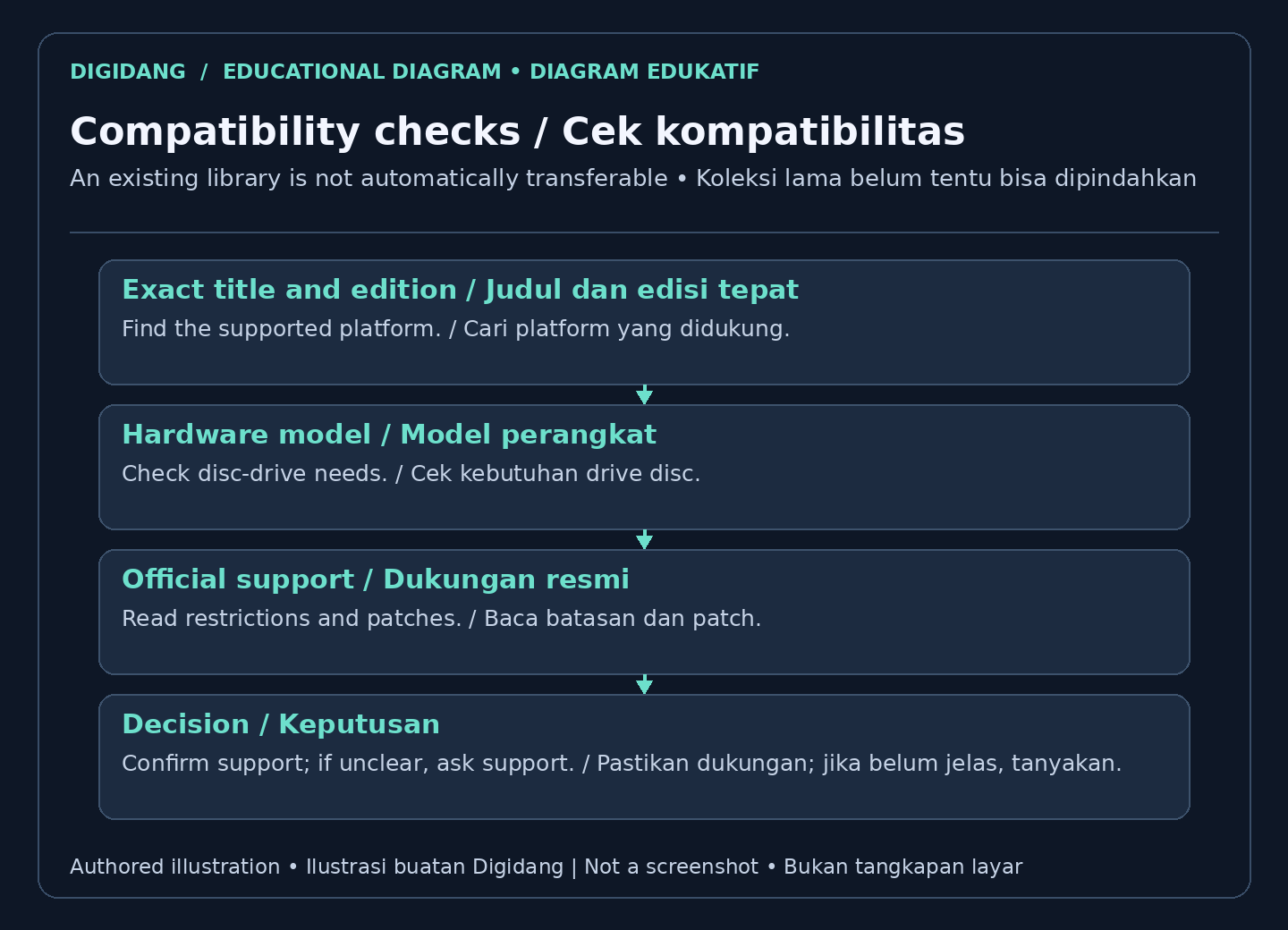
For a handheld PC, check the exact title rather than assuming the whole PC library works. Valve's official device compatibility review distinguishes Verified, Playable, Unsupported, and Unknown results. Playable can require manual setup, while Unknown means the review has not been completed. These labels describe the reviewed device, not every desktop PC or console.
Should you choose mouse and keyboard or a controller?
Mouse and keyboard or controller suitability depends on the game, accessibility needs, and personal comfort. PC commonly supports both, while console keyboard and mouse support varies by title. Check the game’s supported input devices and multiplayer rules. Try your preferred setup where possible instead of assuming a particular control method makes every player better.
Consoles are built around the gamepad, which is comfortable on a couch and excellent for action, racing, sports, and platformers. Many people find a controller more relaxing for long sessions. Modern consoles also support keyboard and mouse for some games, but the gamepad remains the default and the focus of their design.
How does modding differ between PC and console?
Modding on PC often offers more options, but support depends on the game and its rules. Console mods are available only where the developer and platform permit them. Check compatibility, download sources, and multiplayer restrictions before installing modifications. Mods can alter saves or stability, so keep backups and avoid assuming every game allows them.
Consoles allow only limited modding, and only when a game and platform specifically support it. Platform restrictions can limit the modifications available; they do not guarantee stability or security in every game. For most console games, what you get is what you play, with little room for community made overhauls.
Do PC and console games require online subscriptions?
Online subscription requirements depend on the platform and the individual game. PC multiplayer often has no platform membership fee, but some games charge their own subscriptions. Console requirements and exceptions vary. Check official multiplayer and membership information before buying, and include recurring fees in your budget rather than treating online play as automatically free.
Consoles commonly require a paid membership to play most games online, which adds a recurring cost but often bundles in monthly games and discounts. Whether that trade is worth it depends on how much you value the extras and how often you play online. Factor this ongoing fee into your long term budget when comparing the two.
How should you plan gaming storage on either platform?
Gaming storage planning starts with the games you intend to install and the space available on your device. PC expansion depends on compatible connections and physical space; console expansion depends on supported drive types and installation rules. Leave room for updates, and check whether expanded storage can run a game or only hold its files.
Consoles include a fixed amount of storage and allow expansion through approved methods, though your options are narrower than on PC. With large modern games, you may need to manage what is installed, removing and reinstalling titles as needed. Planning for expansion early helps you avoid running out of room on either platform.
Which gaming platform fits your habits and budget?
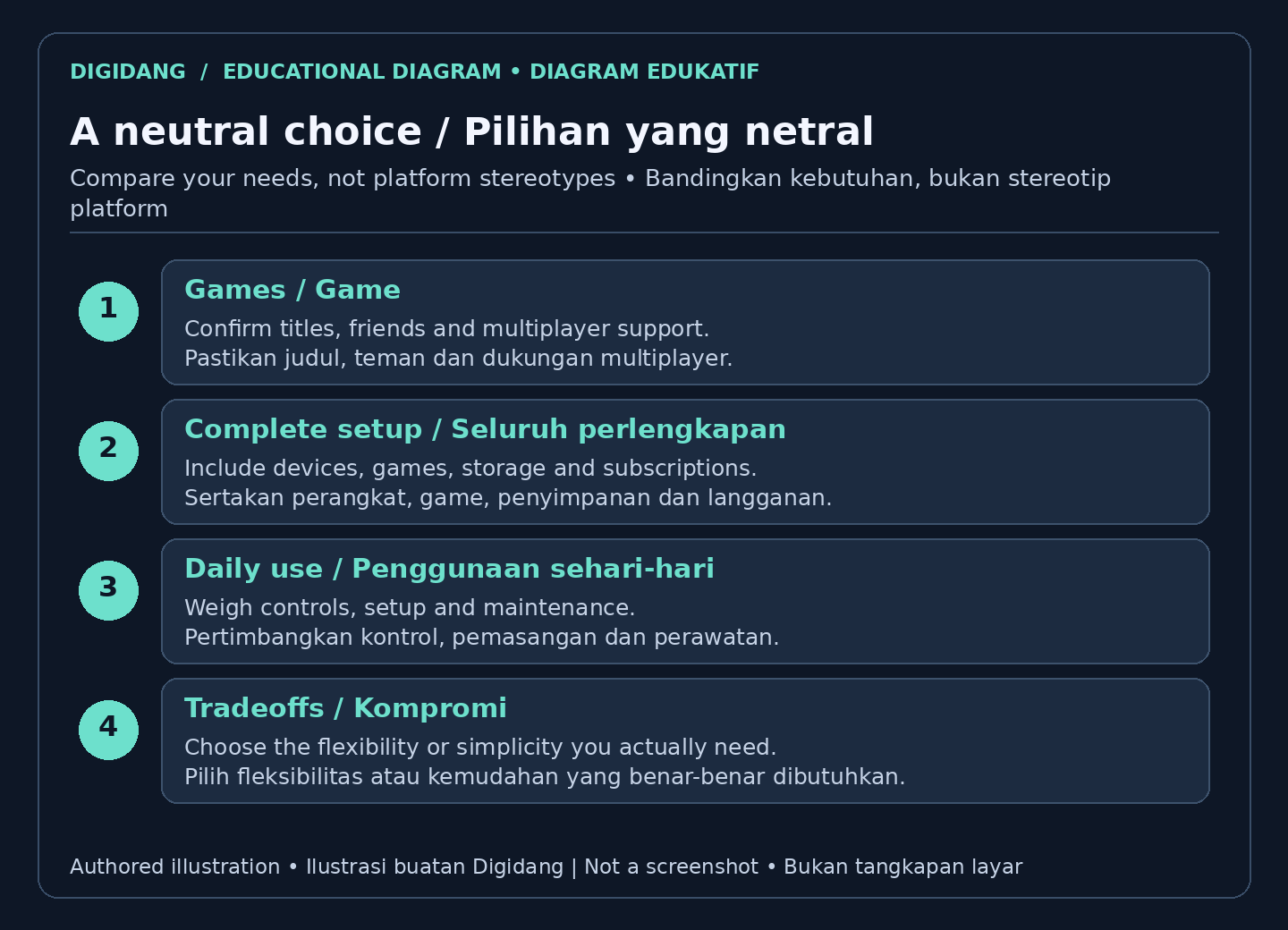
The gaming platform that fits your habits is the one that supports your preferred games, controls, and spending limits. A console may suit straightforward living room play, while a PC may suit customization or mixed work and gaming. Competitive and casual players use both. Match the actual device and software to your needs, not stereotypes.
A few common scenarios make the choice clearer. If the TV at home is shared by the whole family, a console connected to it is easy for anyone to use, but your play time depends on when others want to watch. If you live in a small rented room with a narrow desk, a gaming laptop or a compact PC can cover study, work, and play in one device, as long as cooling and airflow are adequate. If your friends already play on one platform, joining them is often worth more than a difference in performance, unless the game you want supports cross-platform play.
Think about your internet connection as well. Modern games and their updates can be large on both platforms, so a limited data allowance or slow download speed will be felt on PC and console alike. Players who want to try many titles before buying can look at catalog subscription services; the differences are covered in our Xbox Game Pass and PS Plus comparison. If you already own a laptop or PC for work, check what it can do before buying new hardware, then use the guide to optimizing your PC for gaming to get the most from what you have.
How can you make a neutral PC versus console decision?
A neutral PC versus console decision starts with a shortlist of games and a complete budget. Check compatibility, multiplayer access, input support, and upgrade limitations for the exact hardware. Then weigh simplicity against flexibility. Neither label ensures lasting value or reliable performance; the better choice is the setup whose tradeoffs you understand and accept.
For a concrete compatibility check, Sony says that PS4 game discs require a PS5 console with a disc drive, and some games or features are not supported. Read the official PlayStation compatibility and disc guidance for the exact limitations before purchasing hardware for an older collection.
The table below summarizes the points above by aspect. Treat the last column as a checklist: fill it in with your own games, hardware, and habits rather than general assumptions about either platform.
| Aspect | PC | Console | What you should check |
|---|---|---|---|
| Upfront cost | Depends on components; hardware you already own can be reused | One device package, plus a display and accessories if you do not have them | The full setup, not just the price of the machine |
| Running cost | Game prices are spread across many stores; some games have their own subscription | A paid membership is often needed for online play | Subscriptions, accessories, and planned game purchases |
| Upgrades | Components can be replaced when compatible; laptops are more limited | Core hardware stays fixed; storage can be expanded through supported methods | Motherboard, power supply, case, or supported drive type |
| Controls | Mouse and keyboard as well as controllers | Controller by default; keyboard and mouse depend on the title | Input support in the games you want |
| Modding | More options, still dependent on each game and its rules | Limited to games and platforms that allow it | Game rules, download sources, and multiplayer restrictions |
| Backward compatibility | Older games often run, sometimes with patches or settings changes | Varies by title and generation | The official support list for your title and edition |
| Maintenance | More work with drivers, settings, and troubleshooting | A standardized interface with fewer decisions | How much device upkeep you are willing to do |
| Digital game codes | Tied to a specific store or launcher and may be region restricted | Tied to the platform store and may be restricted to the account region | The platform and region stated on the listing |
A few mistakes come up often when choosing. The first is comparing machine prices without counting the display, controllers, and subscriptions. The second is buying hardware before confirming that the games you want are actually available on it. The third is assuming every console game supports keyboard and mouse, or that every PC game plays comfortably with a controller. The fourth is forgetting to match the platform when buying a digital game code: a Steam code is redeemed on Steam, while a console code is redeemed in that platform's store. The Digidang game key activation guide explains where to redeem codes for each platform.
One more thing people often miss is the refund policy, which depends on where you buy. Steam's refund policy states that Valve cannot provide refunds for purchases made outside of Steam, such as CD keys bought from third parties. So confirm platform and hardware compatibility first, then read the policy of the seller handling the transaction before you pay.
FAQ
Is a PC really more expensive than a console?
A gaming PC usually costs more at the start for similar performance, but it can offset that over time through cheaper game sales, more upgrade options, and use as a work or study device. Consoles keep costs simpler and more predictable.
Can a console match PC graphics?
A high end PC can reach higher frame rates and resolutions than a console at the same point in time, but consoles deliver consistent, well optimized visuals with no tinkering. For many players the gap is small enough not to matter.
Do I have to pay to play online on PC?
For most PC games, online multiplayer has no recurring fee, so you play freely once you own the game. Consoles often require a paid membership for online play, which adds a recurring cost but may include extra perks.
Can I use a controller on PC and a keyboard on console?
Yes. PC supports both controllers and mouse and keyboard, letting you switch per game. Many modern consoles also support keyboard and mouse for some titles, though the gamepad remains the default experience.
Which is better for modding?
PC is the clear leader for modding, with large communities that add content, fix issues, and transform games. Consoles allow only limited modding and only when a game and platform support it.
Is a console better for backward compatibility?
PC tends to keep older games playable for a very long time across hardware generations. Consoles have improved a lot, but support can vary by title and generation, so check the specific platform if a deep back catalog matters to you.
Should a beginner choose PC or console?
A beginner who wants the easiest path usually finds a console friendlier, since it is ready to play with little setup. A beginner who enjoys learning how hardware works and wants long term flexibility may prefer a PC.
Digidang Team
Gaming enthusiast and marketplace expert sharing tips, guides, and the best gaming deals.