Where to Top Up Games Safely: Official Options by Platform

The safest place to top up a game is an official channel: the in-game store paid through Google Play or the App Store, a publisher run top-up center such as the HoYoverse Top-Up Center, and platform gift cards such as Steam or Google Play. Beyond those, choose sellers with a clear identity who only ask for your account ID.
This guide walks through game top-up options for each platform, from phones to PC and consoles. Every price and step comes from official pages we opened ourselves on 11 November 2026. You will also find a comparison table, a price per crystal calculation, a list of warning signs for unsafe top-up places, and what to do when your in-game balance does not arrive.
Where Is the Safest Place to Top Up a Game?
The safest place to top up a game is a channel run directly by the game publisher or the platform owner. Examples are the in-game store paid through Google Play or the App Store, an official publisher top-up center, and Steam or Google Play gift cards. These channels never ask for your password and record every transaction on your account.
The reason is simple. When you pay through an official channel, there is a transaction record on your store account or game account that you can use when asking for help. When you pay an individual seller by bank transfer, the only evidence is a chat screenshot, and the publisher has no record of that purchase at all. That difference decides whether a problem can be solved or not.
This does not mean every third-party store is bad. Many voucher and top-up stores work with publishers and are safe to use. What matters is how the store operates: whether it only asks for your account ID, whether package names and amounts match what the game sells, and whether you get a receipt you can keep. We cover the full criteria in how to choose a game top-up platform.
Five Types of Game Top-Up Places Compared
Broadly, players in Indonesia use five types of top-up places. The table below compares them on safety, the data they ask for, and who you can contact when something goes wrong.
| Type | Example | Data requested | Safety level | Who to contact when there is a problem |
|---|---|---|---|---|
| In-game store (in-app) | Store menu inside the game, paid through Google Play or the App Store | App store account login | Very high | Google Play, Apple, or the publisher |
| Official publisher top-up center | HoYoverse Top-Up Center | Game account login or UID | Very high | The publisher |
| Platform gift card | Steam, Google Play, Xbox cards | Voucher code only | High when bought from a clear store | The card seller, then the platform owner |
| Third-party top-up store | Game voucher websites and apps | Account ID and server | Varies, check reputation | The store's customer service |
| Individual seller | Social media accounts, chat groups | Often asks for account login | Low | Almost no one |
Pay attention to the data column. The more data a place asks for, the higher the risk. A normal top-up only needs your account ID, sometimes plus a server number. A request for your password or verification code is a red flag with no exceptions.
Topping Up Inside the Game via Google Play and the App Store
For mobile games, the simplest top-up place is the store menu inside the game itself. Payment is processed by Google Play on Android or the App Store on iPhone, so the charge appears in the order history of your app store account. You can pay with mobile credit, e-wallets, cards, or Google Play balance from a gift card.
If you use a Google Play gift card, the Google Play Help page explains that the code is usually 16 characters of letters and numbers. To redeem it on a computer:
- Go to play.google.com/redeem.
- Enter the code.
- Click Redeem.
- Review the account that will receive the balance.
- Click Confirm.
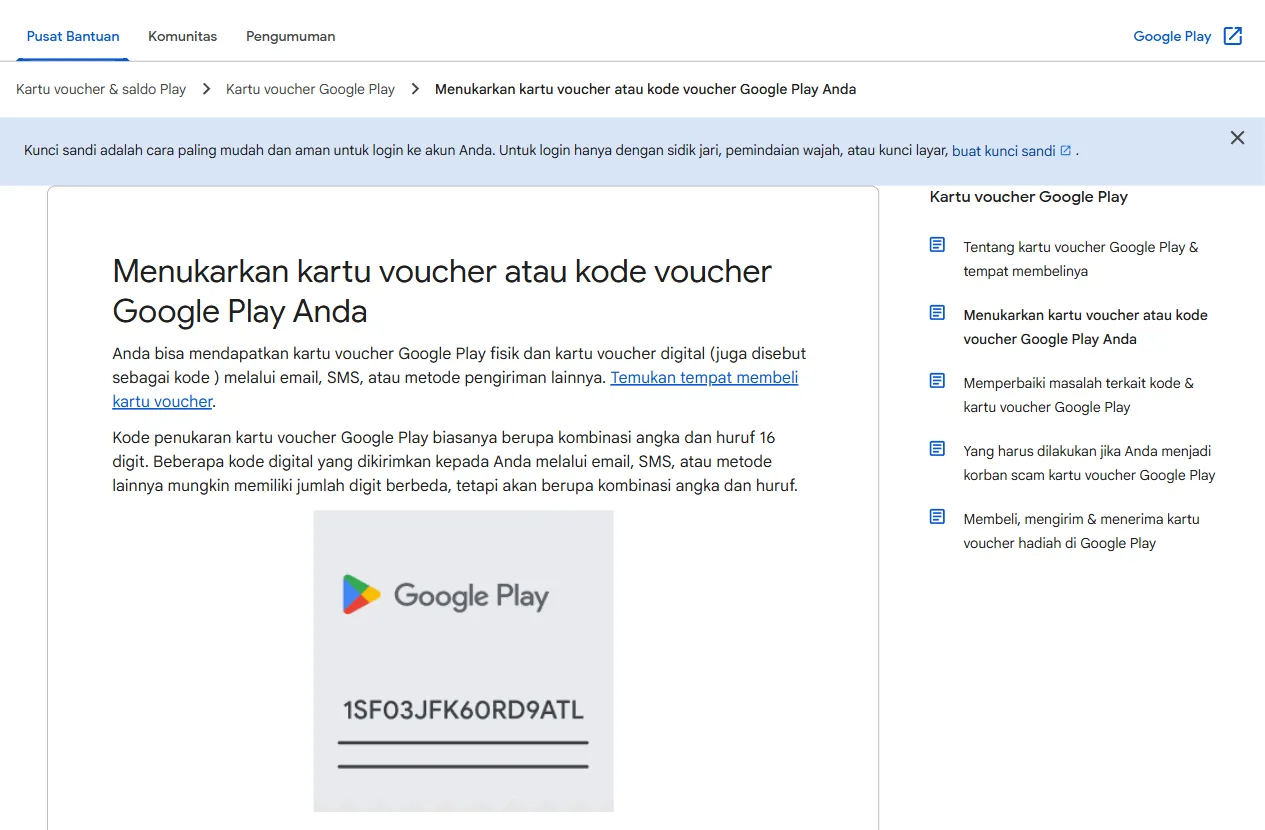
The same page says you can also redeem a code during checkout: go to the payment step, choose the arrow next to your payment method, then pick Redeem code. This is handy when you want to buy diamonds or crystals right away without redeeming the balance first. Our full voucher walkthrough is in the Google Play gift card guide.
Official Publisher Top-Up Centers
Some publishers run their own web top-up stores. The clearest example is the HoYoverse Top-Up Center for Genshin Impact, which describes itself on the page as the official HoYoverse top-up store with secure payments. You log in with your game account, choose a pack, and the crystals are delivered to the account that is signed in.
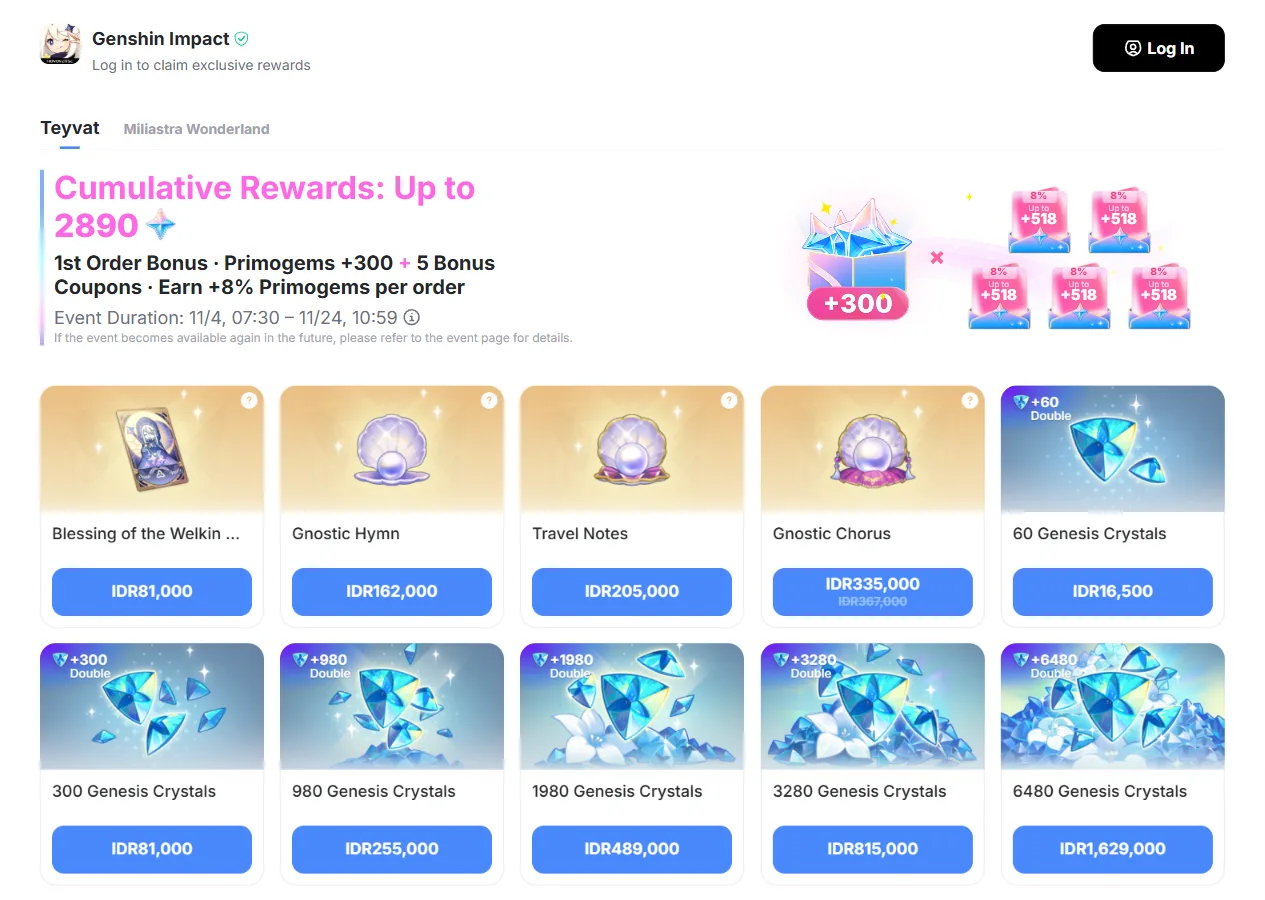
| Pack | Official price | Price per 100 crystals |
|---|---|---|
| 60 Genesis Crystals | IDR 16,500 | IDR 27,500 |
| 300 Genesis Crystals | IDR 81,000 | IDR 27,000 |
| 980 Genesis Crystals | IDR 255,000 | IDR 26,020 |
| 1980 Genesis Crystals | IDR 489,000 | IDR 24,697 |
| 3280 Genesis Crystals | IDR 815,000 | IDR 24,848 |
| 6480 Genesis Crystals | IDR 1,629,000 | IDR 25,139 |
The table shows that the biggest pack is not always the best value. At the prices we recorded, the 1980 crystal pack had the lowest price per crystal. Every crystal pack also carries a Double label, a bonus equal to the pack size. The exact bonus conditions and current events are written on the top-up center page itself.
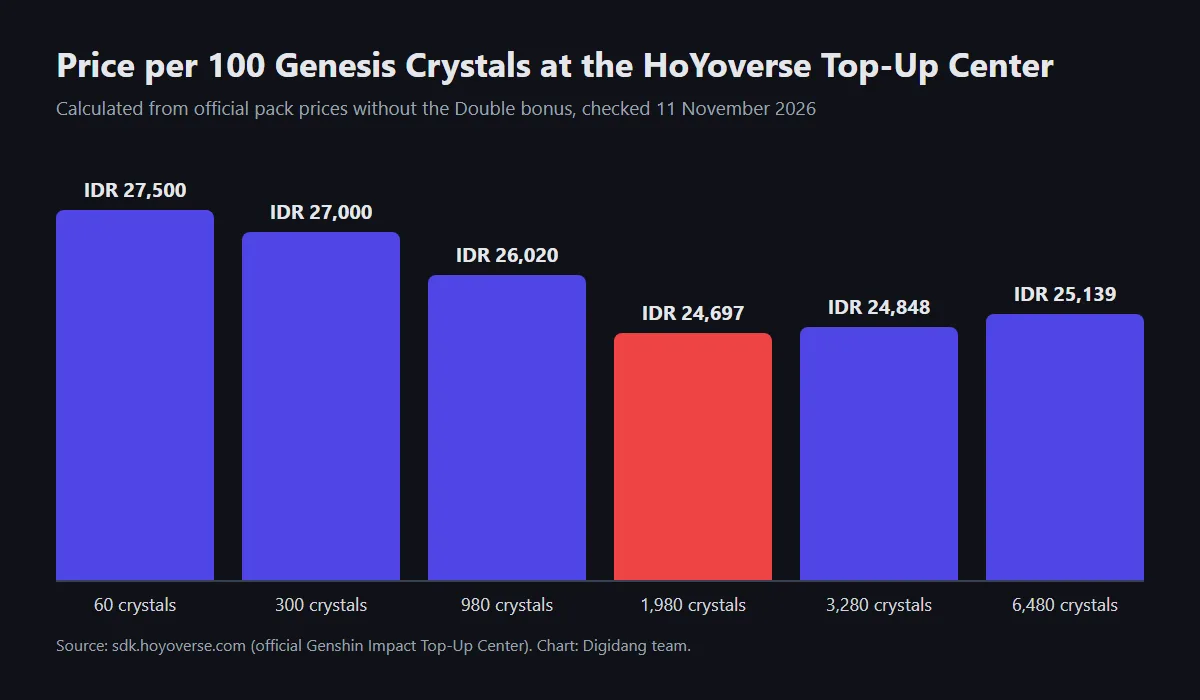
This way of reading prices works for other games too. Compare the price per unit of in-game currency, not just the pack price. A Genshin specific breakdown, including when the Double bonus comes back, is in how to top up Genshin Impact crystals for less.
Platform Gift Cards for PC and Console Games
For PC and console games, the most common top-up place is the platform wallet. Steam has the Steam Wallet, Xbox and Windows use Microsoft account balance, and PlayStation uses the PlayStation Store wallet. These wallets are filled with physical or digital gift cards, then used to buy games or in-game currency.
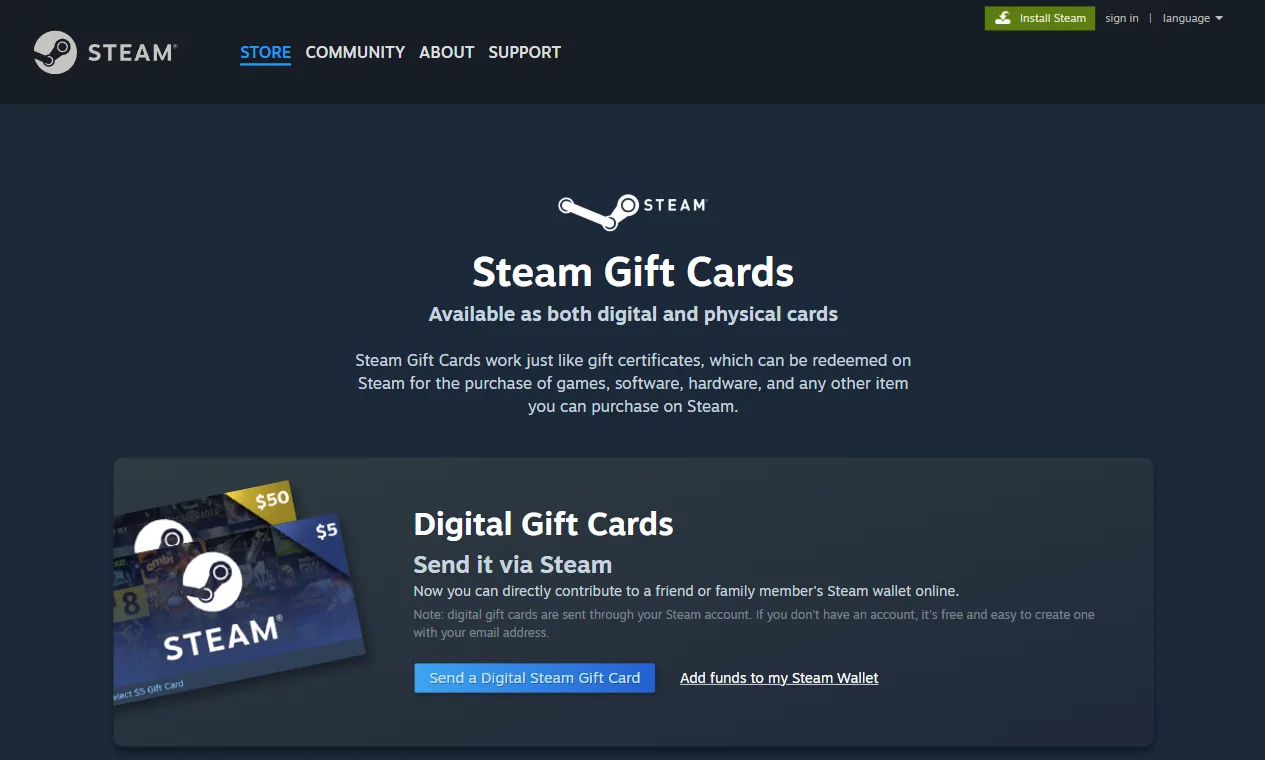
According to the Steam Gift Cards page, Steam gift cards come in digital and physical form and can be redeemed for games, software, hardware, and anything else sold on Steam. Digital cards are sent through your Steam account to a friend or family member, while physical cards can be redeemed to an account at any time.
The most important thing when buying a platform card is the region. A card in a given currency usually only works on an account registered in the same region. A region mismatch means the code cannot be redeemed, and opened codes are rarely refundable. The full explanation is in our digital gift card region guide, with Xbox examples in the Xbox gift card guide and the Minecraft gift card guide.
Third-Party Top-Up Stores: When Are They Fine?
Third-party top-up stores, both websites and apps, are popular because they accept many payment methods and often run promotions. They are fine to use as long as they meet a few basic conditions. Use this list as a filter before paying:
- Only asks for account ID and server. Never for your password, OTP code, or email access.
- Shows the character name after you type the ID, so you can confirm it is the right account.
- Package names and amounts match the game. Odd packages that do not exist in the official store deserve suspicion.
- Provides a receipt in the form of an order number, email, or account history.
- Has reachable customer service and a clear business identity.
- Reasonable prices. A huge discount far below the official price usually has a story behind it.
Your payment method matters too. E-wallets and cards leave a tidy transaction record, while a manual transfer to a personal bank account is almost impossible to trace. Our comparison of e-wallets for top-ups is in e-wallets for game top-ups, and the full safe process is in how to top up games online safely.
Signs of an Unsafe Top-Up Place
Top-up scams almost always follow the same patterns. If you see any of the signs below, stop the transaction, because losing your account costs far more than the discount you were promised.
- Asks for your game login, email, or verification code. A legitimate top-up never needs access to your account.
- Prices far below the official store with no clear reason. Such items often come from stolen payments or promo loopholes the publisher can reverse.
- Only accepts transfers to a personal bank account. There is no transaction record to use in a dispute.
- Pressures you to pay quickly, for example claiming the promo ends in a few minutes.
- Asks you to buy a gift card and send them the code. This is such a classic scam that Google Play keeps a dedicated help page for gift card scam victims.
- No business identity, address, or customer service.
Also remember that topping up through loopholes or unofficial methods can break a game's rules. Publishers can claw back currency bought through fraud, and in some cases the account is penalised as well. So a cheap price from an unofficial route is not a saving, it is a gamble.
When Your Balance Does Not Arrive After a Top-Up
Delays sometimes happen even when you use the right place. Do not pay again straight away. Follow this order so the problem gets sorted quickly:
- Wait a moment, then close and reopen the game. Some deliveries take a few minutes to appear.
- Check the in-game mailbox. Some games deliver items by mail instead of straight to your balance.
- Match the account ID and server on your receipt with the ones in your game profile.
- Check the payment status in your e-wallet, bank, or app store history.
- Contact the customer service of the place you bought from with the order number and screenshots.
- If you bought through an official channel, contact the publisher or app store support with the same evidence.
More detailed steps for cases such as a charged payment with no items delivered are in how to fix a failed game top-up.
Frequently Asked Questions
Where are the official places to top up games?
Official top-up places are the in-game store paid through Google Play or the App Store, publisher top-up centers such as the HoYoverse Top-Up Center, and platform wallets such as the Steam Wallet. These channels are run directly by the publisher or the platform owner.
Is topping up through a third-party store safe?
It can be safe if the store only asks for your account ID and server, shows the character name before you pay, gives you a receipt, and has clear customer service. Walk away from any store that asks for a password, verification code, or a transfer to a personal account.
Why is an official top-up sometimes more expensive?
Official prices follow the publisher's price list and app store fees. Differences with other stores usually come from promotions, payment methods, or bonuses. Compare the price per unit of in-game currency, not the pack price, before deciding which is cheaper.
How many characters is a Google Play gift card code?
According to Google Play Help, a gift card code is usually 16 characters of letters and numbers. Some digital codes sent by email or SMS can have a different number of characters.
Which Genesis Crystal pack is the best value?
At the official HoYoverse Top-Up Center prices we recorded on 11 November 2026, the 1980 crystal pack at IDR 489,000 had the lowest price per crystal, about IDR 24,697 per 100 crystals.
Should I give my account password to a top-up seller?
Never. A legitimate top-up only needs your account ID and sometimes a server number. A seller who asks for your password, email, or verification code could take over your account, and that loss is far bigger than the value of the top-up.
Can a Steam gift card buy in-game items?
Yes, for items sold through Steam. The Steam Gift Cards page says the balance can be used for games, software, hardware, and other items you can buy on Steam. Make sure the card region matches your Steam account region.
What should I do if I paid but the items did not arrive?
Do not pay again. Reopen the game, check the mailbox, match the ID and server, then contact the customer service where you bought with the order number and a screenshot of the payment. If you bought through an official channel, ask the publisher or app store for help.
Conclusion
The best place to top up a game is one that records your transaction and never touches your account security. The priority order is the in-game store or official publisher top-up center first, then platform gift cards from a clear store, and only then third-party stores that pass the filter. Compare the price per unit of in-game currency, keep your receipts, and never give your password to anyone who claims they can offer a lower price.
Digidang Team
Gaming enthusiast and marketplace expert sharing tips, guides, and the best gaming deals.