How to Use a Roblox Gift Card: Complete Guide

How to Use a Roblox Gift Card: Complete Guide
Quick Answer
Everything you need to know about using Roblox gift cards - from buying Robux to subscribing to Premium.
A Roblox gift card is one of the most versatile digital purchases you can make in the gaming world. Whether you're a casual player jumping into a few games or a dedicated Robloxian invested in avatar customization and exclusive content, knowing how to maximize your gift card's potential is essential. This comprehensive guide walks you through every step of redeeming, spending, and strategizing with your Roblox gift card to ensure you get the absolute most value from every dollar.
Whether you received a Roblox gift card as a birthday present, picked one up from a digital storefront like Digidang, or decided to treat yourself, you're about to unlock access to millions of items, games, and experiences across the Roblox platform. Let's break down exactly how to do it.
The Digidang team often receives questions about "how to use a roblox gift card: complete guide" from the Indonesian gaming community. Most questions come from first-time transactions or trying out new gaming products. This section is based on real cases we've handled at Digidang since 2020, so you can apply these tips directly without trial and error.
Understanding Your Roblox Gift Card
Before diving into the redemption process, it's important to understand what a Roblox gift card actually is and what it represents on the platform.
A Roblox gift card is a prepaid voucher that converts to Roblox Credit - the foundational currency of your Roblox account. This credit can then be used to purchase Robux (the platform's virtual currency) or subscribe to Roblox Premium (the monthly membership program). Think of it as a digital wallet specifically designed for the Roblox ecosystem.
Gift cards come in various denominations, typically $5, $10, $20, $25, $50, and sometimes $100. Each denomination converts to a specific amount of Roblox Credit, which you then allocate however you prefer. The flexibility is part of what makes Roblox gift cards so valuable - you're not locked into spending on one specific thing.
One common misconception is that you can only use a Roblox gift card to buy Robux directly. In reality, you have multiple spending paths once the card is redeemed, which we'll explore in detail throughout this guide.
The Digidang team often receives questions about "understanding your roblox gift card" from the Indonesian gaming community. Most questions come from first-time transactions or trying out new gaming products. This section is based on real cases we've handled at Digidang since 2020, so you can apply these tips directly without trial and error.
Step-by-Step: Redeeming Your Roblox Gift Card
The redemption process for a Roblox gift card is straightforward, but it's crucial to follow the correct steps to ensure your credit reaches your account safely.
Getting Ready to Redeem
Before you start the redemption process, gather what you need: your Roblox gift card (physical or digital code), an active Roblox account, and a web browser. If you don't have a Roblox account yet, you'll need to create one first - the process takes just a few minutes and requires a username, password, and email address.
Important note: You cannot redeem a Roblox gift card directly through the mobile app. You must use a web browser on any device - desktop, laptop, tablet, or mobile. This is a security measure Roblox enforces to prevent unauthorized redemptions.
The Redemption Process
Follow these steps to redeem your Roblox gift card:
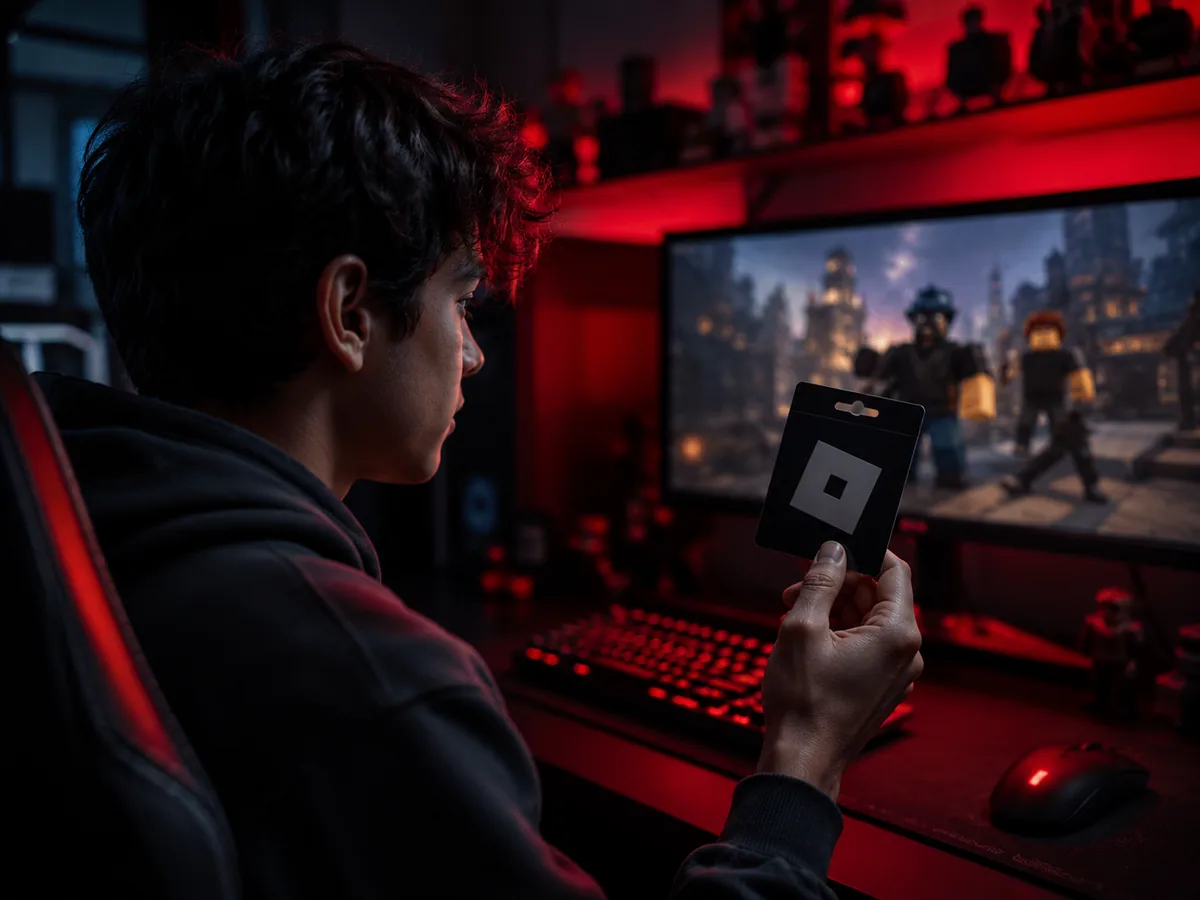
- Open any web browser and navigate to roblox.com/redeem
- Log into your Roblox account using your username and password (or create a new account if needed)
- Locate the PIN code on your gift card. For physical cards, this is on the back or side of the card. For digital codes, it should be in your email confirmation
- Enter the PIN code exactly as it appears on your card - these are case-sensitive in some cases, so be careful with uppercase and lowercase letters
- Select the Redeem button
- Wait for confirmation that the redemption was successful
Once the redemption completes, the credit value appears in your account immediately. You'll see it labeled as "Roblox Credit" in your account balance. This credit is now tied to your account and ready to spend.
Troubleshooting Redemption Issues
If your redemption fails, common causes include entering the PIN incorrectly, trying to redeem on a different account than intended, or using an invalid/already-redeemed code. Double-check the PIN and try again. If you continue experiencing issues, contact Roblox support with your gift card information and they'll assist you.
Converting Credit to Robux: Your Primary Spending Option
The most direct way to use your Roblox gift card credit is to convert it into Robux, the primary virtual currency on the platform.
Understanding Robux Conversion Rates
When you convert Roblox Credit to Robux, the conversion isn't 1:1 with USD. Instead, Roblox offers tiered packages that provide increasing value per dollar as you buy more:
| Credit Amount | Robux Received | Value Per Dollar |
|---|---|---|
| $5 | 400 Robux | 80 Robux/$ |
| $10 | 800 Robux | 80 Robux/$ |
| $20 | 1,700 Robux | 85 Robux/$ |
| $25 | 2,000 Robux | 80 Robux/$ |
| $50 | 4,500 Robux | 90 Robux/$ |
As you can see, larger Robux packages provide slightly better value. If you're planning to make multiple purchases, redeeming a larger gift card denomination can give you more Robux overall.
How to Buy Robux with Your Credit
Once you have Roblox Credit in your account, converting it to Robux takes just a few clicks:
- Log into your Roblox account and visit the Robux page
- Browse the available Robux packages and select the amount you want
- Your available Roblox Credit will be automatically applied at checkout
- Review the transaction details and click confirm
- Your Robux balance updates instantly
Your new Robux can then be spent immediately across the entire Roblox platform.
Alternative: Investing in Roblox Premium Membership
While converting credit to Robux is the most straightforward approach, Roblox Premium membership offers a compelling alternative that might actually deliver more value if you're a regular player.
What Is Roblox Premium?
Roblox Premium is a monthly subscription tier that provides ongoing benefits beyond just Robux. There are three membership levels:
- Premium 450 - $4.99/month, includes 450 Robux monthly allowance plus premium features
- Premium 1000 - $9.99/month, includes 1,000 Robux monthly allowance plus premium features
- Premium 2200 - $19.99/month, includes 2,200 Robux monthly allowance plus premium features
Beyond the monthly Robux stipend, Premium members enjoy additional perks that make the membership worthwhile for active players.
Premium Exclusive Benefits
Premium membership unlocks several features you can't access otherwise:
- 10% Robux bonus - When you buy additional Robux beyond your monthly allowance, Premium members get 10% extra on top
- Trading privileges - Exclusive ability to trade limited edition items with other players, opening up a secondary economy
- Marketplace access - Create and sell your own items on the marketplace to earn Robux from the community
- Premium-only games - Access to certain exclusive games available only to members
- Ad-free experience - Skip ads throughout the platform (availability varies)
Is Premium Worth Your Gift Card?
Whether to spend your gift card on Premium depends on your playstyle. If you play Roblox several times per week and are interested in collecting limited items or engaging with the trading community, Premium quickly pays for itself. The 10% bonus on additional Robux purchases plus the monthly allowance can actually exceed what you'd get from a direct Robux purchase over a few months.
For casual players who jump in occasionally, a direct Robux purchase from your gift card credit is likely the better choice.
What You Can Actually Buy with Your Robux
Understanding your spending options helps you make smarter choices about where your Robux goes. The Roblox ecosystem offers dozens of purchase categories, and knowing the value of each helps stretch your gift card further.
Avatar Customization and Accessories
The Avatar Shop (formerly called the Catalog) contains millions of cosmetic items designed to personalize your character. Categories include:
- Clothing items (shirts, pants, jackets, hats, etc.)
- Accessories (backpacks, belts, jewelry, bags)
- Faces and head modifications
- Hair and hair accessories
- Animations and emotes
- Packages (complete outfit bundles)
Prices range from as low as 5 Robux for basic items to several hundred Robux for rare or limited edition pieces. Many items are permanent, but Roblox also sells limited edition items that eventually go off-sale and can appreciate in value, turning avatar customization into a form of collecting.
Game Passes for Enhanced Gameplay
Most popular Roblox games offer game passes - one-time purchases that unlock permanent benefits within that specific game. These might include:
- VIP status granting access to exclusive areas
- Gameplay boosters (faster running, double XP, etc.)
- Exclusive cosmetics and skins
- Convenience features (faster progression, skipped tutorials)
- Early access to new content
Game passes are among the best value you can get with Robux because they're one-time purchases (not ongoing) and typically enhance your experience in games you already enjoy. Before buying any game pass, read player reviews to confirm it's worth the investment.
In-Game Currency and Purchases
Many Roblox games have their own internal economies where you spend Robux on game-specific currency. Popular examples include:
- Blox Fruits - Spend Robux on Devil Fruits and in-game progression items
- Adopt Me - Purchase eggs, pets, and cosmetics
- Pet Simulator X - Buy eggs and pet-related items
- Brookhaven RP - Cosmetics and quality-of-life purchases
These purchases are game-specific and only provide value within that particular game, so make sure you're investing in games you genuinely enjoy.
Private Servers
Pro Tips from the Digidang Team
Based on the Digidang team's experience handling thousands of gaming transactions every month since 2020, here are the tips we share most often with our loyal customers.
- Check the gift card region: Gift cards are region-locked. A US Roblox card can't be redeemed on an Indonesian account without a VPN. Always match the card's region with your account.
- Redeem right after purchase: Ideally redeem within 24 hours of buying. Codes don't expire, but the habit of storing codes long-term leads to lost or forgotten codes.
- Never share codes publicly: We've seen users post screenshots in Discord servers only to have the code claimed by someone else first. A code is money, treat it like an ATM PIN.
- Buy the denomination you actually need: If you only need 500 Robux, don't buy a 2,000 Robux card. The leftover often sits unused on your balance.
- Stick to one main account: Always redeem on the same primary account. Constantly switching accounts can trigger publisher fraud detection and cause suspensions.
Why Buy Gaming Products at Digidang
As a digital gaming marketplace operating since 2020, Digidang is built by and for Indonesian gamers. Here's why thousands of gamers trust Digidang for their top-up and gift card needs:
- Competitive pricing: We continuously monitor other marketplace prices and adjust so you always get the best deal without hidden cost drama.
- Instant automated process: Digital codes arrive in your inbox in minutes, not hours or days. We know gamers want to play right away.
- 24/7 customer service: Our support team is ready to respond via WhatsApp and email anytime. Not a bot - you chat with humans who understand gaming.
- Safe and trustworthy: Payments are processed via official payment gateways (Midtrans, Xendit), not personal transfers. Your data is protected with 256-bit SSL encryption.
- Complete product variety: From Mobile Legends, PUBG, Genshin Impact top-ups, to Steam, Roblox, PlayStation gift cards - all available on one platform.
- Active community: Digidang has an active Discord and Instagram community sharing tips, builds, and discussions about Indonesian gaming.
Check the Digidang catalog to see all available gaming products, or visit our about page to learn more about Digidang's mission to build a healthy Indonesian gaming ecosystem.
Conclusion & Key Takeaways
How to Use a Roblox Gift Card: Complete Guide isn't a static gaming topic - it evolves quickly with new game releases, publisher updates, and trends in the Indonesian gaming community. The Digidang team will continue to update this article to keep it relevant to current conditions.
Key points to remember from this guide:
- Always prioritize account security: Enable 2FA, never share passwords, and avoid buying from untrusted sellers.
- Compare prices across multiple sources: Even though Digidang offers competitive pricing, the habit of comparing before buying is a healthy behavior.
- Take advantage of events and promotions: Significant savings come from combining Digidang discounts with publisher in-game events.
- Verify every transaction detail: User ID, region, and denomination - small mistakes can lead to non-refundable losses.
- Use Digidang's support: Our customer service is active 24/7 via WhatsApp and email. Don't hesitate to reach out with any questions.
Have more questions? Check the FAQ section below, or contact the Digidang team directly via WhatsApp for free consultation on the gaming products you need.
Frequently Asked Questions (FAQ)
Are Digidang gift cards genuine and official?
Yes. All Digidang gift cards are official codes purchased through authorized distributors. Every code is verified valid and redeemable on the appropriate platform.
Is the information in this article reliable?
Yes. All Digidang content is written by editors who actively play and follow the gaming industry. Every recommendation goes through internal verification before publication, and we update articles when new information becomes available.
How do I buy gaming products on Digidang?
Browse our shop, pick the product you want, add to cart, and checkout. We accept bank transfer, e-wallets (OVO, GoPay, Dana, ShopeePay), credit cards, and QRIS. Digital codes are delivered instantly to your email after payment is confirmed.
How do I redeem a gift card?
Each platform has its own process. Roblox cards are redeemed at roblox.com/redeem, Steam via the Steam client (Games > Activate a Product), and PlayStation via Settings > Redeem Code. We explain each one in detail in this article.
Does Digidang guarantee codes work?
Every code from Digidang is guaranteed valid. If you run into any redemption issues, our customer service team is available 24/7 via WhatsApp and email. We'll replace the code or process a refund if the problem is on our side.
Is it safe to buy digital gaming products on Digidang?
Absolutely. Digidang has been operating since 2020 with thousands of successful transactions. All payments go through official payment gateways (Midtrans, Xendit) with 256-bit SSL encryption. We never share your personal data with third parties.
Why should I choose Digidang over other marketplaces?
Digidang specializes in digital gaming products with competitive pricing, instant delivery, and responsive support. Our team understands gamers because we're run by an Indonesian gaming community ourselves.
Marcus Chen
Gaming enthusiast and marketplace expert sharing tips, guides, and the best gaming deals.