Steam Wallet Code Guide: Adding Funds, Limits, Refunds

A Steam Wallet code is the most common way to fund a Steam account without a credit card. This guide covers what Steam Wallet balance actually is according to Valve's own agreement, the funding cap most buyers never hear about, the three official routes for adding funds, the refund windows that apply to both funds and games, and the single clause that decides your options when a code comes from a third-party seller.
Every rule below is taken from Valve's official documents: the Steam Subscriber Agreement, the Steam Refund Policy, the Steam Gift Cards page, and the Add Funds to your Steam Wallet page. All were accessed on 17 September 2026. This article quotes no prices, because denominations and currencies differ per market; the number that applies to you is the one shown in the Steam store on your own account.
What Steam Wallet Is, and What It Is Not
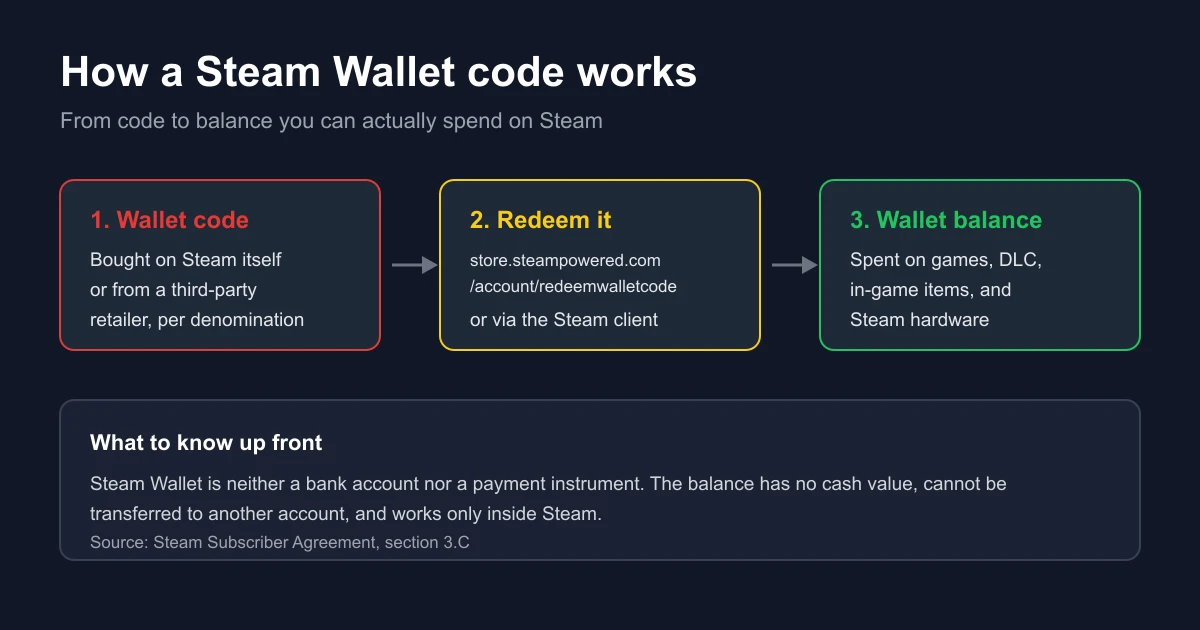
Section 3.C of the Steam Subscriber Agreement describes the Steam Wallet as an account balance Valve may make available for your account. The next sentence is the important one: the Steam Wallet is neither a bank account nor any kind of payment instrument. It functions as a prepaid balance for ordering content and services on Steam.
Several consequences follow from that definition, and most buyers only discover them after over-funding an account:
- Funds added to the wallet are non-refundable and non-transferable, except under the refund terms discussed below.
- Steam Wallet funds do not constitute a personal property right, have no value outside Steam, and can only be used to order subscriptions and related content via Steam, including games and applications from the Steam store or a Steam subscription marketplace, and hardware.
- Steam Wallet funds have no cash value and cannot be exchanged for cash.
- For subscribers in Japan, any funds not used within six months of being added expire, as required by Japanese law. That expiry rule is specific to Japan, not a general rule.
In short, funding a Steam Wallet is a one-way decision. Money goes in easily; the only way out is spending it inside Steam.
The US$2,000 Cap in Any 24-Hour Period
This is the rule that surprises buyers of large denominations. According to the Steam Subscriber Agreement, within any twenty-four hour period, the total amount stored in your Steam Wallet plus the total amount spent out of your Steam Wallet, in the aggregate, may not exceed US$2,000 or its equivalent in your applicable local currency.
Note the word "plus". What counts is not only how much you add, but adding combined with spending. Valve states that attempted deposits which exceed this threshold may not be credited to your wallet until your activity falls below the threshold.
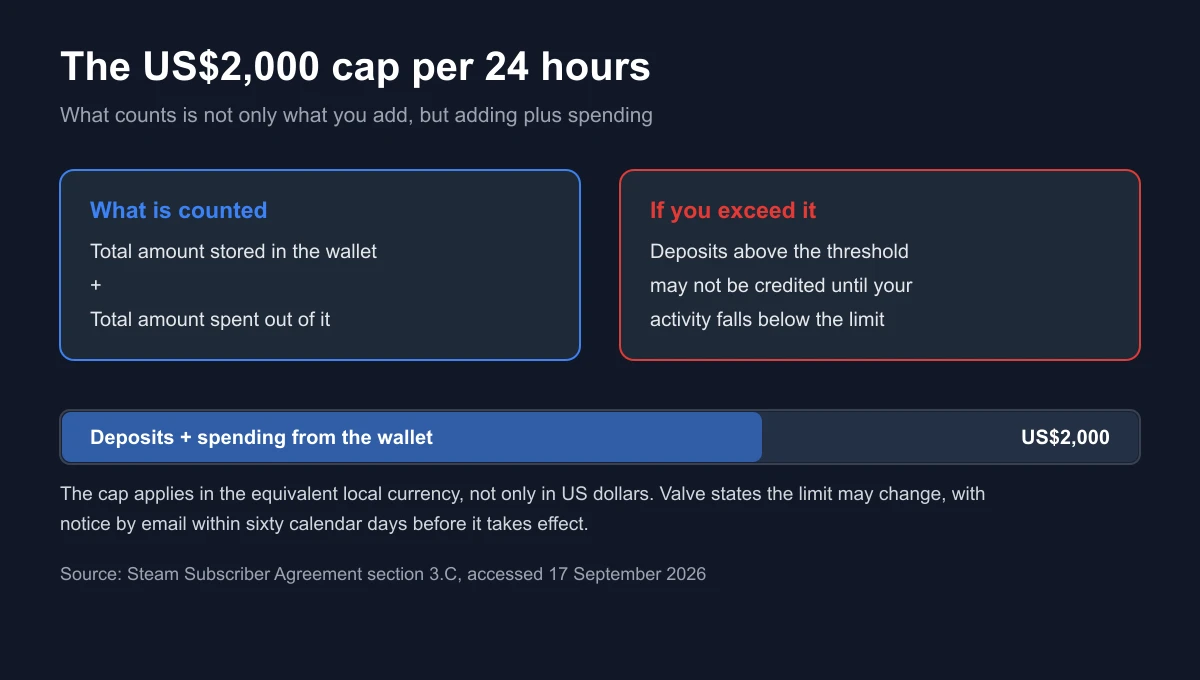
Valve also states that it may change or impose different wallet balance and usage limits over time, with notice by email within sixty calendar days before the change takes effect. If you do not agree to the change, the only remedy the agreement offers is terminating the account or ceasing to use the Steam Wallet, and Valve states it has no obligation to refund any credits remaining in the wallet in that case.
The practical implication is simple: do not stack large-denomination codes for redemption on the same day. If you buy several codes as gifts, redeem them in stages and keep total daily activity below the threshold.
Three Official Routes for Adding Funds
All three routes come from official Steam pages. The difference is not the end result but the purchase record and the resolution path if something goes wrong.
| Route | How it works | What matters |
|---|---|---|
| Add Funds directly on Steam | Open the Add funds to your Steam Wallet page, choose an amount, pay with a method available in your country | The purchase is recorded as a Steam transaction, so Valve's Refund Policy applies |
| Redeeming a Steam Wallet code | Redeem at store.steampowered.com/account/redeemwalletcode, or through the Steam client | The code may come from Steam itself or from a retailer, and the source decides who handles problems |
| Steam gift cards | Digital cards are sent through your Steam account to a friend or family member; physical cards can be redeemed to an account at any time | Steam states gift cards work like gift certificates, redeemable for games, software, hardware, and any other item on Steam |
Redeeming a Wallet Code: the Order That Prevents Mistakes
The Steam Gift Cards page links directly to the redemption page at store.steampowered.com/account/redeemwalletcode. Sign in to the destination account first, because the code lands on whichever account is active at redemption. The most expensive mistake at this step is redeeming on the wrong account, and it cannot be undone, because balance cannot move between accounts.
If you have never redeemed a digital code before, the pre-redemption checks are in how to check that a digital game code is genuine, and the activation points per platform are in where to activate game codes by platform.
Digital and Physical Gift Cards
Steam distinguishes two gift card forms. Digital cards are sent through your Steam account, so the sender needs an account, and the recipient receives balance in their wallet. Physical cards can be redeemed to a Steam account at any time. Both end up as the same wallet balance, carrying every limitation described above.
Currency, Region, and the Most Common Failure Point
The Steam Subscriber Agreement ties the wallet cap to your applicable local currency, which means a Steam wallet has a currency, and wallet codes are sold in denominations of a specific currency. On Digidang, for instance, the codes sold are US dollar denominations such as the Steam Wallet Code $10 and the Steam Wallet Code $25. Before paying, make sure the code's currency matches your account wallet, and ask the seller if you are unsure. The general principle of matching digital card regions is covered separately in understanding digital gift card regions.
Do Not Use a VPN to Chase Another Region's Prices
This is not merely advice, it is a contract clause. The Steam Subscriber Agreement states that you agree not to use IP proxying or other methods to disguise the place of your residence, whether to circumvent geographical restrictions on game content, to order or purchase at pricing not applicable to your geography, or for any other purpose. Valve states that if you do this, it may terminate your access to your account.
The risk is out of proportion to the reward. What is at stake is not the price difference on one game but the entire library attached to that account. Ways to cut costs that break nothing are collected in how to buy cheap digital games safely, how to save money on game keys, and how to claim free games legally.
The Steam Refund Rules Worth Knowing Before You Spend
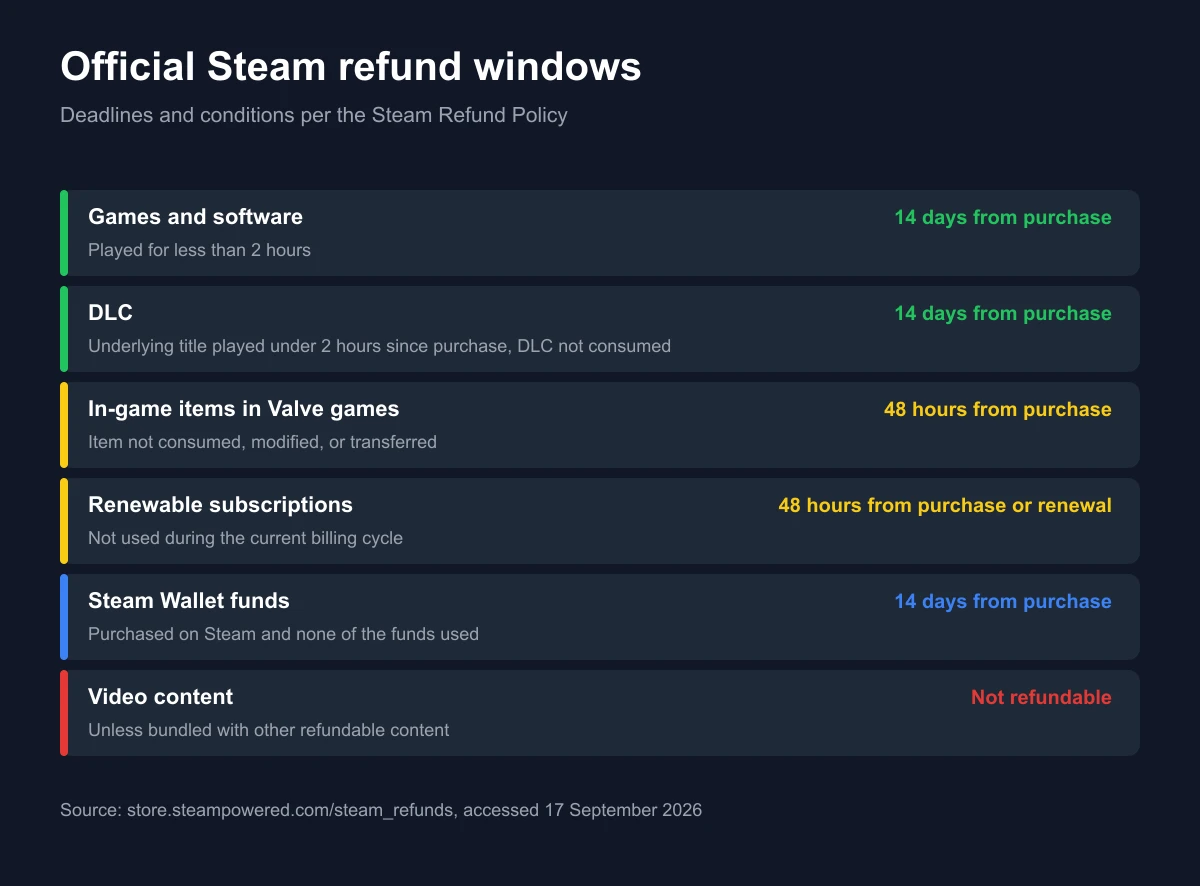
The Steam Refund Policy states you can request a refund for nearly any purchase on Steam, for any reason, as long as the request falls within the required return period and, for games, the title has been played for less than two hours. Refunds are issued in Steam Wallet funds or through the original payment method, and if Steam cannot refund the original method, the wallet is credited the full amount.
| Purchase type | Window | Additional conditions |
|---|---|---|
| Games and software applications | 14 days from purchase | Played for less than two hours |
| DLC | 14 days from purchase | The underlying title played less than two hours since the DLC was purchased, and the DLC not consumed, modified, or transferred |
| In-game purchases in Valve-developed games | 48 hours from purchase | The item not consumed, modified, or transferred; third-party developers may enable refunds on the same terms |
| Renewable subscriptions | 48 hours from initial purchase or from an automatic renewal | Not used during the current billing cycle |
| Steam Wallet funds | 14 days from purchase | Purchased on Steam and none of the funds used |
| Bundles | 14 days from purchase | No item transferred and combined usage across the bundle under two hours |
| Gifts | Standard 14-day and two-hour window | Unredeemed gifts are refundable; redeemed gifts only if the recipient initiates, with funds returned to the original purchaser |
| Video content | Not available | Unless the video is bundled with other refundable content |
Two further notes from the same policy. For titles purchased before release, the two-hour playtime limit still applies, but the 14-day period only starts on the release date. And for a player banned by VAC on a game, Valve states the right to refund that game is lost.
Wallet Funds Are Refundable Only If Untouched
This is the most misunderstood part. A Steam Wallet funds refund applies within fourteen days of purchase under two conditions at once: the funds were purchased on Steam, and you have not used any of those funds. Once part of the balance is spent, that window closes.
The consequence is that the habit of topping up a large balance "while it is on offer" locks your money inside the ecosystem. Fund what you plan to spend, not what the discount tempts you into.
Codes Bought Outside Steam Cannot Be Refunded by Valve
The Steam Refund Policy leaves no room for interpretation: Valve cannot provide refunds for purchases made outside of Steam, for example CD keys or Steam wallet cards purchased from third parties.
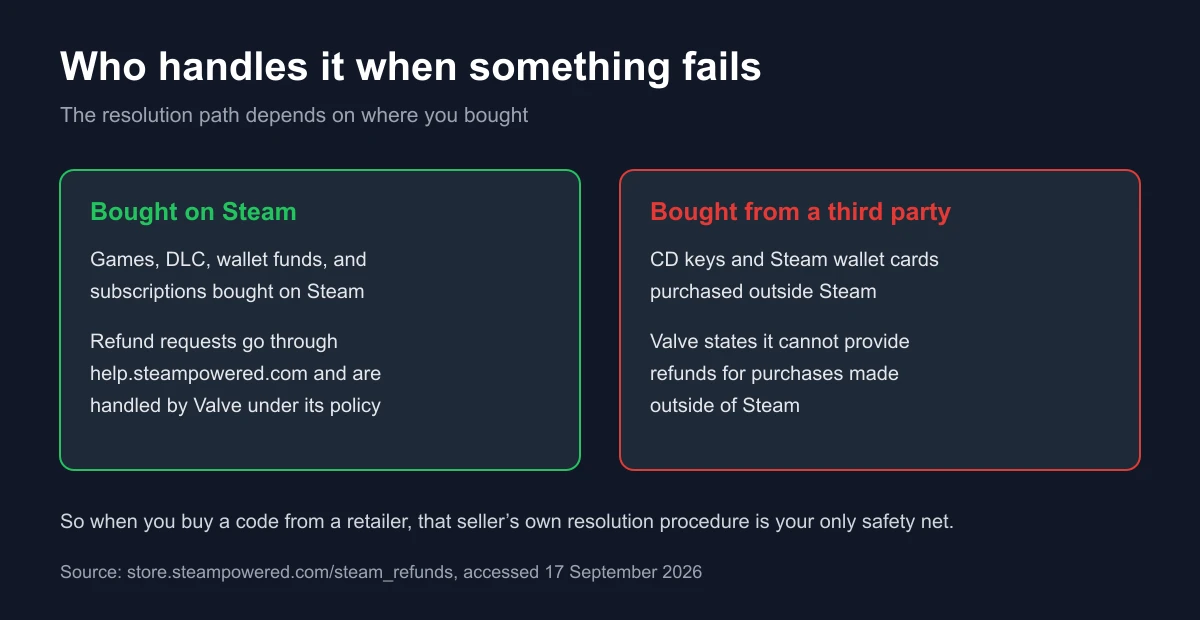
That is why choosing a seller is not only about the lowest price, but about whether the seller has a clear procedure when a code fails. The checks we run are on our how we verify page, and our own terms are on the refund page. General seller criteria are covered in how to choose a game top-up platform and safe digital shopping tips.
What Steam Wallet Balance Can and Cannot Do
| Can | Cannot |
|---|---|
| Buy games and applications on the Steam store | Be withdrawn as cash |
| Buy DLC and in-game items where Steam transactions are enabled | Be moved to another Steam account |
| Transact on a Steam subscription marketplace | Be used outside the Steam ecosystem |
| Buy Steam hardware | Serve as a store of value outside Steam |
This table is not our opinion. It summarises section 3.C of the Steam Subscriber Agreement, which states that funds can only be used to order subscriptions and related content via Steam and hardware, have no cash value, and are non-transferable.
The Mistakes That Happen Most Often
- Redeeming on the wrong account. Balance cannot move between accounts, so this mistake is permanent. Confirm the signed-in account before redeeming.
- Assuming the balance can be taken back out. Wallet funds are refundable only within 14 days and only if none of the funds were used.
- Redeeming several large codes in one day. The 24-hour aggregate cap counts deposits plus spending, and deposits past the threshold can be held back.
- Using a VPN for another region's prices. The Steam agreement names this as grounds for terminating access to the account.
- Expecting Valve to handle codes bought elsewhere. The Refund Policy explicitly excludes purchases made outside Steam.
- Leaving the account without two-factor protection. Funded wallets are an obvious target. The steps are in how to secure a gaming account with 2FA.
Checklist Before Buying a Steam Wallet Code
- Confirm the code's currency matches your account wallet, and ask the seller if in doubt.
- Pick the denomination against your spending plan, not against the promotion, because spent funds cannot be refunded.
- Do not redeem several large-denomination codes inside the same 24-hour window.
- Sign in to the destination account first, then open the official Steam redemption page.
- Keep the receipt and the code until the balance actually appears.
- Choose a seller with a clear resolution procedure, because Valve does not handle purchases made outside Steam.
If you are comparing denominations and buying routes, see our Steam Wallet voucher guide for IDR and USD. For how digital game keys work in general, read how digital game keys work and the beginner's guide to buying digital game keys. For other voucher types, see digital game vouchers: types and how to buy, and if redemption fails, the handling order is in what to do when a game top-up fails. Tax on digital purchases is covered in understanding VAT on digital products, local payment options in e-wallets for game top-ups, and the safe purchase flow in how to top up games safely. For console subscriptions with similar but not identical rules, see the PlayStation Plus guide and the Nintendo Switch Online guide.
Frequently Asked Questions
Where do I redeem a Steam Wallet code?
On the official Steam page at store.steampowered.com/account/redeemwalletcode, linked directly from the Steam Gift Cards page, or through the Steam client. Sign in to the destination account first, because the balance lands on the active account.
Can Steam Wallet balance be cashed out?
No. The Steam Subscriber Agreement states that Steam Wallet funds have no cash value and are not exchangeable for cash. Balance can only be used to order content, services, and hardware through Steam.
Can I move balance to a friend's account?
No. The agreement states funds added to the Steam Wallet are non-transferable. To give a gift, use a digital gift card sent to the recipient rather than trying to move balance.
What is the limit on adding funds to Steam?
Within any twenty-four hour period, the total stored in your wallet plus the total spent out of it may not exceed US$2,000 or the equivalent in local currency. Deposits above the threshold may not be credited until activity falls below it.
Are Steam Wallet funds refundable?
Yes, under strict conditions: within fourteen days of purchase, the funds must have been purchased on Steam, and none of them may have been used. Once part of the balance is spent, a wallet funds refund no longer qualifies.
If I bought a Steam Wallet code elsewhere and it fails, can Valve help?
The Steam Refund Policy states Valve cannot provide refunds for purchases made outside of Steam, including CD keys and Steam wallet cards from third parties. Resolution sits with the seller you bought from.
How long is the refund window for a Steam game?
Fourteen days from purchase, provided the game has been played for less than two hours. For titles bought before release, the two-hour limit still applies while the fourteen-day count starts on the release date.
Can in-game purchases be refunded?
For Valve-developed games, Steam offers refunds on in-game purchases within forty-eight hours, as long as the item has not been consumed, modified, or transferred. Third-party developers may enable refunds on the same terms, and Steam tells you at purchase whether that applies.
Is using a VPN to buy in another region safe?
No. The Steam Subscriber Agreement states you agree not to use IP proxying or other methods to disguise your place of residence, including to purchase at pricing not applicable to your geography, and Valve may terminate your access to the account if you do.
Do Steam Wallet funds expire?
The expiry rule named in the agreement applies specifically to subscribers in Japan, where funds not used within six months of being added expire under local law. Separately, the agreement notes that funds deemed unclaimed property may be turned over to the applicable authority.
What is the difference between digital and physical Steam gift cards?
Digital cards are sent through your Steam account to a recipient, so the sender needs a Steam account. Physical cards can be redeemed to a Steam account at any time. Both end up as the same wallet balance under the same rules.
Digidang Team
Gaming enthusiast and marketplace expert sharing tips, guides, and the best gaming deals.