Antivirus Examples: 8 Popular Programs, Types, and How to Choose

Common antivirus examples include Microsoft Defender Antivirus (built into Windows), Norton 360, Kaspersky, ESET, Bitdefender, Avast, McAfee, and Malwarebytes. Some are free, some are paid yearly, and each fits a slightly different need. Antivirus software itself is a program that prevents, detects, and removes malware, meaning harmful software such as viruses, trojans, ransomware, and spyware.
This guide covers what antivirus software is, the main types, eight well-known examples and the companies behind them, how free and paid versions compare, and how to choose and buy an antivirus license safely. Company and product facts come from Wikipedia and official vendor sites we checked in October 2026.
What Is Antivirus Software?
According to Wikipedia, antivirus software, also called anti-malware, is software intended to prevent, detect, and remove malware. The name dates back to the early days of personal computers, when the main threat was the computer virus: a program that copies itself by inserting its code into other programs. Threats are far more varied today, but the name stuck.
Modern antivirus tools usually combine several techniques. Signature matching compares files against a database of known malware. Behavior analysis watches for programs acting suspiciously, such as one that suddenly encrypts hundreds of files. Cloud-based protection sends unknown files to the vendor's servers for a fast verdict. That is why updates matter so much: an antivirus with stale definitions protects you about as well as having none at all.
Antivirus is also only one layer. Strong passwords, two-step verification, and a healthy suspicion of unexpected attachments still do a lot of the work. For game and store accounts, we walk through the steps in our guide on securing gaming accounts with 2FA.
What Antivirus Does for Everyday Users
The core jobs of an antivirus fit into five buckets. The table below sums them up with situations that home users and office workers run into regularly.
| Job | What it means | Typical situation |
|---|---|---|
| Prevent infection | Scans files when they are downloaded or opened | A cracked game installer carrying a trojan is blocked before it runs |
| Detect malware | Quick, full, or custom scans | A USB drive from a shared PC is scanned before you open it |
| Remove or quarantine | Moves dangerous files into quarantine | A fake invoice attachment is locked away so it cannot run |
| Protect your browsing | Blocks phishing sites and harmful downloads | A fake login page copying a game store is blocked |
| Guard against ransomware | Watches programs that change many files at once | Your documents folder is shielded from an unknown encrypting app |
The last two jobs keep growing in importance. Many attacks no longer look like a classic virus at all. They are phishing pages built to steal passwords or voucher codes. If you buy digital products often, our tips for shopping safely for digital products help you spot the warning signs early.
Types of Antivirus Software
Antivirus products can be grouped by how you get them and how much they cover. This split helps you decide whether to buy anything at all, or simply rely on what your device already has.
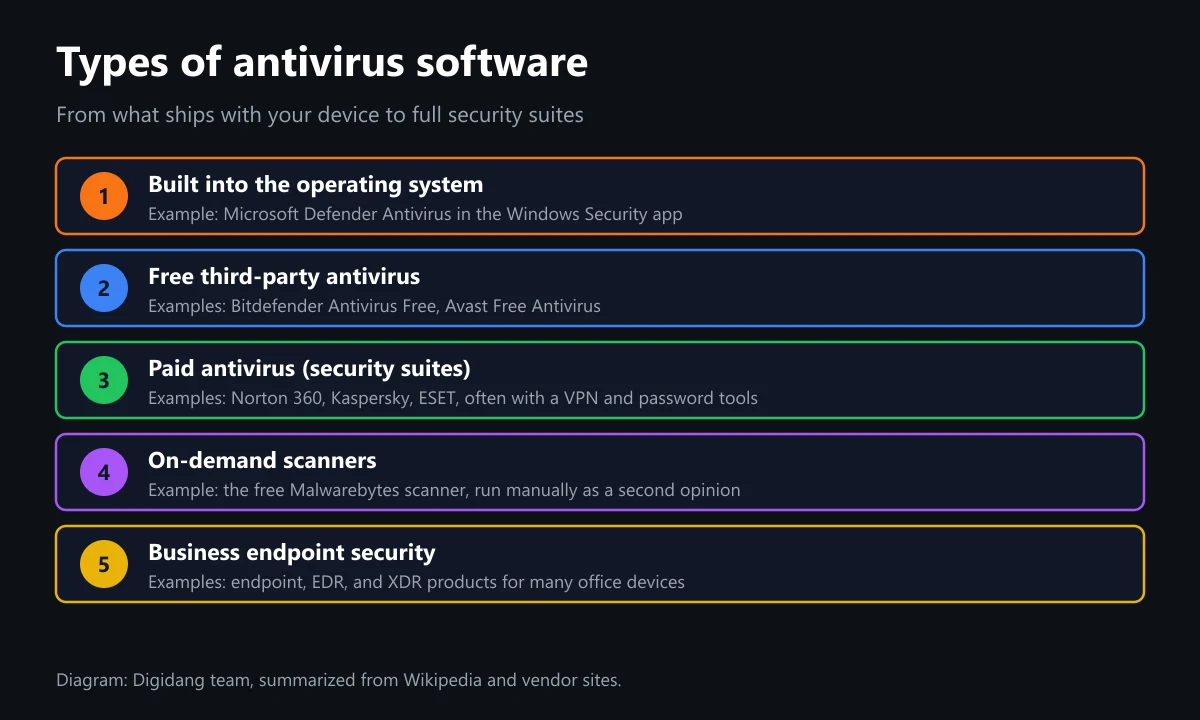
- Built into the operating system. Microsoft Defender Antivirus ships with Windows 10 and Windows 11. Nothing to install and no extra cost.
- Free third-party antivirus. Bitdefender Antivirus Free and Avast Free Antivirus are the familiar names. Basic protection is free, and extras live in the paid tiers.
- Paid antivirus or security suites. Norton 360, Kaspersky, and ESET are typical. They are sold per year for a set number of devices, often bundled with a VPN, a password manager, or parental controls.
- On-demand scanners. The free version of Malwarebytes scans and removes malware when you run it manually. It works well as a second opinion next to your main antivirus.
- Business endpoint security. Endpoint security, EDR, and XDR products for offices that manage many devices from one place.
For most home users, built-in protection plus sensible habits covers the basics. A paid antivirus starts to make sense when you protect several devices at once, including family phones, or when you will genuinely use the extra features.
8 Popular Antivirus Examples
Here are eight antivirus programs you are most likely to come across, with their makers and home countries according to Wikipedia. This is not a quality ranking. For detection results, check the independent lab tests mentioned in the section on choosing an antivirus.
| Antivirus | Maker | Company base | Free version |
|---|---|---|---|
| Microsoft Defender Antivirus | Microsoft | United States | Yes, built into Windows |
| Norton 360 | Gen Digital | United States and Czech Republic | No, paid |
| Kaspersky | Kaspersky Lab | Russia | Yes, a free tier exists |
| ESET | ESET | Slovakia | No, paid with a free trial |
| Bitdefender | Bitdefender | Romania | Yes, Antivirus Free for Windows |
| Avast | Gen Digital | Czech Republic | Yes, Avast Free Antivirus |
| McAfee | McAfee Corp. | United States | No, paid with a free trial |
| Malwarebytes | Malwarebytes Corporation | United States | Yes, manual scanner |
1. Microsoft Defender Antivirus
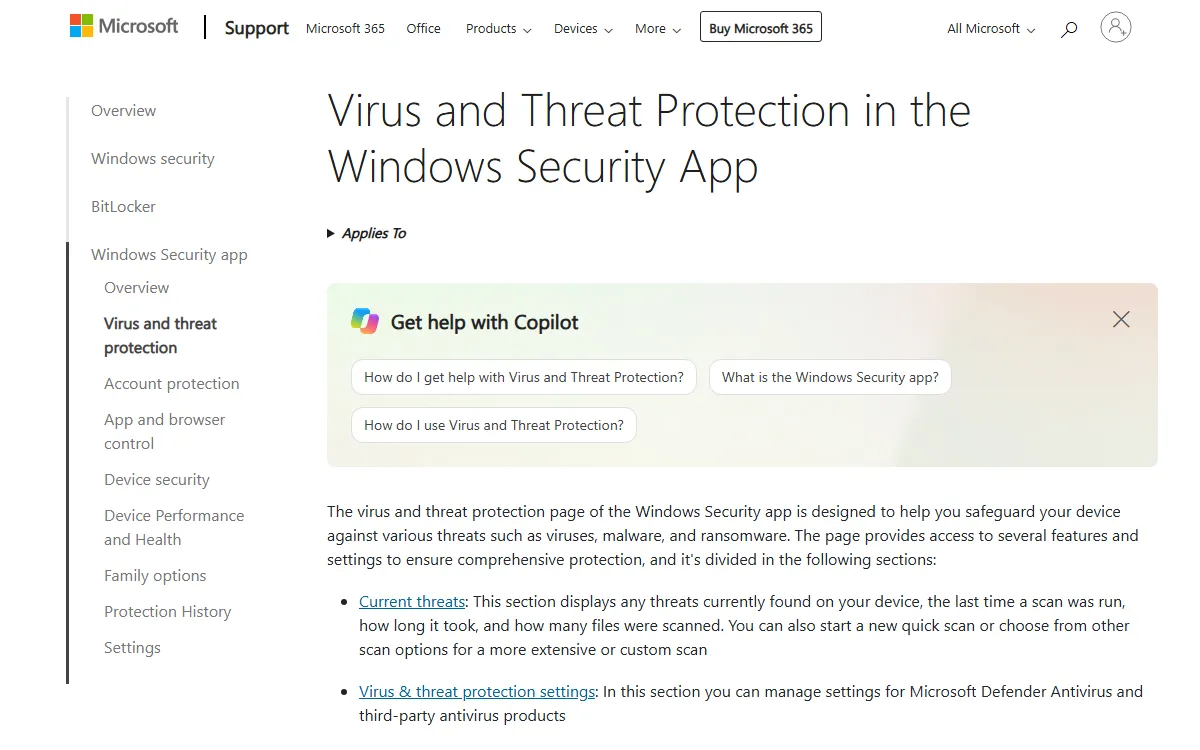
According to Wikipedia, Microsoft Defender Antivirus began as a free anti-spyware download for Windows XP and grew into a full antivirus. On Windows 10 and 11 you reach it through the Windows Security app. Microsoft's support page lists four scan types: quick scan, full scan, custom scan, and an offline scan that runs from the Windows Recovery Environment.
2. Norton 360
Norton 360 is an all-in-one security suite from Gen Digital. Wikipedia notes the brand launched in 2006, was replaced by Norton Security in 2014, and came back in 2019. The official Norton 360 Deluxe page for the Asia region lists coverage for 5 devices, a VPN, parental controls, and 75 GB of cloud backup, at a regular price of US$59.99 per year and a first-year offer of US$29.99 when we checked on October 23, 2026.
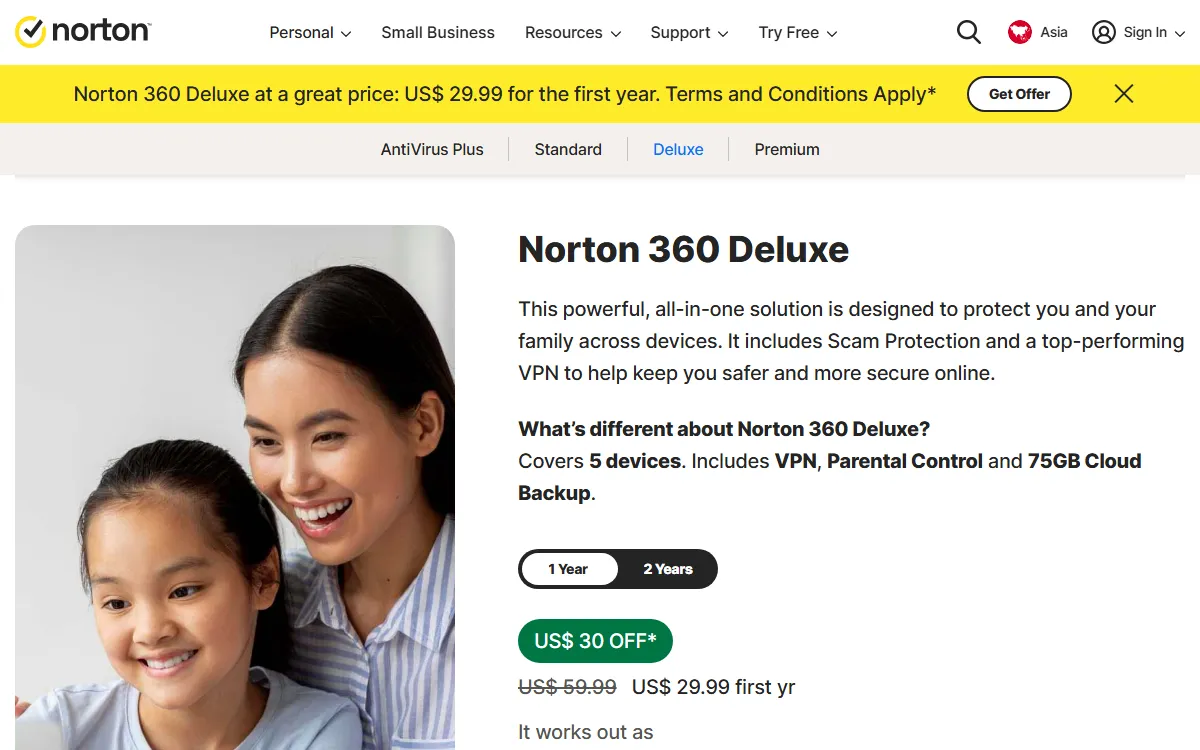
On Digidang you can buy Norton 360 Deluxe for one year as a digital code. You can compare the plan details with Norton's official page.
3. Kaspersky
Kaspersky is made by Kaspersky Lab, a cybersecurity company headquartered in Moscow and founded in 1997, according to Wikipedia. Its research team is known for uncovering major cyber espionage operations. One thing worth knowing: Wikipedia also records that in June 2024 the US government announced a ban on selling Kaspersky software in the United States. The ban applies in the US, not in Indonesia, but it is useful context before you choose. Digidang offers a one-year Kaspersky license.
4. ESET
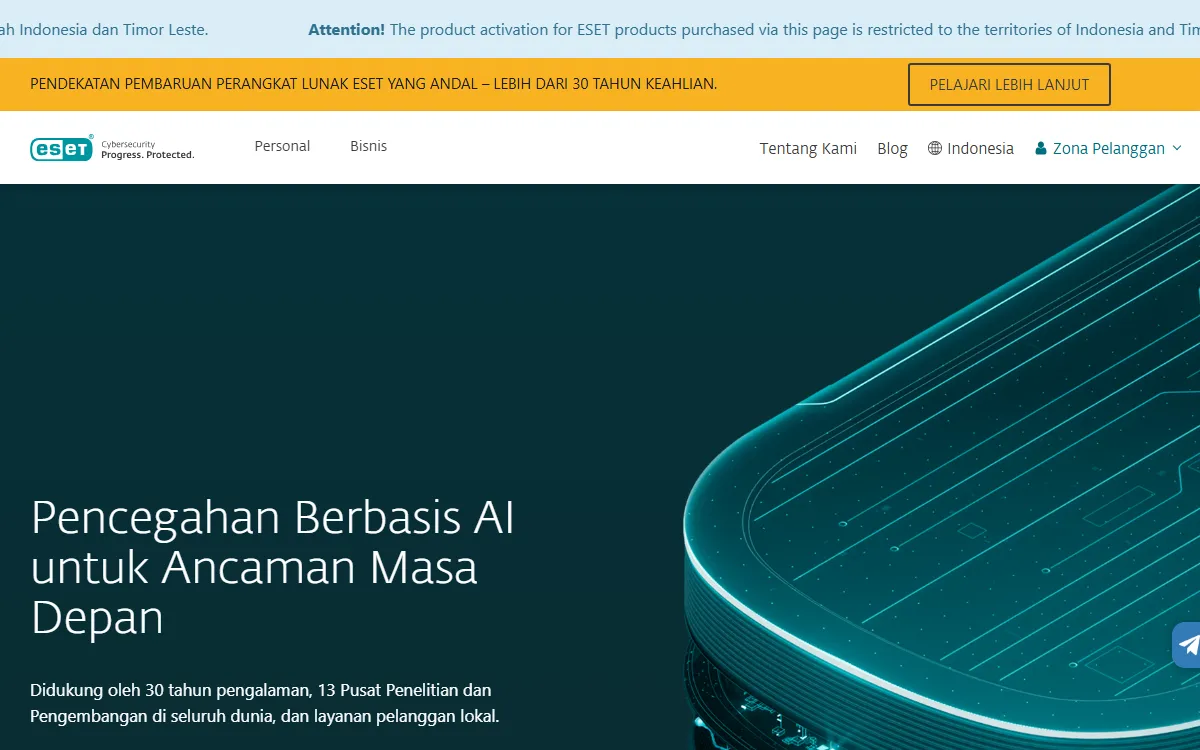
ESET is a Slovak cybersecurity company based in Bratislava. According to Wikipedia, it was founded in 1992 and grew out of the NOD antivirus developed from 1987. ESET runs a dedicated Indonesian site, and its official page warns that products bought there can only be activated in Indonesia and Timor-Leste.
5. Bitdefender
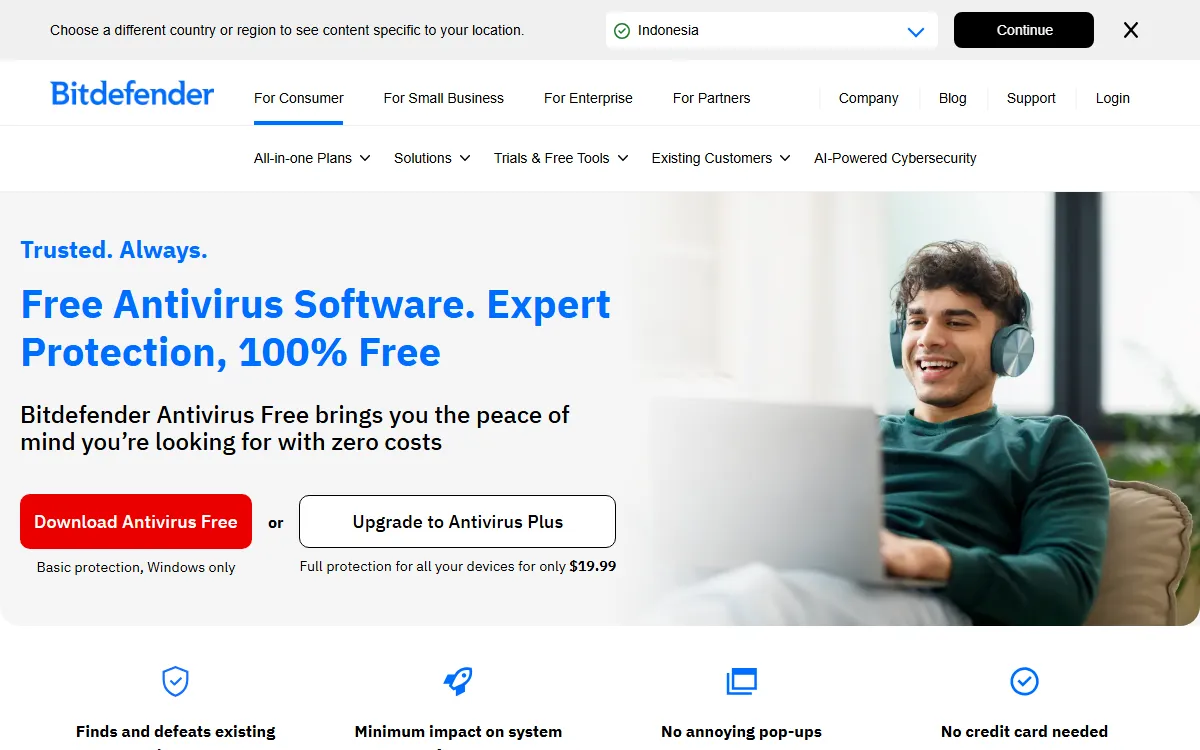
Bitdefender is a cybersecurity technology company founded and headquartered in Bucharest, Romania, according to Wikipedia. Its official free antivirus page describes Bitdefender Antivirus Free as basic protection for Windows only, with Antivirus Plus offered at US$19.99 for fuller coverage.
6. Avast
Avast is a Czech security software company headquartered in Prague and now part of Gen Digital, the same parent as Norton, according to Wikipedia. Avast Free Antivirus is available from its official site and is a common first free antivirus on home PCs.
7. McAfee
McAfee is an American software company headquartered in San Jose, California, focused on online protection for consumers, according to Wikipedia. Its official site offers McAfee Total Protection with a 30-day free trial for Windows, macOS, Android, iOS, and ChromeOS.
8. Malwarebytes
According to Wikipedia, Malwarebytes was first released in January 2006 and runs on Windows, macOS, ChromeOS, Android, and iOS. The free version scans and removes malware when you start it manually, while the paid version adds scheduled scans and real-time protection. We cover it in depth in our Malwarebytes guide.
Free or Paid Antivirus?
This is the question we hear most. The answer depends on how many devices you own, how you use the internet, and which features you need. Free options such as Microsoft Defender, Bitdefender Antivirus Free, and Avast Free Antivirus provide baseline malware protection. Paid versions add features that are not strictly about catching viruses but are handy for families or people who often work on public Wi-Fi.
| Aspect | Free antivirus | Paid antivirus |
|---|---|---|
| Basic malware protection | Yes | Yes |
| Number of devices | Usually the one device it is installed on | Several devices per license, for example 5 |
| VPN | Usually missing or very limited | Often included in suites |
| Parental controls | Rare | Often included |
| Customer support | Limited | More complete |
| Cost | Free | Yearly subscription |
One rule to remember: do not run two antivirus programs with real-time protection at the same time. They can interfere with each other and slow your computer down. A manual scanner such as the free Malwarebytes is fine alongside your main tool because it does not run constantly in the background.
How to Choose the Right Antivirus
Before you buy, answer these five questions. Working through them in order keeps you from paying for features you will never touch.
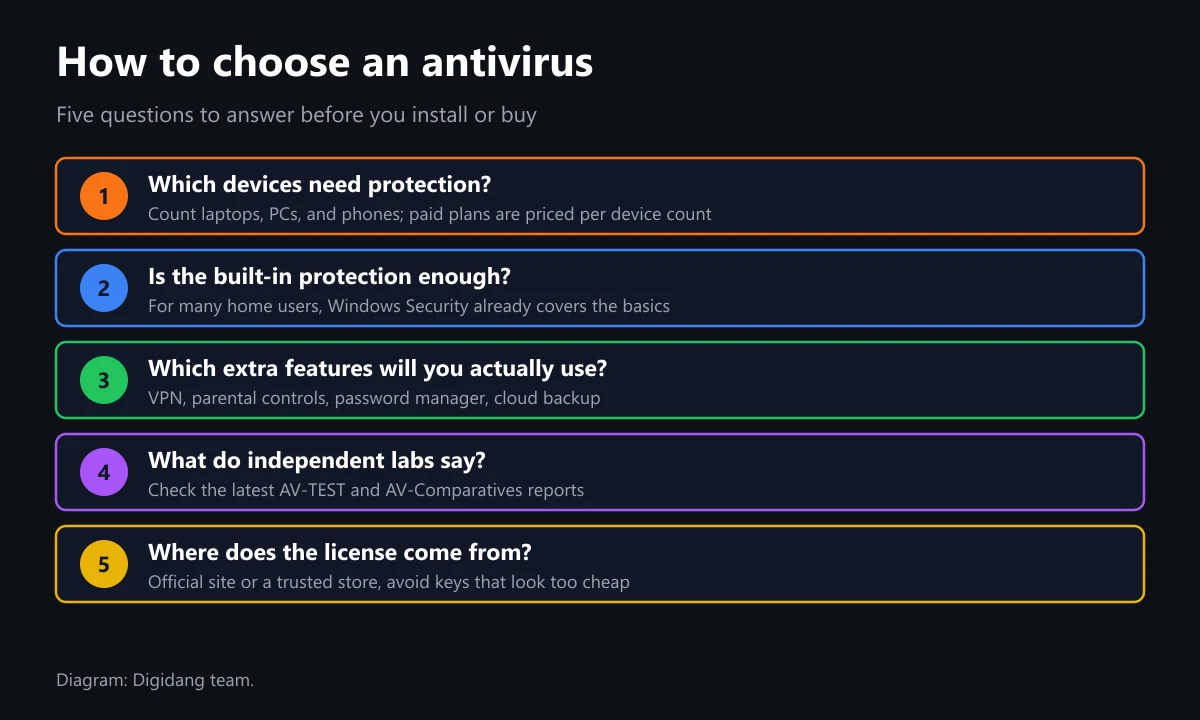
- Count the devices you need to protect. Laptops, desktops, and the family's phones. Paid plans are usually priced by device count.
- Decide whether built-in protection is enough. If you use a single Windows laptop for work and play, an up-to-date Windows Security setup already covers the basics.
- Pick only the extras you will use. VPN, password manager, parental controls, or cloud backup. For a standalone password manager, see our 1Password guide.
- Check independent lab results. Labs such as AV-TEST and AV-Comparatives regularly test detection rates and the performance impact of antivirus products.
- Make sure the license source is clear. Buy from the vendor's site or a trusted store. Keys priced far below normal often come from other regions or from business licenses resold one by one.
Your operating system matters too. If you still run an old version of Windows that no longer gets security updates (see the Windows 10 support timeline on Microsoft Learn), antivirus alone will not close the gap. Our Windows 11 license guide explains the legitimate upgrade options.
How to Install and Maintain Your Antivirus
Once you have picked one, these steps help it do its job properly:
- Download the installer only from the vendor's official site, never from ads or third-party download portals.
- If you install a paid antivirus, let Microsoft Defender step aside on its own. Do not force two real-time engines to run together.
- Enter your activation code or sign in with your vendor account, then confirm the license shows as active.
- Run a full scan right after installation.
- Keep automatic updates switched on and glance at the protection status once a week.
- Note the license expiry date so your protection never lapses.
If you use Microsoft 365, the same Microsoft account manages your Microsoft 365 subscription and devices. See our articles on the Microsoft account and the Microsoft 365 guide.
Tips for Buying an Antivirus License Safely
Antivirus is security software, so it would be ironic to buy the license from a shady source. Warning signs include prices far below the official rate with no explanation, sellers asking you to install from a private download link, or codes that only work with an "activator" tool. A modified installer can carry exactly the kind of malware you are trying to keep out.
At Digidang, every software product is sold as a digital code, and activation happens in the vendor's own app or website. Before buying, check the activation region and device count on the product page. You can browse other software licenses, including Windows and Office, in our software category and our overview of Microsoft Office apps. We also cover a free office alternative in what WPS Office is.
Frequently Asked Questions
What are some examples of antivirus software?
Popular examples include Microsoft Defender Antivirus, Norton 360, Kaspersky, ESET, Bitdefender, Avast, McAfee, and Malwarebytes. Microsoft Defender comes preinstalled on Windows, while the others are downloaded from each vendor's official site.
What is antivirus software?
Antivirus software is designed to prevent, detect, and remove malware, including viruses, trojans, ransomware, and spyware. Modern tools combine signature matching, behavior analysis, and cloud-based protection.
What types of antivirus software are there?
The main types are antivirus built into the operating system, free third-party antivirus, paid antivirus or security suites, on-demand scanners, and endpoint security for businesses.
Is Windows Defender enough?
For many home users, an up-to-date Microsoft Defender Antivirus provides solid baseline protection. A paid antivirus helps when you protect many devices or need extras such as a VPN and parental controls.
Can I install two antivirus programs at once?
Not two with real-time protection, because they can clash and slow your computer down. A manual scanner such as the free version of Malwarebytes is fine as a second opinion.
Which free antivirus is good?
Common free choices are Microsoft Defender Antivirus built into Windows, Bitdefender Antivirus Free, and Avast Free Antivirus. Check the latest AV-TEST or AV-Comparatives reports to compare their detection results.
Can Kaspersky still be used in Indonesia?
According to Wikipedia, the sales ban announced in June 2024 only applies in the United States. Kaspersky licenses are also available on Digidang, so whether to use them is your own call.
How long does a paid antivirus license last?
Usually one year for a set number of devices, for example Norton 360 Deluxe for 5 devices. Some vendors also sell two-year plans. Check the term and device count before you buy.
Digidang Team
Gaming enthusiast and marketplace expert sharing tips, guides, and the best gaming deals.