Game Xbox Gift Card: How to Buy Games With Xbox Gift Cards
A game Xbox gift card pays for digital games through your Microsoft account balance rather than unlocking one specific title. You redeem the card, the value lands in your account, and you spend it at checkout on games, add-ons, or Xbox subscriptions. The card currency must match the country of your account.
This guide is about the buying process itself: what Xbox gift cards can pay for, how to redeem one, what happens when your balance falls short, and when Game Pass is the better spend. Every rule below comes from Xbox Support, Microsoft Support, and xbox.com pages we opened ourselves on October 31, 2026.
What Games Can You Buy With an Xbox Gift Card?
An Xbox gift card can buy games, add-ons, in-game content, apps, movies, and TV shows on Xbox consoles and the Microsoft Store, according to the Microsoft Store gift card page. The balance also works toward subscriptions like Xbox Game Pass. So one card is never locked to a single game title.
Because the card becomes balance, you decide how to split it. One card can go entirely toward a big release, or it can cover an indie game, a few add-ons, and a subscription. That is the main difference from a digital game key, which unlocks one title only, while a gift card fills a wallet you can spend from later.
The table below shows what your balance can and cannot pay for. The limits come from Microsoft's spending page, its add money page, and the Microsoft gift card terms.
| Purchase type | Can balance pay? | What to know |
|---|---|---|
| Digital Xbox and PC games | Yes | As long as the game is sold in your account's country |
| Add-ons and DLC | Yes | You still need the base game or access to it |
| In-game currency and content | Yes, with exceptions | Certain in-app subscriptions or purchases are excluded |
| Digital pre-orders | Yes | Balance is charged right away |
| Xbox subscriptions, including Game Pass | Yes | Available plans differ by country |
| Microsoft 365 subscriptions | No | Microsoft says only Xbox subscriptions can be bought with a gift card |
| Cash or other gift cards | No | Unless local law requires otherwise |
| Microsoft Store retail locations | No | Account balance does not work at physical stores |
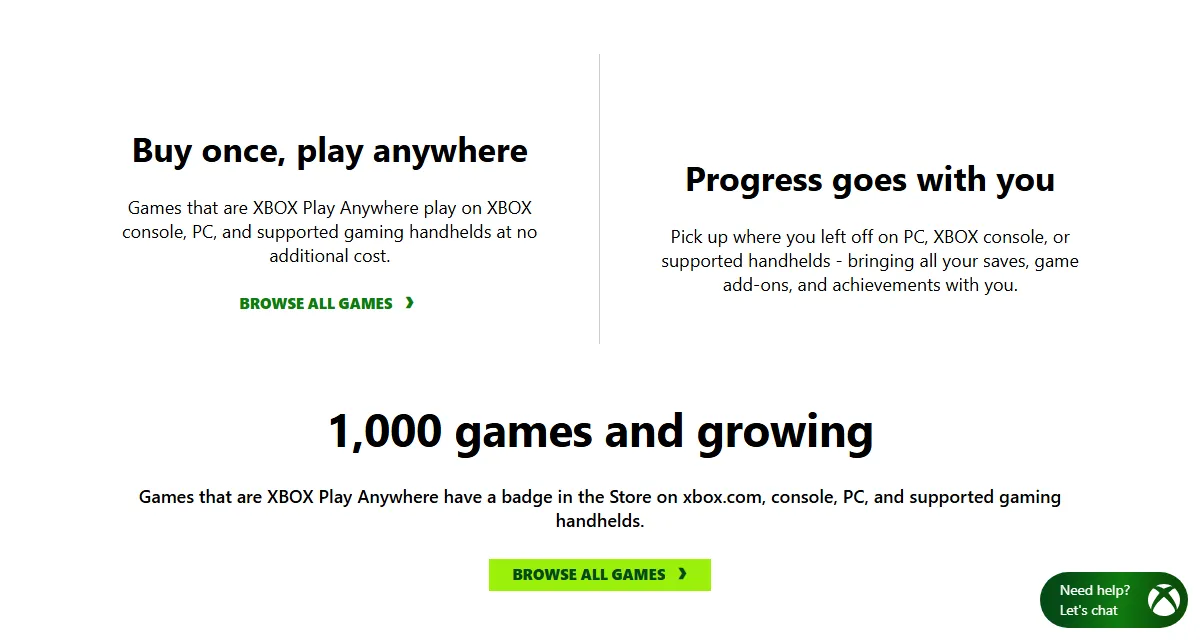
One detail worth checking on any game page: titles with the Xbox Play Anywhere badge are bought once and play on console, PC, and supported handhelds at no additional cost, according to the official Xbox Play Anywhere page. If your balance is limited, that badge stretches it further. Our PC versus console comparison covers the platform question.
Check Which Xbox Services Your Country Supports
Xbox gift cards only help if the thing you want to buy is offered where your account is registered. The official Xbox Supported Countries and Regions page lets you pick a country and see each product and service marked as supported or not supported. It takes a minute and prevents the most expensive mistake.
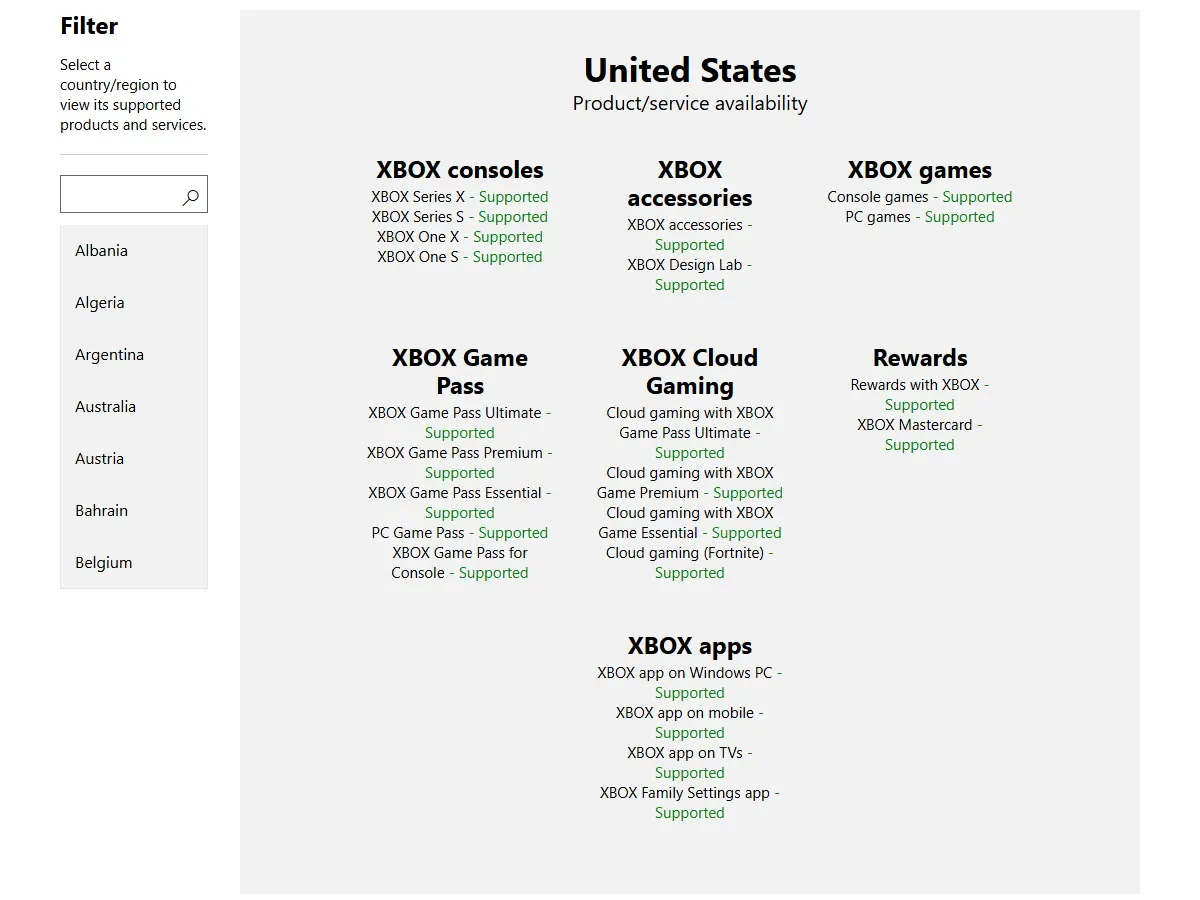
The differences are real. When we checked on October 31, 2026, the Indonesia entry marked PC games and PC Game Pass as supported, but console games, Game Pass Ultimate, Premium, Essential, and cloud gaming as not supported. The United States entry marked all of those as supported. A player in the first country and a player in the second are effectively shopping in different stores.
So look up your country before buying a card, and look again before renewing a plan, because the list changes. If you play on PC, also confirm your machine can run the game with our guide on checking your PC specs for a game. The list tells you what is sold, not what your hardware can handle.
The Region and Currency Rule That Decides Whether a Card Works
The core rule sits in the Microsoft gift card terms: denominations in a certain currency may only be added to a Microsoft account registered in a jurisdiction that recognizes that currency as official, and may then only be used at stores available there. Your balance also cannot be converted to another currency.
In practice, a card denominated in US dollars suits a Microsoft account registered in the United States. It will not add balance to an account registered in another country. That is why Xbox gift cards sold by country are not interchangeable, even when the card art looks identical. Before you pay, compare the currency on the listing with the country on your account.
Changing your account region just to use one card is not something we recommend. Microsoft Support advises changing region only if you are moving to a new country for a long time, because games, subscriptions, and balance from one region might not work in another. Funds do not move with you either. Xbox Support also asks that your account region match your physical location.
If you already bought a card that does not match your account, Xbox Support tells you to contact the retailer, so keep your receipt. Our guide on digital gift card regions covers these restrictions across other platforms.
How to Buy a Game With an Xbox Gift Card
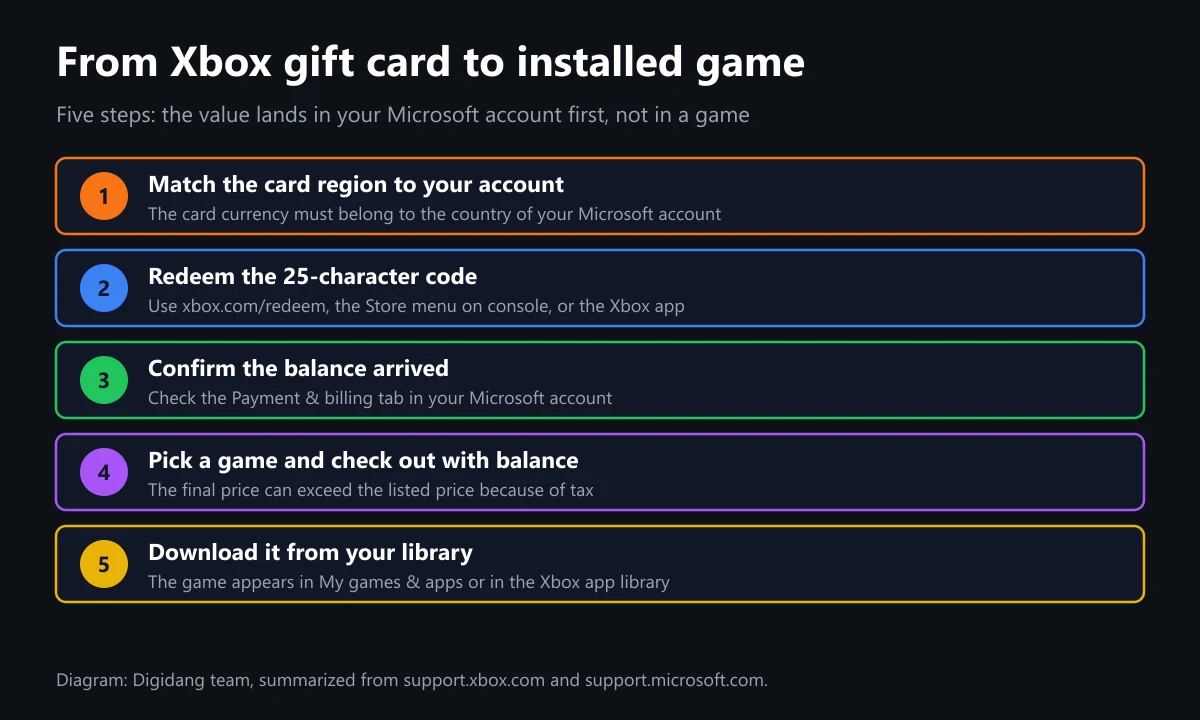
Once the region checks out, the purchase takes a few minutes. Sign in to the right account first, because a redeemed code cannot be transferred to another Microsoft account by Xbox Support.
- Sign in to the Microsoft account you actually play on.
- Go to xbox.com/redeem, or on console press the Xbox button, select Store, press the View button, and select Redeem.
- Enter the 25-character code, select Next, and follow the prompts.
- Open the Payment & billing tab in your Microsoft account to confirm the balance arrived.
- Find your game in the Store and select Buy. Review the total on the checkout screen.
- If your Microsoft account balance is not the payment option shown, select Change and choose it.
- Finish the purchase and install the game. On console, active downloads appear under My games & apps, then Manage, then Queue.
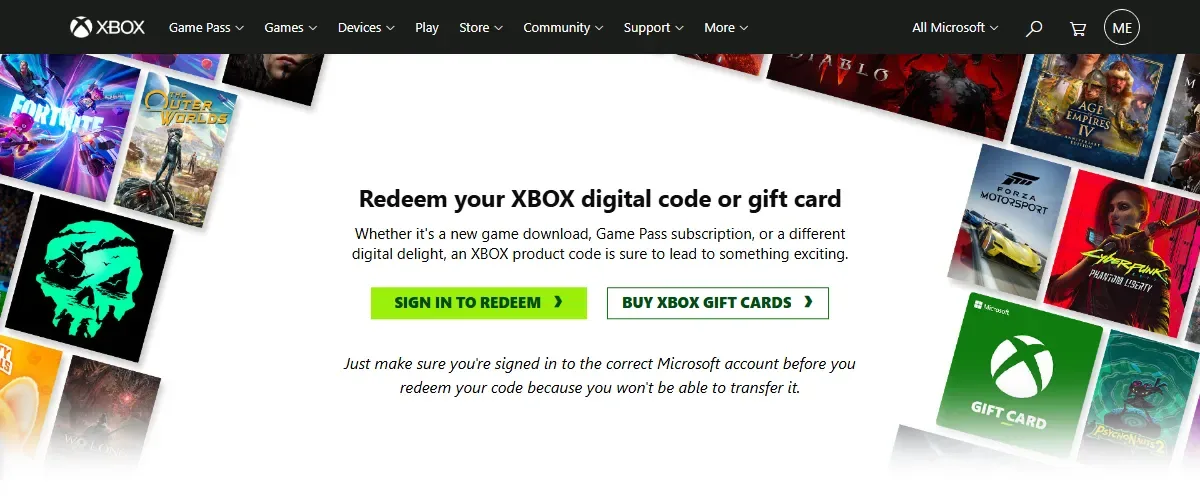
Xbox Support notes you may be asked for payment option info before redeeming, but the redemption itself adds no charges. Full steps for the Windows and mobile apps are in our guide on how to redeem an Xbox code, and the code format is covered in our Xbox gift card digital code guide.
When Your Balance Falls Short: Tax and Covering the Difference
The most common checkout surprise is that the listed price is not always the final price. Xbox Support gives the example of a game listed at $9.99 that a $10.00 balance cannot cover once taxes are added. So leave room for tax when you choose a card value, especially in places where listed prices exclude it.
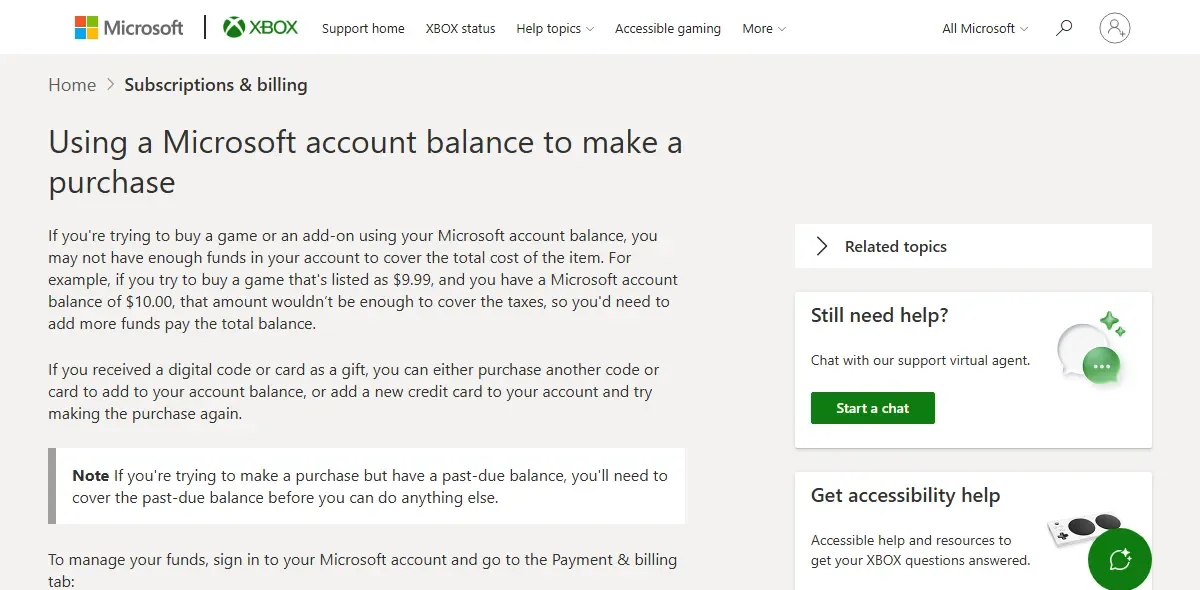
If your balance is short, the gift card terms leave you three options:
- Add another card or code to the same account until the balance covers the total.
- Pay the remainder with another registered payment option. Microsoft uses your account balance first and charges the difference to that option.
- Charge the whole purchase to the other option and keep the balance for later.
One exception: a past-due balance must be cleared before you can do anything else, according to Xbox Support. If checkout still fails with enough funds, confirm you are signed in to the account that received the balance, then work through our guide to fixing failed top-ups.
Should You Buy Games or Subscribe to Game Pass?
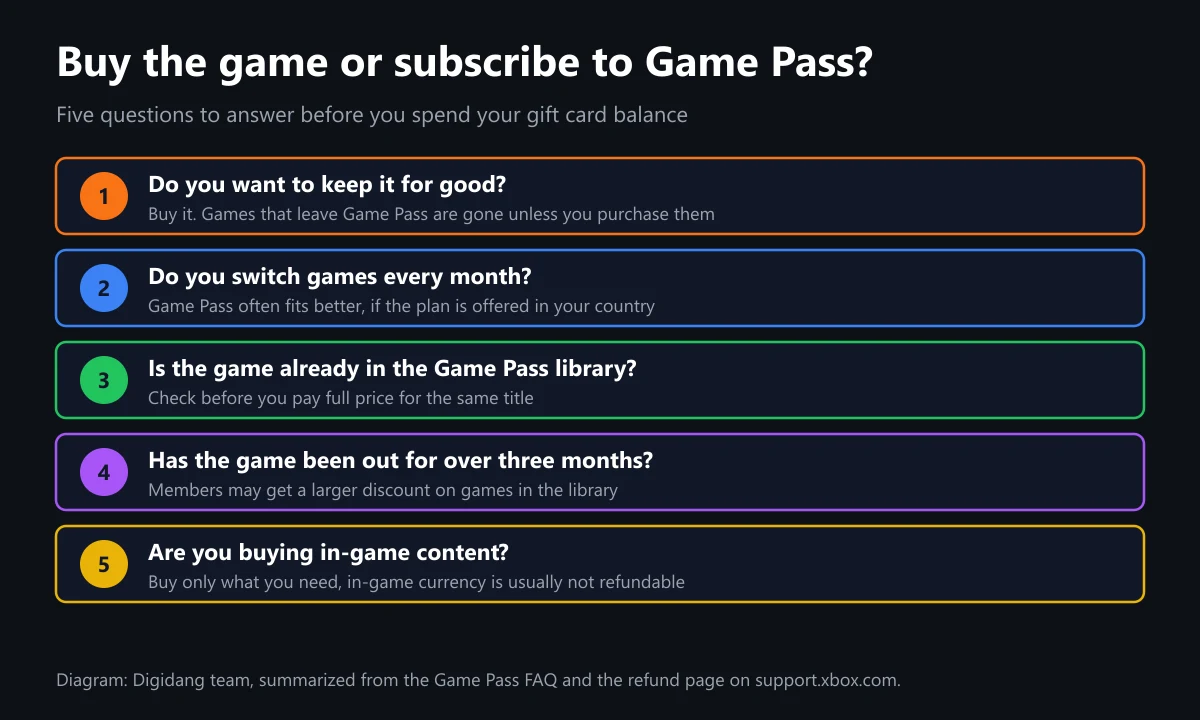
Your balance can pay for either, but you get different things. Buying gives you the game. Game Pass gives you access to a library while your subscription is active. The Game Pass FAQ explains that when a game leaves the library or your subscription ends, you lose access unless you buy it.
| Factor | Buy with balance | Game Pass subscription |
|---|---|---|
| Access | Stays on your account | While subscribed and while the game is in the library |
| Best for | Games you replay for years | Players who sample many new games |
| Cost pattern | One payment per title | Recurring each period |
| Availability | Depends on your country's store | Plans differ by country |
| Add-ons you buy | Yours to keep | Yours to keep, even if the game leaves the library |
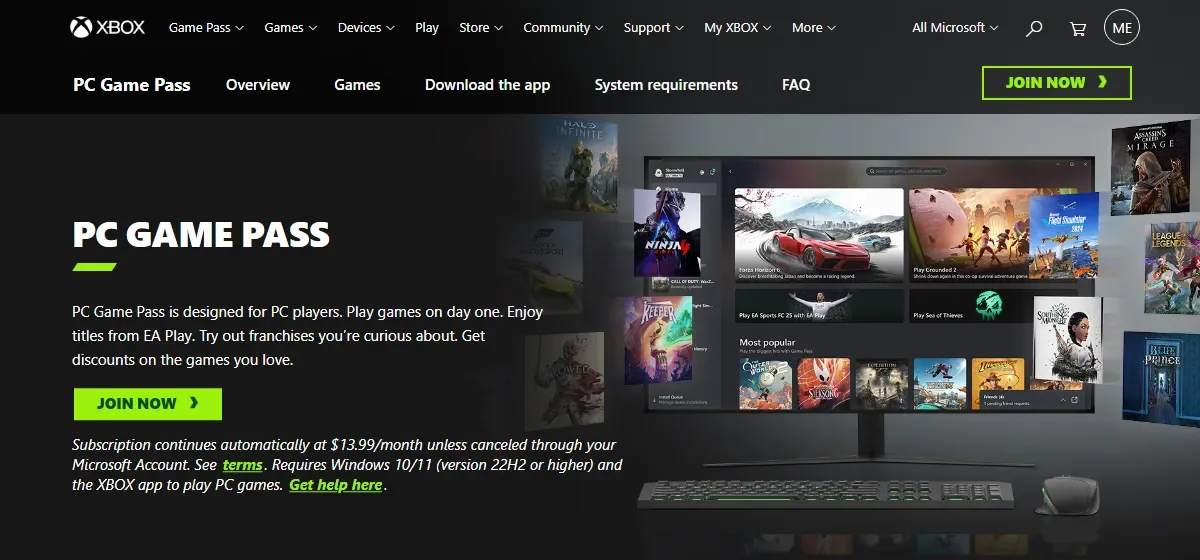
In the US, the Xbox Game Pass page says plans start at $9.99 per month and that subscriptions continue automatically unless canceled. Prices change, so treat that as a reference point. Compare the tiers in our Xbox Game Pass guide and our Game Pass versus PS Plus comparison.
You can also combine the two. The Game Pass FAQ says members get discounts on eligible games in the library. There is no discount in a game's first month, a small discount may appear in months two and three, and a larger one may follow after three months. A game you purchase before it leaves stays yours.
Pre-Orders, Add-Ons, and In-Game Currency
Balance works on unreleased games too, but billing runs differently. According to Microsoft's pre-order page, a digital pre-order paid with account money is charged right away. Any other payment option, including a payment backup, may be charged up to 10 days before release.
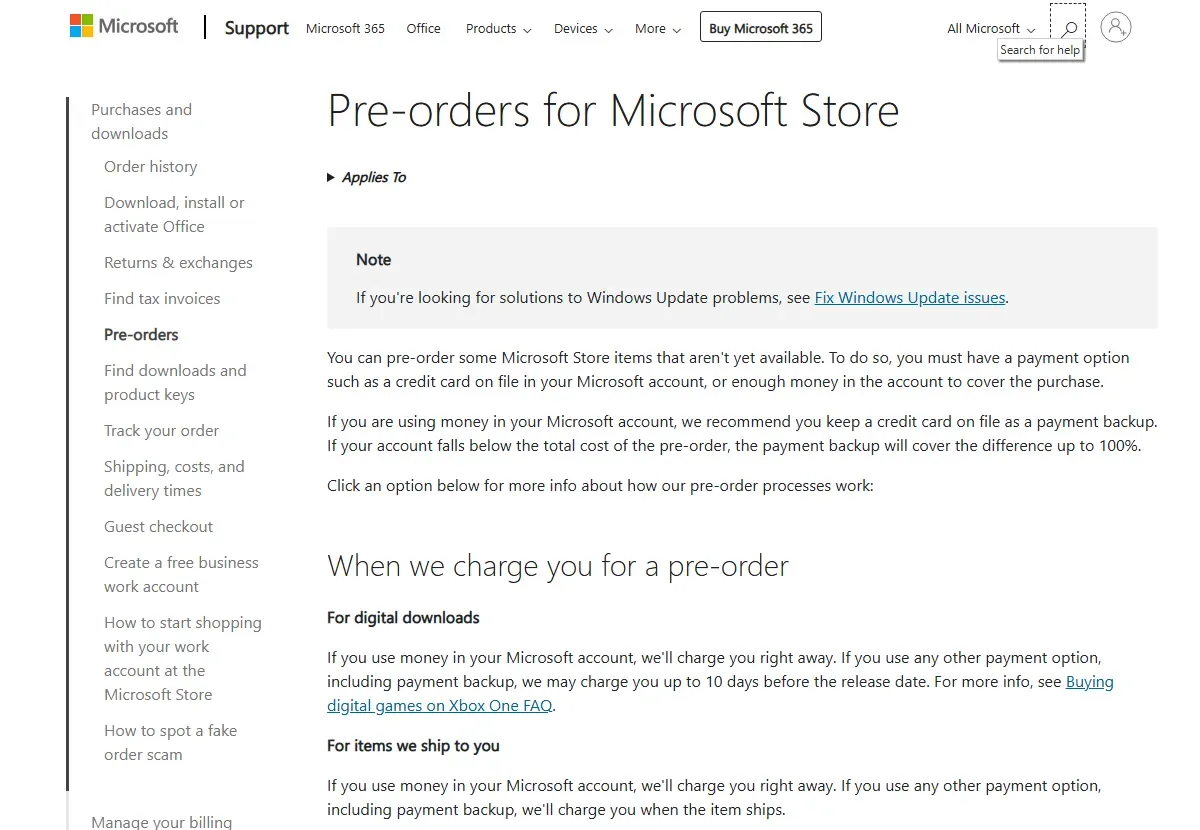
Microsoft recommends keeping a credit card on file as a backup when you pay with balance, so any shortfall is covered. You can cancel a pre-order from your order history, and canceling after billing but before release is processed as a refund. Note that the pre-order price guarantee covers physical items only, not digital ones.
Add-ons appear in the content list for their game. Consumables such as currency, skins, or weapons usually show up in the game's marketplace or your character's storage, according to Xbox Support. If something is missing, you may need the game's publisher to help locate it.
Buy in-game currency only as you need it. The Microsoft terms exclude certain in-app subscriptions and purchases from balance payment, and the Xbox refund page says most in-game consumables and virtual currency are not refundable once purchased or used.
Refunds, Expiry, and Balance Limits
Buying the wrong game does not always mean losing the money. Xbox Support says digital game refunds are typically issued for requests made within 14 days of purchase, if you have not accumulated significant play time. You can make requests within a 90-day period, though not all are accepted, and refunds per year are limited.
When a return is accepted, the gift card terms say Microsoft credits your account with the same amount used, so expect balance rather than cash. Our digital game refund guide walks through the wider process.
On expiry, non-promotional balance does not expire and carries no holding fees, while promotional balance follows the terms of its promotion and is deducted first. Balance is also non-transferable to another person or Microsoft account, so make sure the receiving account is right before you redeem. All of this is in the same terms.
There are daily caps as well. Microsoft's limits page says adding and spending are each capped at USD 1,000 per day or the equivalent, and an account can hold up to USD 1,000 or the equivalent at any time. Normal use rarely gets close, but it matters if you redeem several cards at once.
Choosing a Card Value and Where to Buy Xbox Gift Cards
Start with the game. Check its price in your account's store, add room for tax, and pick a value that covers it. Smaller cards can be stacked because everything lands in the same balance, and any remainder stays available for add-ons or your next purchase. That makes it easy to plan around a sale without leaving money stranded.
Our catalog lists the US dollar cards below. They are meant for US-region Microsoft accounts under the Microsoft currency rule, so check your account country first. Current price, stock, and region details are on each product page.
- Xbox Gift Card $5 USD, for small add-ons or topping up a shortfall.
- Xbox Gift Card $25 USD, for an indie game or a few add-ons.
- Xbox Gift Card $50 USD, for a pricier game, and it can be stacked with other cards.
- Xbox Gift Card $100 USD, for several games at once.
If you only want one title, a key can be more direct, such as Halo Infinite or Sea of Thieves. Check the region and platform on the product page first. Wherever you shop, never pay a stranger with a gift card code. Read our safe digital shopping tips, learn how to verify a digital game code, and protect your account with 2FA. For the full overview, see our complete Xbox gift card guide.
Frequently Asked Questions
Can an Xbox gift card buy any game?
It can buy games sold in your account's country store, plus add-ons and in-game content. The balance is not tied to one title, according to the Microsoft Store, but availability still follows your account country.
Can I use Xbox gift card balance on PC games?
Yes. The Microsoft Store says Xbox and Microsoft gift cards work on the Microsoft Store online, on Xbox consoles, and on Windows PCs, as long as the card redeems to your account.
Can I redeem a US Xbox gift card in another country?
Not on an account registered elsewhere. The Microsoft terms say a currency can only be added to an account registered where that currency is official, and balance cannot be converted. Choose a card that matches your account.
What if my balance is slightly less than the game price?
Add another card or cover the gap with a registered payment option. Microsoft uses balance first and charges the rest. Remember that tax can push the total above the listed price.
Is an Xbox gift card the same as Game Pass?
No. A gift card holds money, while Game Pass is a subscription to a game library. Gift card balance can pay for Xbox subscriptions, according to Microsoft Support, as long as the plan is offered in your country.
Does Xbox gift card balance expire?
Non-promotional balance does not expire and has no holding fees, according to the Microsoft gift card terms. Promotional balance follows the dates in its promotion.
Can I transfer my balance to a friend?
No. Microsoft account balance is non-transferable to another person or account, according to the gift card terms. If you want to give value, share the code before it is redeemed.
Can I refund a game bought with a gift card?
You can request one like any other purchase. Xbox Support says refunds are typically issued for requests within 14 days if you have little play time, and accepted returns go back to your Microsoft account.
Digidang Team
Gaming enthusiast and marketplace expert sharing tips, guides, and the best gaming deals.