PlayStation Store Gift Card Code Scratched Off: What to Do Next
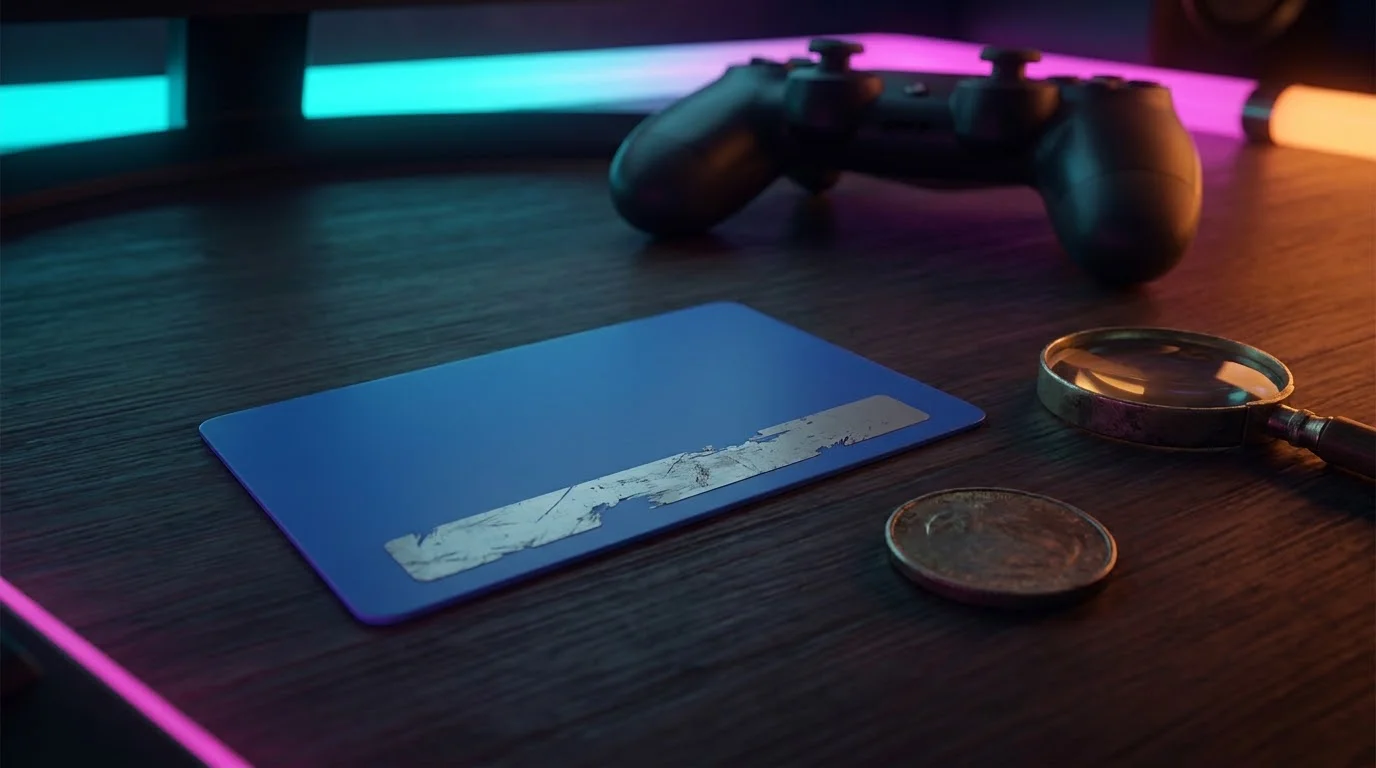
If your PlayStation Store gift card code is scratched off or unreadable, the card can still be sorted out. Stop scratching, photograph both sides, keep the receipt, and contact PlayStation Support with the purchase date and retailer. For codes printed on a receipt, PlayStation says the retailer recovers the code.
This guide covers the full recovery process when a PlayStation gift card PIN is scratched off, how to scratch the silver panel safely, the official code format, the evidence to prepare, redemption errors that look like a damaged card but are not, and how to prevent the problem next time. Every rule below comes from official playstation.com support pages that we opened ourselves in October 2026, not from forum guesses.
What Should You Do When a PlayStation Gift Card Code Is Scratched Off?
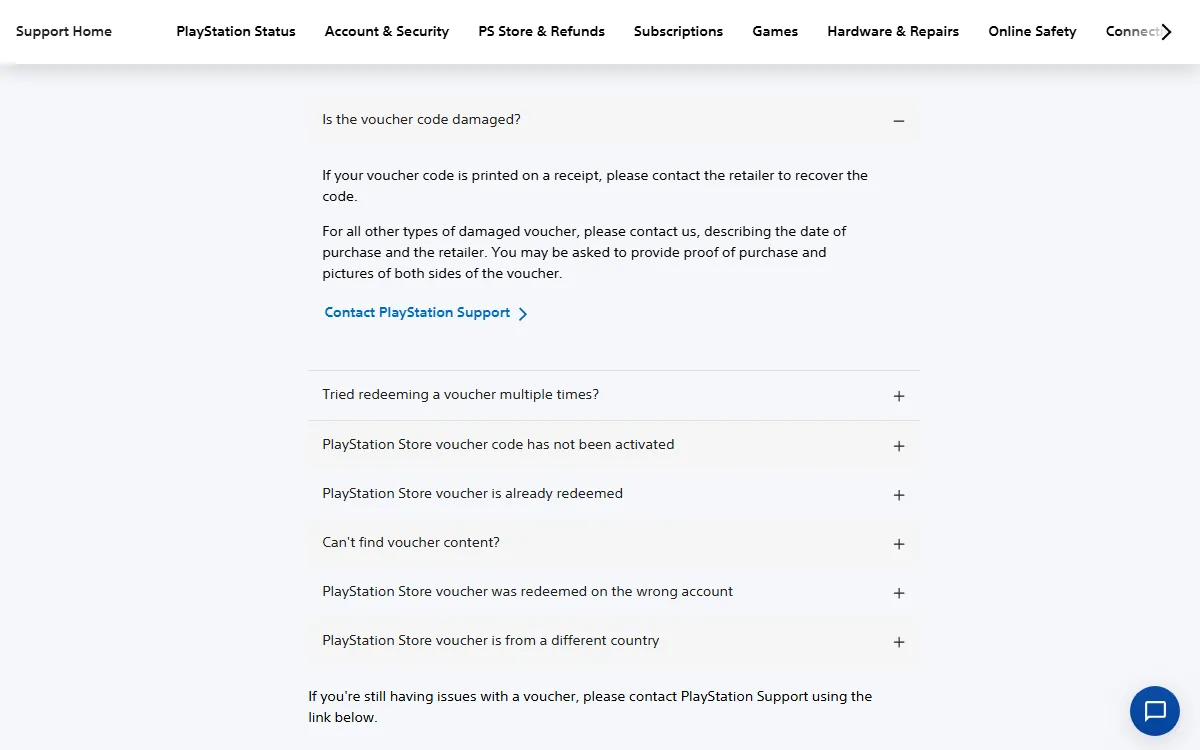
When a PlayStation gift card code is scratched off, do not guess the missing characters. Secure the card, receipt, and packaging, then contact the right party. The official Problems using voucher codes page says PlayStation may ask for proof of purchase and photos of both sides.
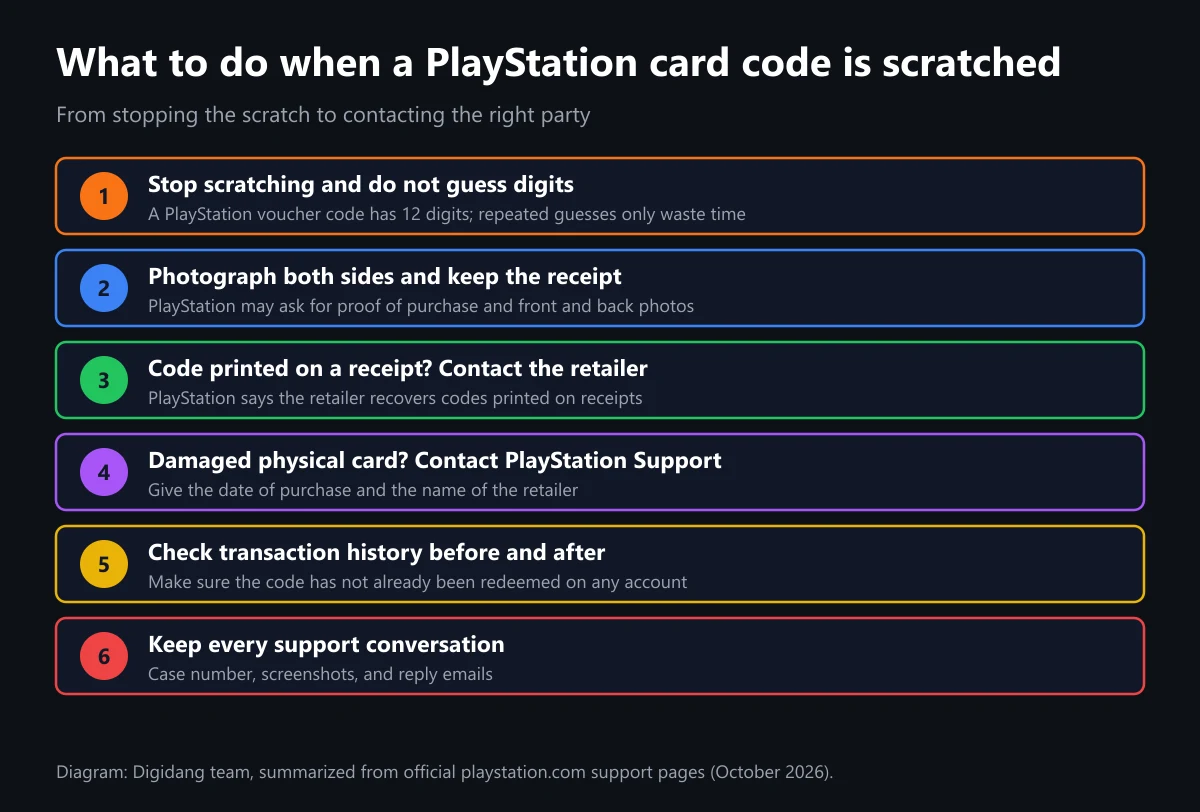
Here is the order we recommend, built from PlayStation's own instructions:
- Stop scratching. Every extra pass can wipe out ink that is still readable. Put the card on a flat surface, away from coins and fingernails.
- Photograph both sides. Shoot the front and back in bright light without a flash glaring off the panel. The photos also protect you if the card later goes missing.
- Keep your proof of purchase. A till receipt, order confirmation email, or online order history. Write down the purchase date and the store name.
- Code printed on a receipt? Contact the retailer, because PlayStation states that the retailer recovers codes printed on receipts.
- Damaged physical card? Contact PlayStation Support, describe the purchase date and retailer, and have your photos and proof of purchase ready.
- Check your account's transaction history. Confirm the code has not already been redeemed, on your account or any other account on the same console.
Step six is the one people skip. Plenty of shoppers who believe their card is damaged discover that the code was redeemed earlier, sometimes by a family member. PlayStation's troubleshooting page asks voucher owners to check the transaction history of every account linked to their consoles before filing a complaint. We walk through that check further down.
One more warning: do not post a photo of a partly readable code to a social media group and ask strangers to help you guess it. Anyone who sees the photo could try the same combinations first. Share the photos only with the retailer and PlayStation Support.
Why PlayStation Gift Card Codes Get Scratched Off or Become Unreadable
Physical PlayStation Store gift cards hide the code under a silver scratch-off panel. The panel is there so nobody can read the code while the card sits on a store rack. The catch is that it sticks firmly, so people in a hurry tend to press too hard or reach for something sharp.
These are the causes we see most often across gift card buyers in general:
- Scratching with a key, knife, or scissor tip. A sharp edge easily cuts into the printed code beneath the coating, not just the coating itself.
- Pressing too hard with a fingernail. Repeated friction on one spot can erase individual characters.
- A bent or wet card. Folds and moisture can crack or smear the ink.
- Codes printed on thermal receipt paper. Some stores print the PIN on the receipt, and thermal print can fade with heat or rubbing.
- Forcing the card out of its packaging. Cards pulled from tight cardboard sleeves sometimes get scraped right across the code area.
Knowing the cause tells you which path to take. Receipt codes are handled by the retailer, while damaged physical cards are handled by PlayStation Support. If you buy a digital code online instead, there is no scratch-off panel at all, so the problem basically disappears. We cover that option at the end, with an honest note about regions.
Before you decide the card is damaged, also make sure it is a genuine PlayStation card bought from a legitimate store. Cards sold far below face value on open marketplaces carry risks that have nothing to do with scratches. Our guide on how to check genuine digital game codes explains the seller warning signs to look for.
How to Scratch a PlayStation Gift Card Without Damaging the Code
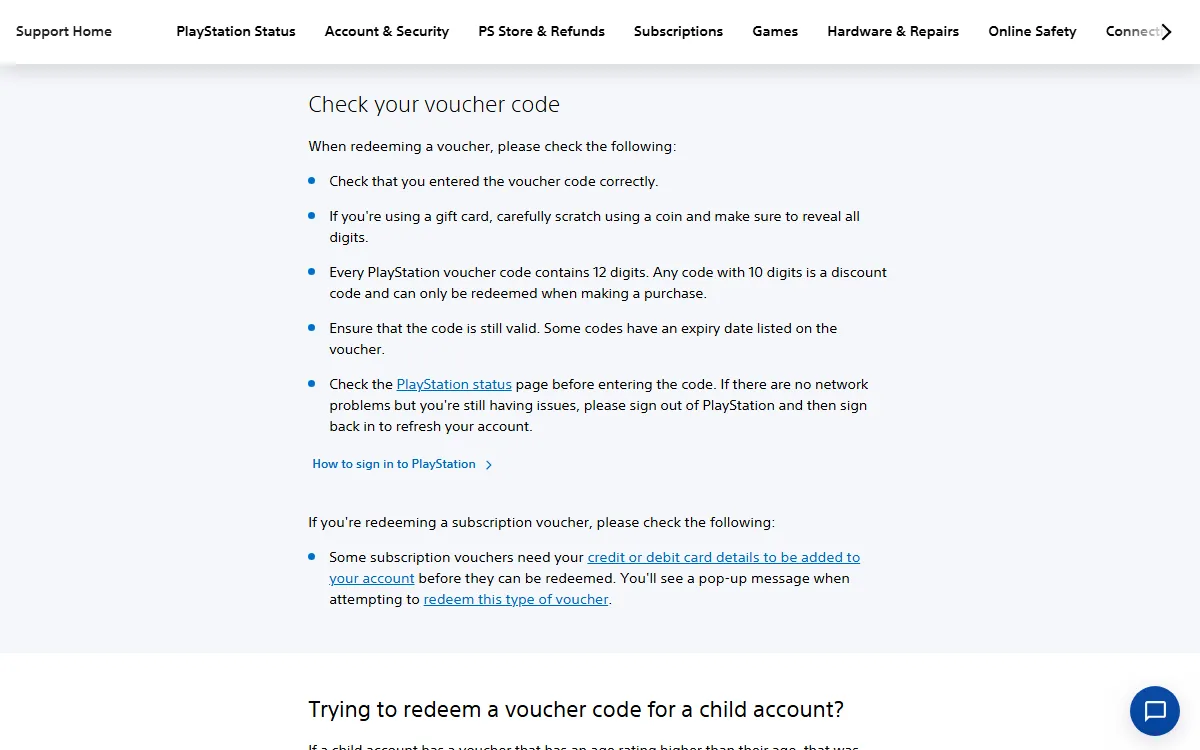
PlayStation's official advice is short: if you are using a gift card, carefully scratch using a coin and make sure to reveal all digits. That line appears in the Check your voucher code section. Here is how to apply it so the code survives intact.
- Lay the card on a hard, flat table rather than holding it in your palm.
- Use the flat edge of a coin, not its rim, at a shallow angle.
- Scratch in one direction with light pressure, working gradually from one end.
- Blow or brush the silver flakes away with a dry tissue instead of rubbing with your finger.
- Stop as soon as the characters are visible. There is no need to polish the panel clean.
- Photograph the revealed code immediately, then type it into the redeem screen.
If some characters look faint, read the card under a bright light shining from the side. Angled light often reveals print impressions you cannot see head on. A phone camera in macro or zoom mode helps too. What you should avoid is guessing a character and retrying again and again, because wrong codes never add funds and only delay contacting support.
Once you are sure one or more characters are truly gone, stop there. The card's condition at that moment is what you will photograph and submit. The less extra damage you add, the easier it is for an agent to assess the card.
PlayStation Code Format: 12-Digit Vouchers vs 10-Digit Discount Codes
Knowing the format tells you whether the missing characters are really part of the code. According to How to redeem a PlayStation Store voucher code, PlayStation Store voucher codes contain 12 digits, while a 10-digit code is a discount code that only works when you make a purchase.
The table below summarizes the difference, based on two official PlayStation support pages:
| Code type | Length | Where to use it | Official restrictions |
|---|---|---|---|
| PlayStation Store voucher (gift card, game, subscription) | 12 digits | Redeem Code on PS5, PS4, web, or PlayStation App | Single use only and must match the account region |
| Discount code | 10 digits | Enter Discount Code in the shopping cart | Not valid for subscriptions, pre-orders, other discount codes, or more than one purchase |
| Some subscription vouchers | 12 digits | Redeem Code | May require a credit or debit card on the account |
So if you count the readable characters on a wallet gift card and get fewer than 12, as PlayStation's voucher checklist implies, something is covered or erased. Do not try to redeem that string as a discount code. Discount codes are a different product, usually handed out through promotions, not printed on wallet gift cards.
Check the region marking on the card as well. PlayStation says that for physical vouchers you should look for a printed flag indicating the country or region. That detail matters when you report the problem, because the agent needs to know which regional store the card belongs to. For a broader explanation, read our guide to understanding digital gift card regions.
Evidence to Prepare Before You Contact PlayStation Support
PlayStation does not promise an automatic replacement for a damaged card. What its official page says is that you should describe the date of purchase and the retailer, and that you may be asked for proof of purchase and pictures of both sides of the voucher. Preparing everything up front makes the support conversation much shorter.
We put together this evidence checklist so you are not hunting for documents mid-chat:
| Evidence | Why it matters | How to prepare it |
|---|---|---|
| Photo of the card front | Shows the value, region, and activation markings | Straight-on shot in bright light, whole card in frame |
| Photo of the card back | Shows the damaged code area and any other printed numbers | Close-up without flash glare on the silver panel |
| Proof of purchase | Shows the card came from a legitimate store | Till receipt, order email, or a screenshot of your order history |
| Purchase date and retailer name | Requested directly in PlayStation's official guidance | Write them down before contacting support |
| Your PlayStation account details | So funds can be applied to the right account | Have your online ID and sign-in email ready |
| Transaction history | Shows the code was never redeemed | Open Transaction History in Account Management |
Keep the card together with its packaging. Do not throw the packaging away, and do not put tape over the code area. Leave it as it is and photograph it. If the agent asks for extra details, you can read them straight off the intact card.
When you reach out, the Contact Support page asks you to pick a topic and then recommends PlayStation Assistant, a chat button in the bottom right corner. Choose PS Store & Refunds so the request lands with the right team. Save the case number and copy the conversation for your records.
Other Redemption Errors That Look Like a Scratched-Off Code
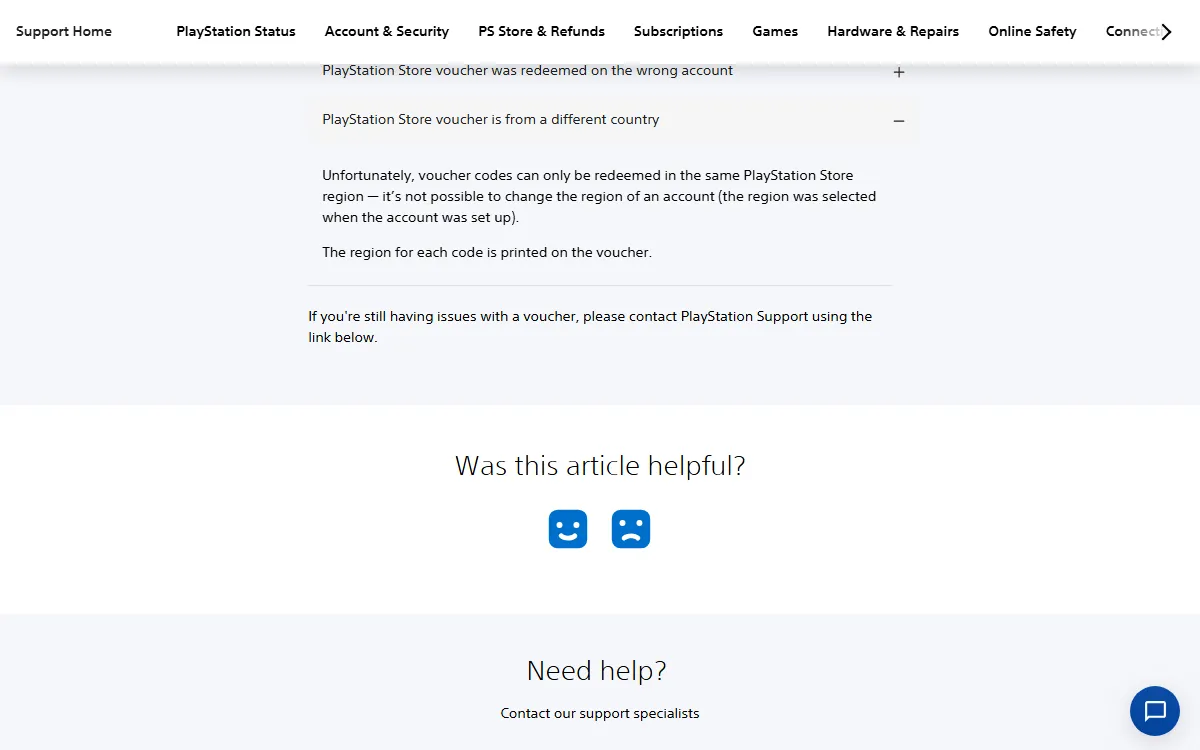
Not every rejected code means the card is damaged. PlayStation's voucher troubleshooting page lists several other causes, each with its own fix. Match your symptom against the table below before you report a damaged card.
| Symptom | Cause according to PlayStation | What to do |
|---|---|---|
| Code rejected even though it is clearly readable | A typo or a service outage | Retype it, check PlayStation Status, then sign out and back in |
| Code reported as already used | Vouchers can only be used once | Check the transaction history of every account on the console and your Game Library |
| Card has no value | The voucher was not activated at the register | Contact the retailer, especially if the card says no value until activated at register |
| Code rejected because of country | Voucher region differs from account region | Use an account from the same region; account regions cannot be changed |
| Code expired | Some codes have an expiry date printed on them | Check the date on the voucher |
| 10-digit code rejected in Redeem Code | It is a discount code, not a voucher | Enter it in the cart when making a purchase |
Region mismatches trip up a lot of international buyers. A physical card bought on a trip abroad, or mailed by a friend in another country, will not redeem on an account from a different region. PlayStation's page says the account region was selected when the account was set up and cannot be changed. A card like that is not damaged, it simply belongs to a different store.
Codes redeemed on the wrong account are another common case. PlayStation says funds and content cannot be transferred between accounts, so confirm which account you are signed into before pressing redeem. For cards bought for children, PlayStation notes that wallet top-up vouchers must be redeemed on the family manager's account, and the parent can then set a monthly spending limit for the child.
How to Redeem a PlayStation Code on PS5, PS4, Web, and the App
Once the code has been recovered, either from the retailer or from PlayStation Support, redeem it through one of the official routes. The steps below are condensed from the official PlayStation redeem page. A longer illustrated walkthrough is in our guide on how to redeem a PlayStation Store code on PS5, PS4, and web.
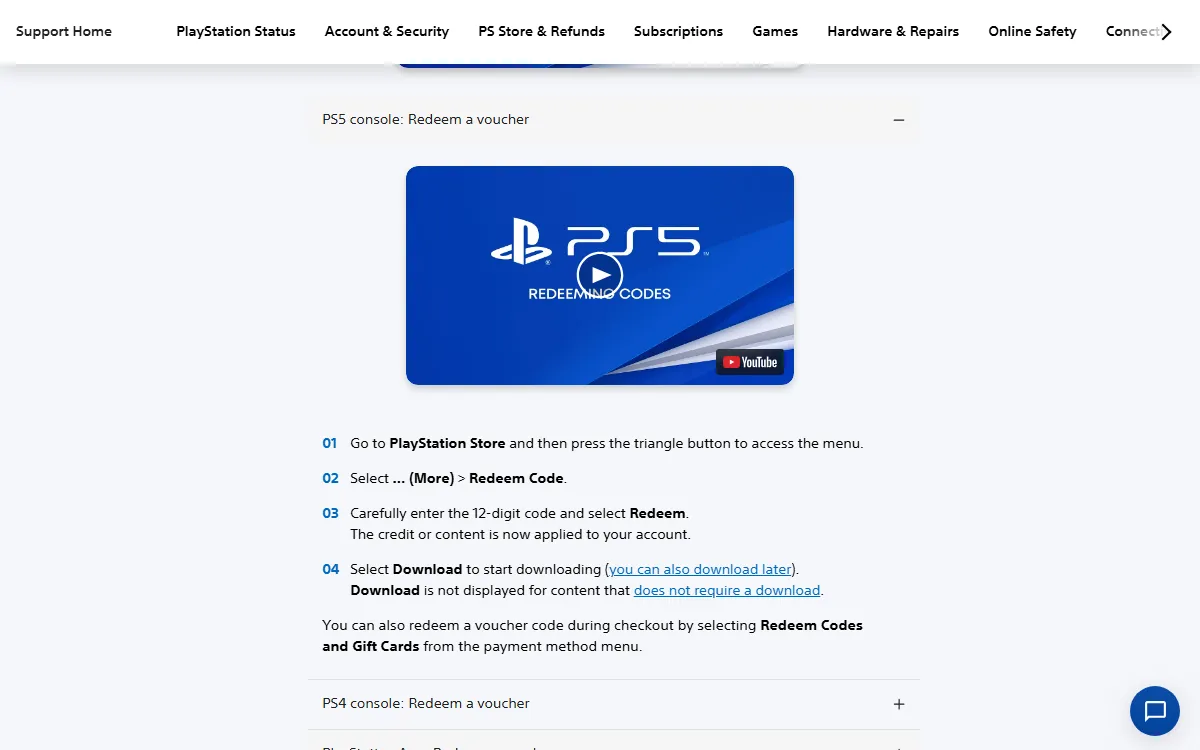
On a PS5 console:
- Go to PlayStation Store and press the triangle button to open the menu.
- Select ... (More) > Redeem Code.
- Carefully enter the 12-digit code and select Redeem.
- The credit or content is applied to your account. Select Download if the content needs downloading.
On a PS4 console:
- Go to PlayStation Store, scroll to the bottom of the sidebar, and select Redeem Codes.
- Enter the 12-digit code, then select Continue > Confirm or Yes.
In a browser or the PlayStation App:
- On the web, open PlayStation Store, select your profile at the top, then Redeem Code. In the app, select the PS Store icon, then the menu icon on the right, then Redeem Code.
- Enter the 12-digit code and select Continue.
PlayStation also notes that on PS5 you can redeem a code during checkout by choosing Redeem Codes and Gift Cards from the payment method menu. That shortcut is handy if you are mid-purchase and short on funds. Keep in mind that, according to PlayStation's wallet guide, wallet funds are spent first at checkout, and funds added to your wallet cannot be refunded.
Check Your Transaction History to Confirm the Code Was Never Used
Check your transaction history before and after you report the problem. If the code was already redeemed, it shows up in the transaction details. The How to check your transaction history page says the history for the past two years is displayed by default.
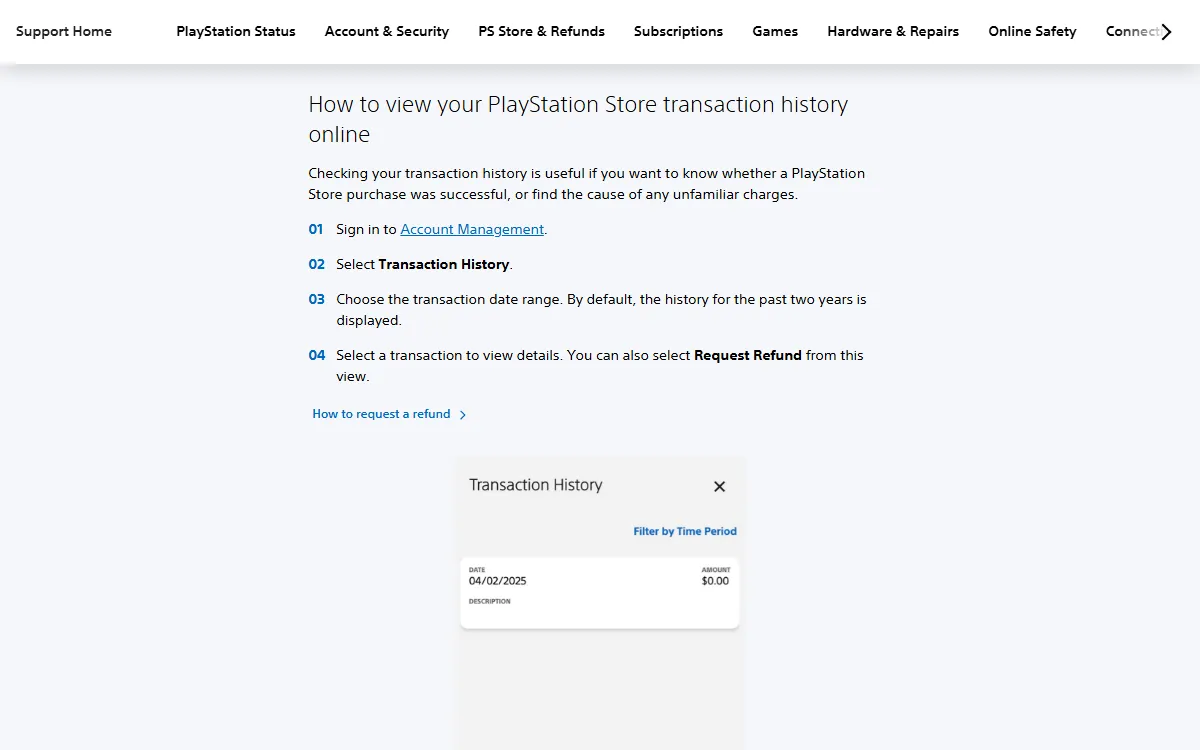
- Online: sign in to Account Management, select Transaction History, choose a date range, and open a transaction to see the details.
- PS5: Settings > Users and Accounts > Account > Payment and Subscriptions > Transaction History.
- PS4: Settings > Account Management > Account Information > Wallet > Transaction History.
- PlayStation App: PlayStation Store icon, the menu icon at the top right, then Transaction History.
Run the check on every account that has been used on your console. Only the family manager can see family members' transaction history, so parents should check child accounts too. Take screenshots of the results. Proof that the code does not appear in any account's history strengthens your report to PlayStation Support.
Transaction history is useful after the case closes as well. Once replacement funds arrive, you can see the record there. If you spot a charge you do not recognize, follow the unauthorized transactions guidance on PlayStation's transaction history page and lock down your account with the steps in our guide on securing your gaming account with 2FA.
How to Keep Your Next PlayStation Gift Card Code From Getting Damaged
Most scratched-off codes are preventable with a few simple habits. The goal is to reveal the code once, record it, and redeem it straight away, before the card has a chance to get bent, wet, or lost.
- Scratch only when you are ready to redeem. Do not uncover the panel days before you need it.
- Use a coin on a flat table. That matches PlayStation's official advice and is the gentlest option for the ink underneath.
- Photograph the code right away. Store the photo somewhere private, not in a group chat.
- Redeem on the right account. Check your account region and make sure you are not signed into a family member's profile.
- Keep the receipt until the funds arrive. It is your only proof if something goes wrong.
- Buy from official retailers. Cards from proper stores get activated at the register and leave a clear transaction trail.
- For gifts, consider a digital code. There is no panel to scratch, and the code sits safely in your email.
These habits apply to other gift cards too. The scratch-off panels on Xbox, Nintendo eShop, and Steam cards carry the same risk. If you regularly buy cards for several platforms, our guide to digital game voucher types and how to buy them helps you pick the most practical format, and our safe digital shopping tips cover how to choose a seller.
Digital PlayStation Codes: An Alternative With Nothing to Scratch Off
A digital code arrives as text, so there is no silver panel to damage. You just copy it and paste it into the Redeem Code menu described on PlayStation's redeem page. On Digidang you can find the PlayStation Store Gift Card $5 USD, PSN Gift Card $10 USD, PSN Gift Card $25 USD, and PSN Gift Card $50 USD.
An honest note on region: all four codes above are US region codes in US dollars. Under PlayStation's rules, a voucher code must match the account region, so these codes only redeem on a United States PlayStation account. They will not work on an account from another region, and an account's region cannot be changed after it is created.
So check your account region before you buy. If your account belongs to another country, a US code is the wrong choice, and you are better off buying a card that matches your account region. Digidang works as an affiliate marketplace, so prices and stock follow the partner seller at the moment you open the product page. Read the description and region requirement on the product page before you pay.
If you want to compare where to buy PlayStation cards, read our PlayStation gift card guide. To see what you can spend your balance on, open the PlayStation Store gift card guide. Wallet funds can also go toward subscriptions, as explained in our PlayStation Plus guide.
If you own more than one console, compare the other platforms in our articles on the Xbox gift card digital code, the Nintendo eShop gift card guide, and the Steam Wallet code guide. Not sure where to enter a code on each platform? See where to activate game codes by platform, or browse the Digidang gift card category.
Frequently Asked Questions
Can I still use a PlayStation gift card if the code is scratched off?
Yes, as long as the code can be recovered. For receipt codes, contact the retailer. For a damaged physical card, PlayStation asks you to contact support with the purchase date, retailer, proof of purchase, and photos of both sides.
Should I contact the store or PlayStation?
If the code is printed on a receipt, contact the store where you bought it. For any other damaged voucher, including physical cards with a scratch-off panel, contact PlayStation Support through the Contact Support page and choose the PS Store & Refunds topic.
How many digits is a PlayStation Store gift card code?
According to PlayStation's official page, voucher codes contain 12 digits. A 10-digit code is a discount code that can only be used in the shopping cart when making a purchase.
Should I try guessing the missing characters?
No. Wrong guesses never add funds and only waste time. Leave the card as it is, photograph it, and let the retailer or PlayStation Support assess it.
Will PlayStation always replace a damaged card?
PlayStation's official page does not promise an automatic replacement. It says you should contact support and that you may be asked for evidence. Your chances are better when your proof of purchase and card photos are complete.
My code was rejected. Does that mean it was scratched off?
Not necessarily. Other causes listed by PlayStation include typos, a code that was already used, a card not activated at the register, an expired code, a region mismatch, or a 10-digit discount code entered as a voucher.
Can a US PSN code be used on an account from another country?
No. PlayStation says vouchers only redeem in the same PlayStation Store region, and an account's region cannot be changed. A US code only works on a United States account.
What if the code was redeemed on the wrong account?
According to PlayStation, funds and content cannot be transferred between accounts. Always check which account is active before redeeming, especially on a console shared with family.
Digidang Team
Gaming enthusiast and marketplace expert sharing tips, guides, and the best gaming deals.